OPERATION
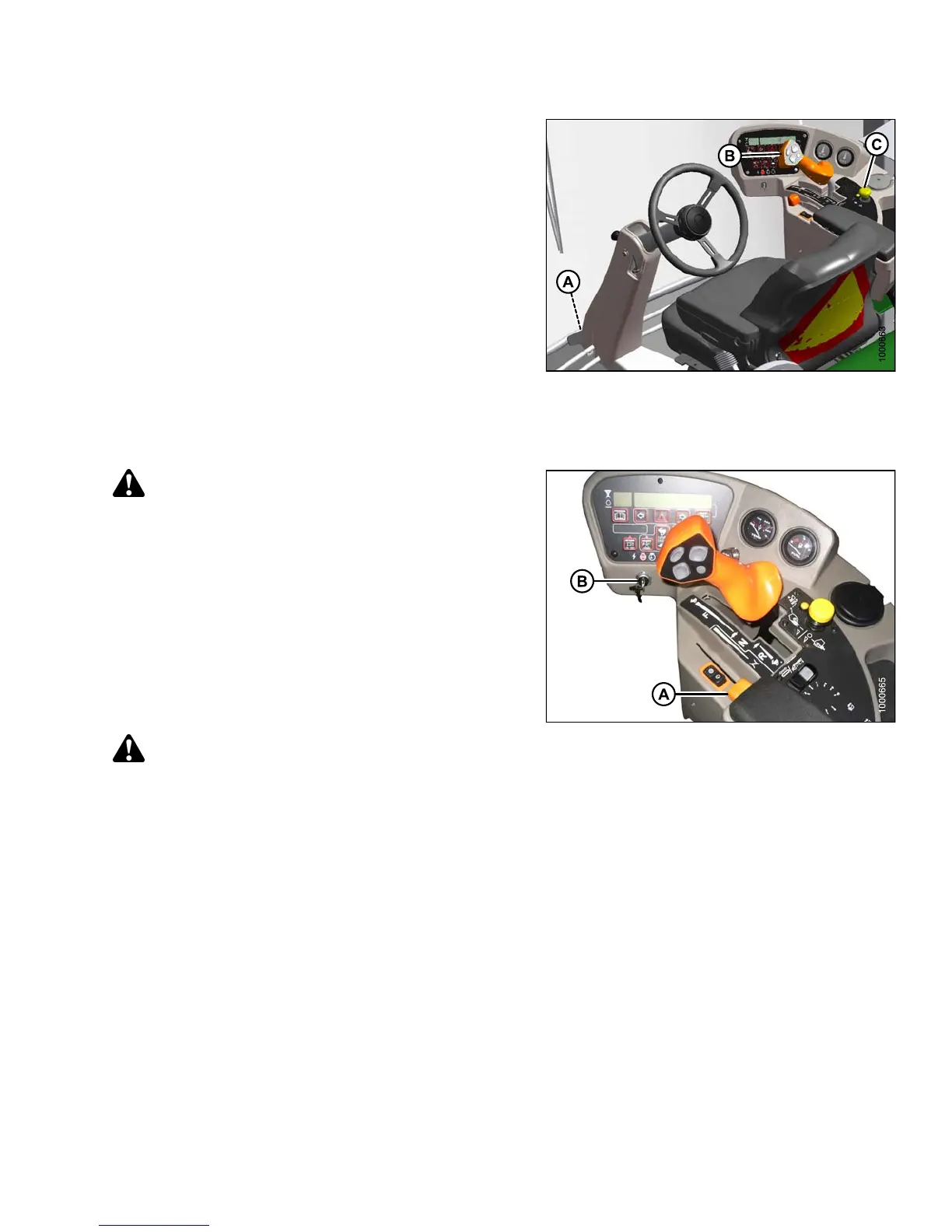
2. Ensure lock (A) at the base of the steering column is
engaged at cab-forward or engine-forward position.
3. Move ground speed lever (GSL) (B) into N-DETENT.
4. Turn steering wheel until it locks. It may be possible to
move the steering wheel slightly in the locked position.
IMPORTAN T:
Do NOT attempt to force the wheel out of locked
position as damage to the traction system
may occur.
5. Fasten seat belt.
6. Push HEADER DRIVE switch (C) to ensure it is O FF.
Figure 4.8: Operator Controls
Normal Start
Engine temperature above 60°F (16°C):
WARNING
If starter engages with steering wheel unlocked,
ground speed lever out of NEUTRAL, or header clutch
engaged, DO NOT START ENGINE. See your Dealer.
1. Set throttle (A) to
START position—fully b ac k.
IMPORTAN T:
The machine gauges and instruments provide
important information about machine operation and
condition. Fam ilia rize yourse lf with the ga u ge s and
monitor them carefully during start-up op erat ion.
Refer to 3.16 Engine Controls and Gauges, page 65.
CAUTION
Check to be sure all bystanders have cleared the area.
2. Sound horn three times.
3. Turn ignition key (B) to RUN position. Single loud tone
sounds, engine warnin g lights illuminate as a self-test,
and cab display m odule (CDM) displays “HEADER
DISENGAGED” and “IN PARK”.
4. Turn ignition key (B) to START position until
engine starts, and then release key. CDM displays
programmed header data for five seconds if attached,
and then returns to previous display.
Figure 4.9: Operator Console
147649 161 Revision A



 To Next Page