OPERATION
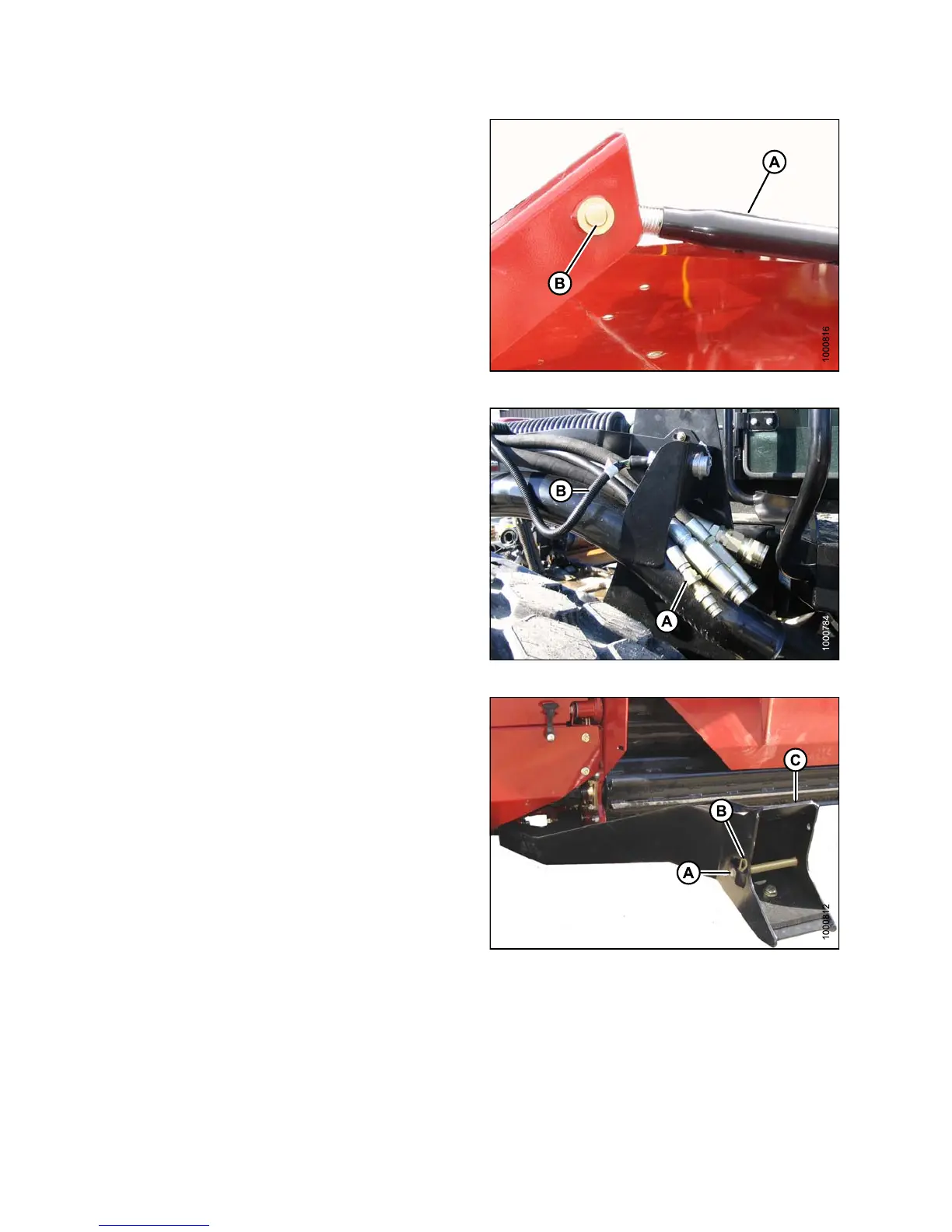
10. Remove cotter pin on clevis pin (B) and remove pin to
disconnect from header. Reinstall clevis pin in header.
11. Tighten nut against barrel (A). A slight tap with a
hammer is sufficient.
Figure 4.274: Mechanical Center-Link
12. Disconnect header drive hydraulics (A) and
electrical harness (B). Refer to the R-Series Header
Operator’s Manual.
13. Start engine and slowly back windrower away
from header.
Figure 4.275: Header Drive Hydraulics
14. Stops engine and remove the key.
15. Reinstall the clevis pin (A) through each boot (C) and
securewithhairpin(B).Dothistobothsides.
Figure 4.276: Header Boots
147649 278 Revision A



 To Next Page