MAINTENANCE AND SERVICING
1. Use a vacuum cleaner or compressed air to remove
dirt from inside the unit.
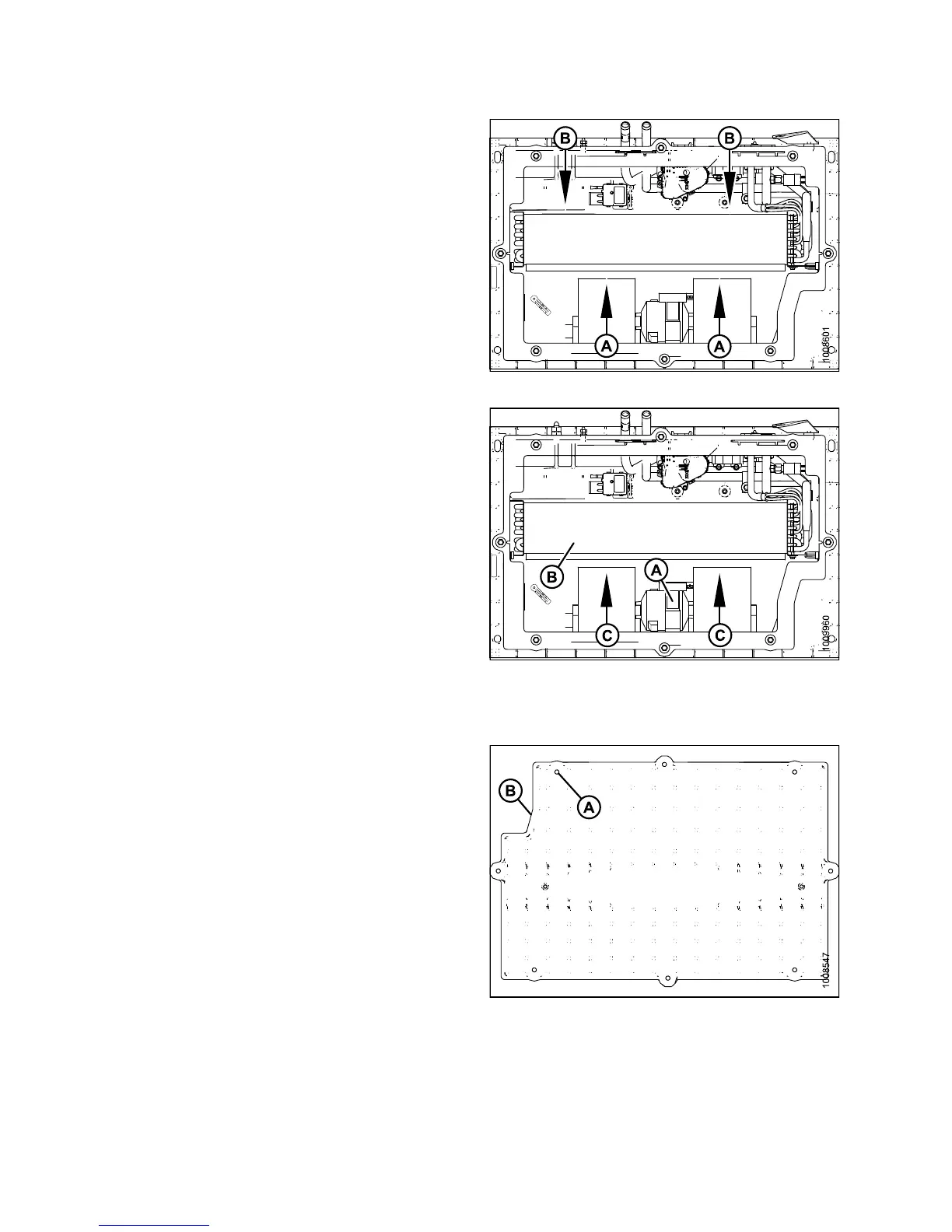
2. Blow compressed air through the evaporator fins from
the blowe r side (A) first as shown. Direct the air straight
into the evaporator to prevent fin damage. A nozzle
extension makes this procedure easier.
3. Repeat the previous step from the side (B) opposite the
blowers.
Figure 5.45: HVAC System
4. If you cann
ot feel the compressed air blowing through
the evapor
ator core, proceed as follows:
a. Protect th
e blower mot or (A) from water.
b. Soak the e
vaporator core (B) with warm water
usingalo
w pressure hose. Let soak for several
minutes.
c. Blow comp
ressed air through the core from th e
blower si
de (C).
d. Repeat t
he soaking procedure until air blows
through
the evaporator freely.
Figure 5.46: HVAC System
Installing Air Conditioning (A/C) Cover
1. Straighten any bent fins.
2. Position cover (B) and attach with eight screws (A).
Figu
re 5.47: HVAC System
147649 330 Revision A



 To Next Page