Installation and Commissioning
GARD 8000 SYS RFL Electronics
November 28, 2017 4-24 973.334.3100
4.6.1.4 VERIFYING CHASSIS COMMUNICATION STATUS
The GARD 8000 can be configured with different Communication Interface modules. In order to
verify a status of the local chassis, each Comms module installed in the Gard 8000 system can be
‘looped back’ either by the software or using a ‘hard loopback’. Please use the following steps to
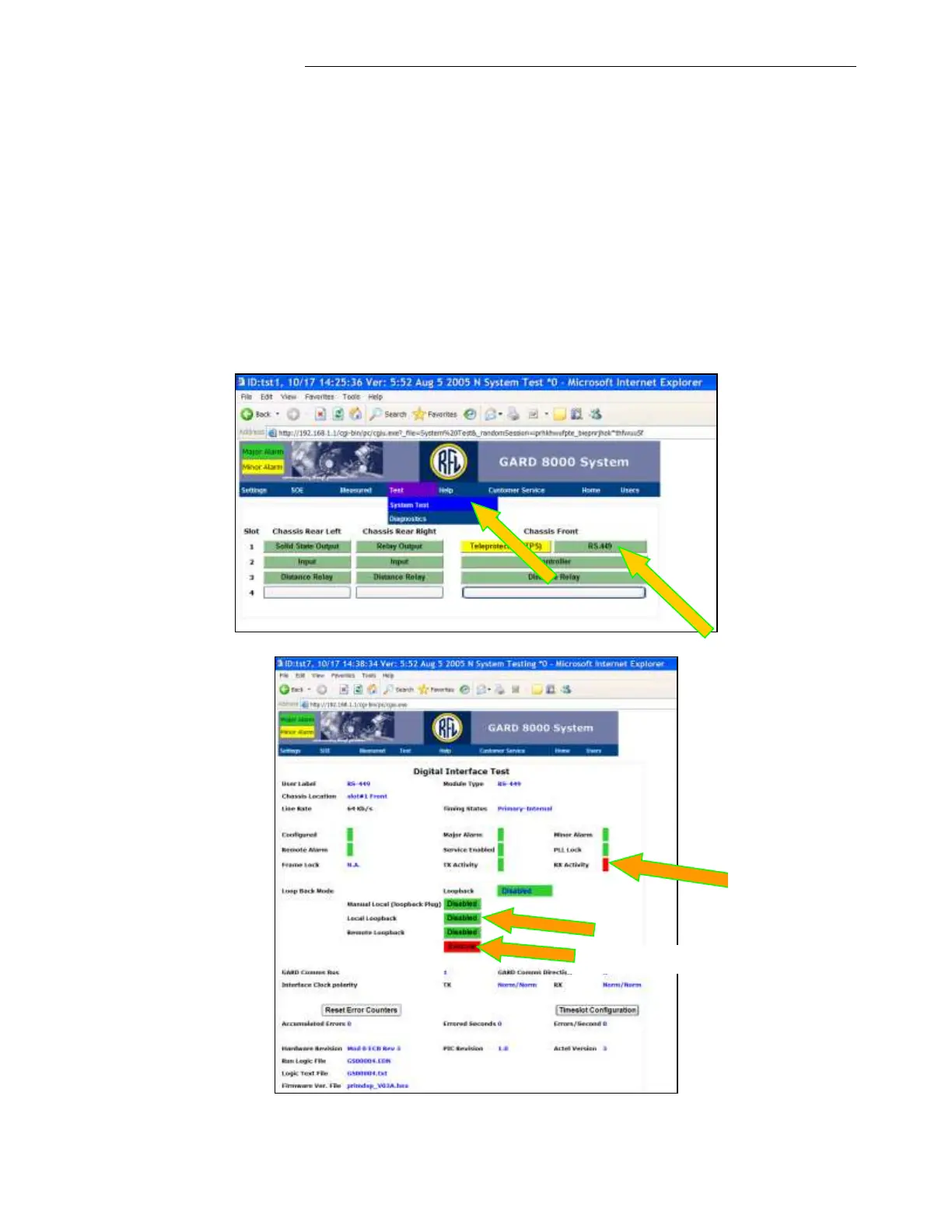
enable the software’s Local Loopback. The System Testing webpage allows testing of the INPUTS,
OUTPUTS, INTERFACE MODULES (Local and Remote Loopbacks), and SYSTEM MODULES.
1. Click on Test
2. Select ‘System Test’.
3. In System Testing, select one of the Comms Interface Modules, click on RS-449
(Note: In this example the only Comms module configured in the shelf is RS-449).



 To Next Page