Installation overview 4 Installation
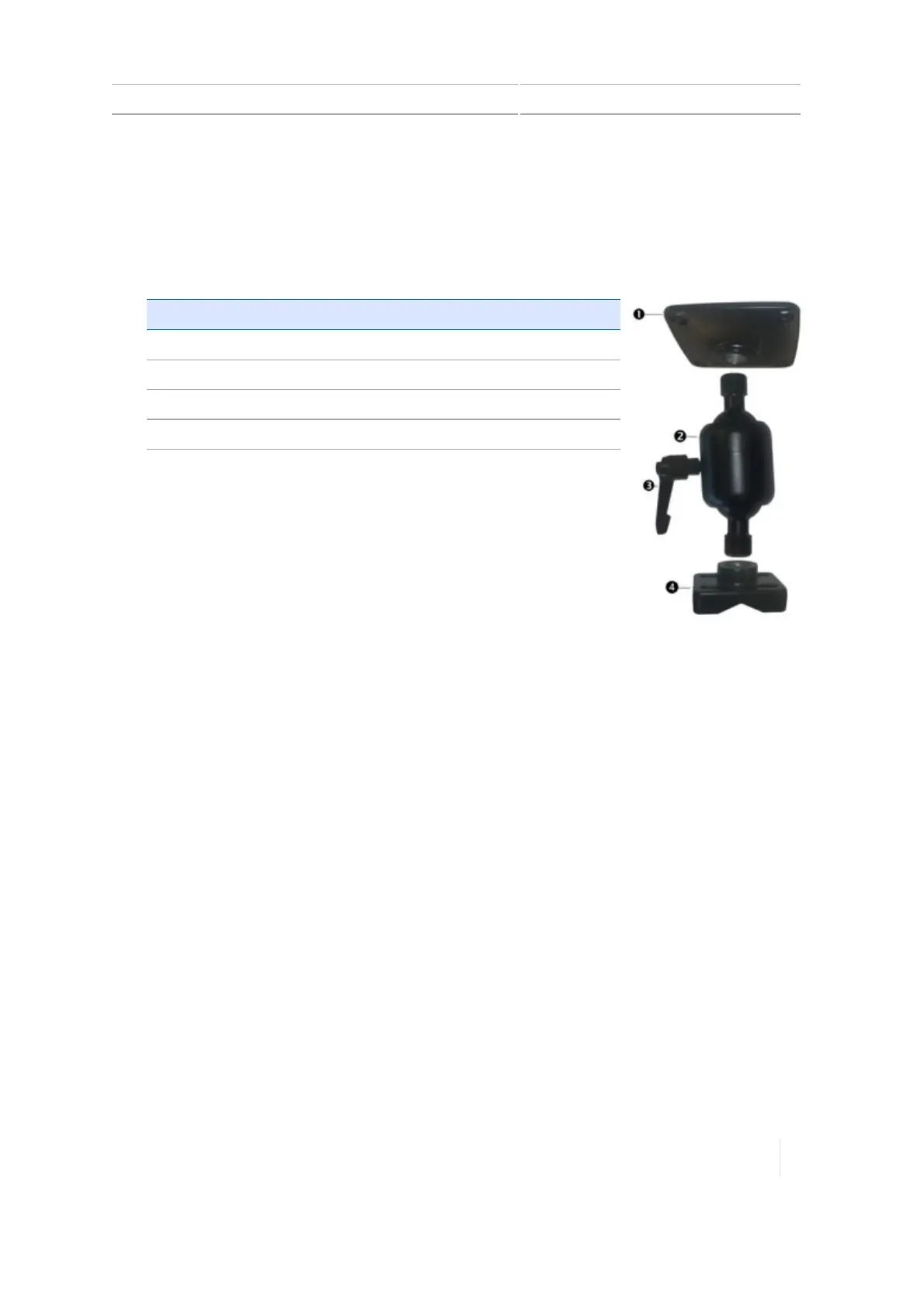
2. Use the supplied screws to firmly attach the mounting plate (1) to the back of the TMX-2050
display.
3. Turn the tightening arm (3) to loosen the Zirkona mount (2).
4.
Adjust the TMX-2050 display until it is positioned where you want it. Turn the tightening arm (3)
the other direction to tighten the Zirkona mount (2).
Item Description
1 Mounting plate
2 Zirkona mount
3 Tightening arm
4 Bar mount
Version 1.075, Revision C TMX-2050 Display User Guide 101



 To Next Page