10 Operations Field-IQ system operations
Field-IQ system operations
For the Field-IQ system, the following equipment and tools may be used:
l Field-IQ system Master Switch Box, 270
l Section control, 273
l Rate control adjustments, 274
l Boom height control operation, 276
l Boom height adjustments, 278
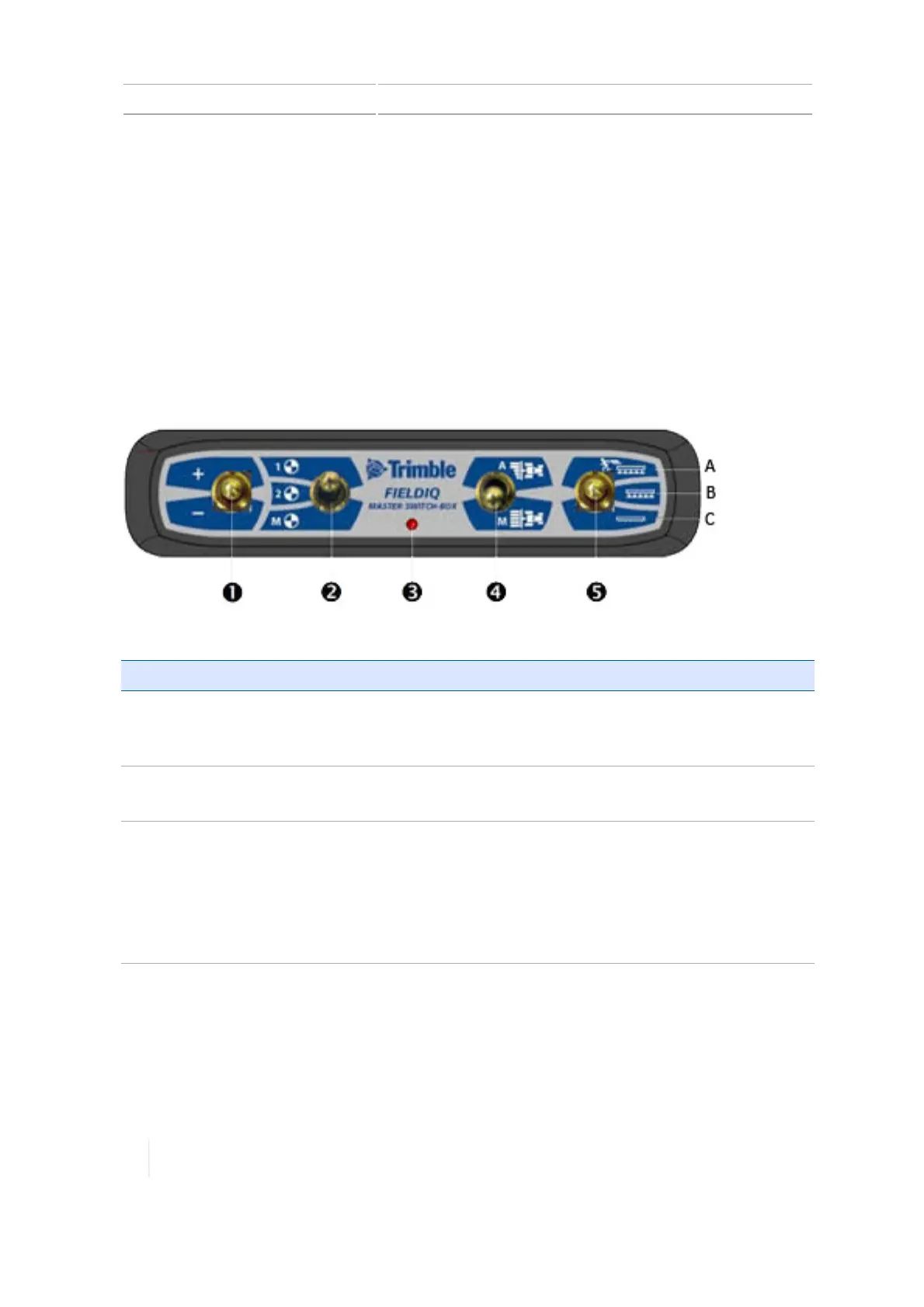
Field-IQ system Master Switch Box
Note – All Field-IQ systems must have a Field-IQ master switch box.
Item Description Tap here to ...
1
Increase/decrease switch Increases the applied amount by a set amount (the
amount set when you add a material). See Add a
material, 227.
2
Rate switch Choose to use preset Rate 1, preset Rate 2, or Manual
rate.
3
LED indicator
l Red: Unit is powered but not communicating with the
display.
l Green: Unit is powered and communicating with the
display.
l Yellow: Unit is initializing communications with the
display.
270 TMX-2050 Display User Guide Version 1.075, Revision C



 To Next Page