10 Operations Field-IQ system operations
Rate control adjustments
To adjust rate control while performing field activities, at the Run screen, tap . The rate control
adjustment buttons display.
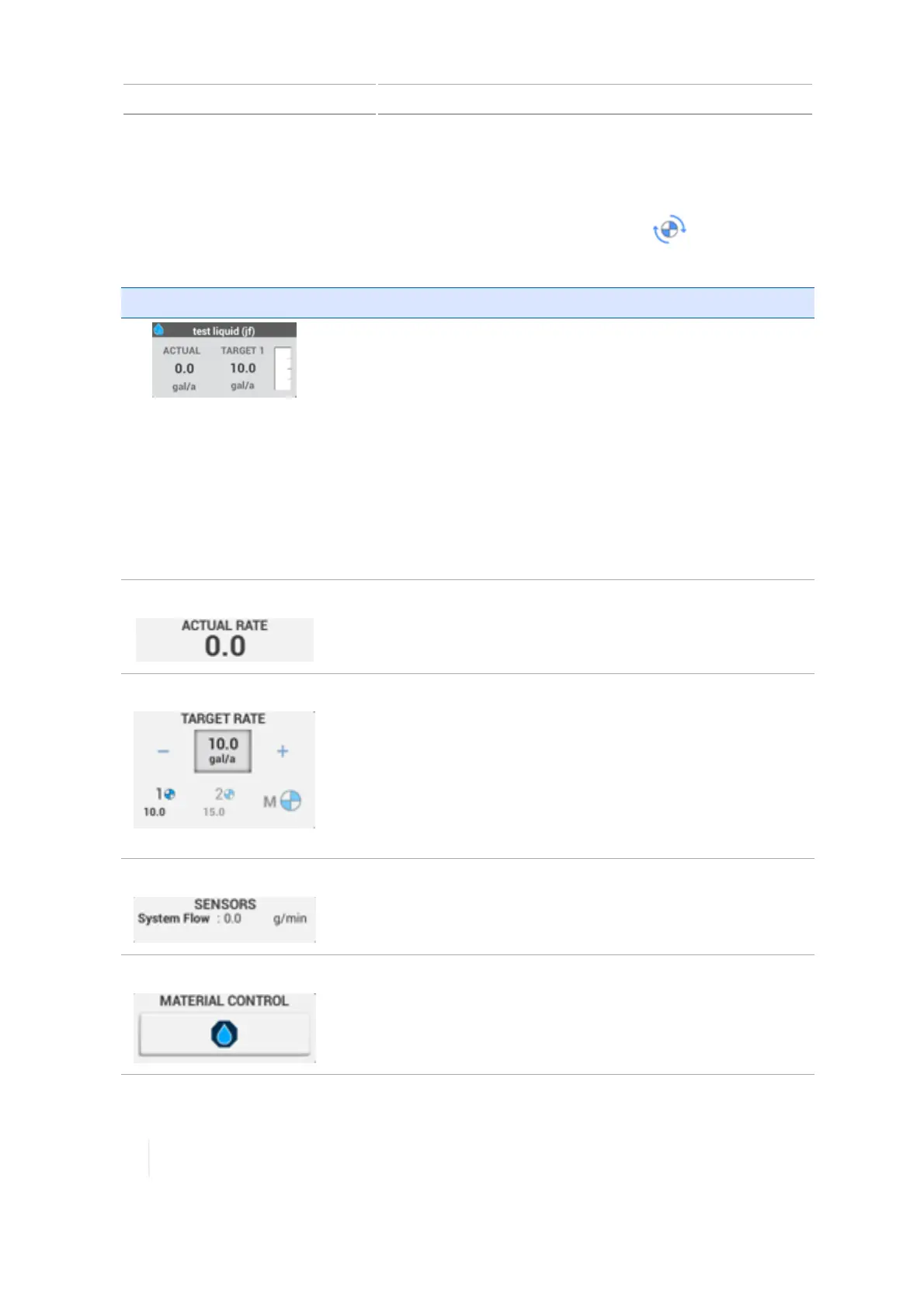
Button/Indicator Description
Heading: Contains the name you assigned to the control channel.
The background color of the heading indicates the state of the
channel:
l Green: Channel is functioning. Field-IQ master switch is on.
l Red:Channel is not functioning due to fault or failure.
l Grey:Channel is shut off or disabled. Field-IQ master switch is
off.
Actual:Indicates the actual rate being applied and the units.
Target 1: Indicates the target rate and the units.
Note – When you tap this widget, it displays more detail.
Actual Rate
Indicates the actual units (gallons or liters) being applied.
Target Rate Indicates the target number of units per acre.
The bold indicator is the rate that is active.
l 1:Target for rate 1.
l 2:Target for rate 2.
l M: Manual target rate
l Rx: Use a prescription (does not display unless a prescription is
loaded)
Sensors
Indicates the amount of flow through the system in gallons or liters
per minute.
Material Control Tap this button to shut down the channel. If valve locking is
enabled, tapping this button will shut the section and valve
together.
274 TMX-2050 Display User Guide Version 1.075, Revision C



 To Next Page