Field-IQ system operations 10 Operations
Section control
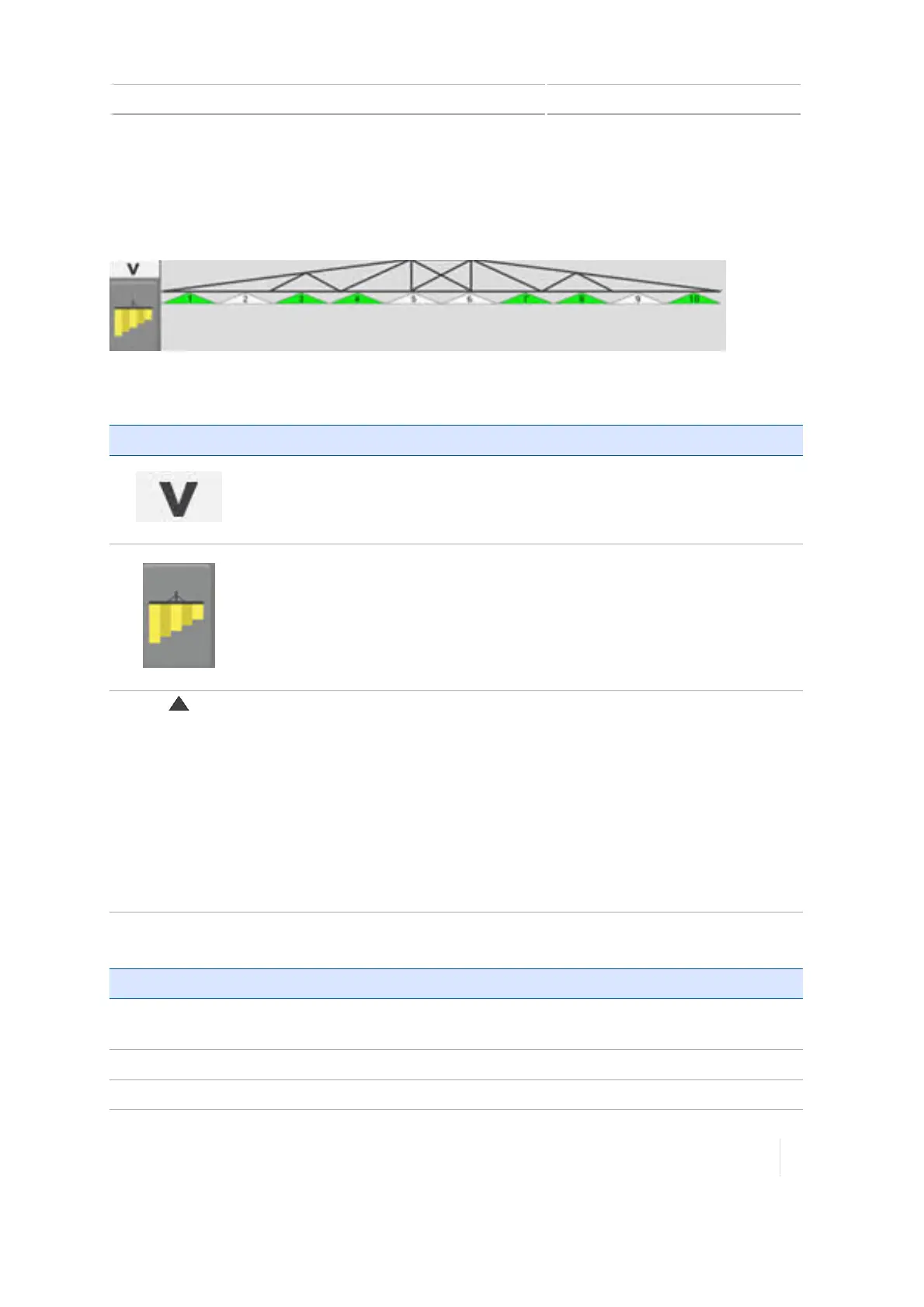
When you are spraying, you can view an on-screen representation (widget) of the output at the
bottom of the Run screen. This indicates the sections you have turned on using a switch box.
Buttons and indicators
Button or indicator Explanation
Collapse the display of the widget.
Switch to the boom height widget, if applicable.
Shows spray section. Color indicates status:
l Grey: Section was automatically shut off as a result of coverage overlap,
existing a boundary or entering a non-productive area.
l White:Section was shut off manually with the switch box.
l Green:Section is on.
l Yellow:Section is on but is not sending feedback to the system or is not
meeting some requirements (such as a liquid channel not seeing
adequate flow or speed)..
l Red:Section has a failure or warning.
For information on: See:
Using switch
boxes
Field-IQ system Master Switch Box, 270
Diagnostics
Field-IQ diagnostics, 311
Settings
Boom height control, 210
,
Section control, 198
Version 1.075, Revision C TMX-2050 Display User Guide 273



 To Next Page