11 Diagnostics / troubleshooting DCM-300 modem status
DCM-300 modem status
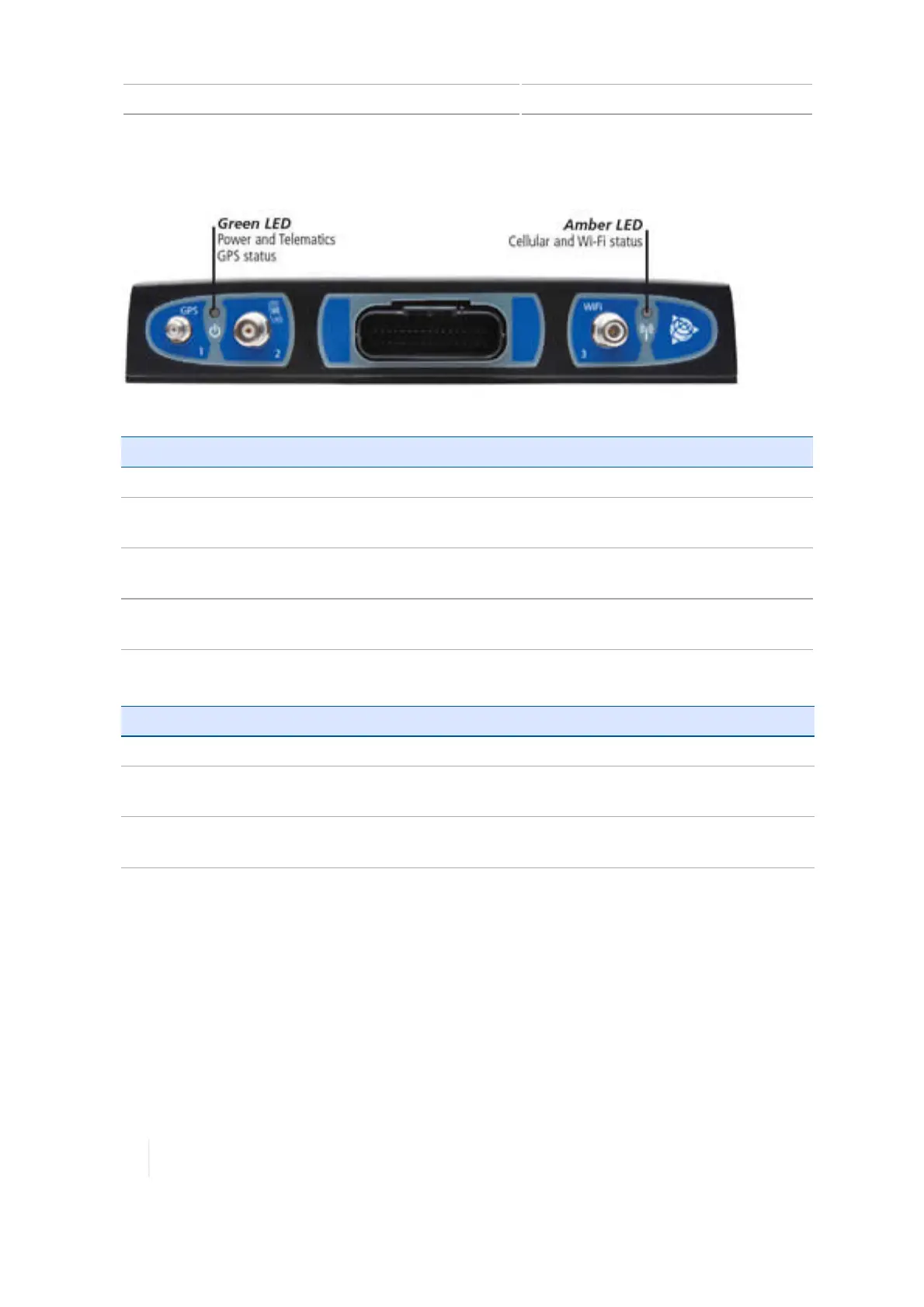
The LED lights on the DCM-300 modem indicate the status of specific signals.
Light status Green LED indicates: Amber LED indicates:
Solid
Power on and booting Cellular link
Fast blinking
(200
milliseconds on/off)
Poor or no GPS signal Poor or no wireless signal
Blinking
(one second
on/off)
GPS signal Wi-Fi link
Slow blinking
(three
seconds on/off)
N/A Wi-Fi and cellular link
For content on: See also:
Diagnostics
DCM-300 modem diagnostics, 305
Connecting the
modem
Connect the DCM-300 modem, 111
Setting up the
modem
DCM-300 modem initial setup, 130
302 TMX-2050 Display User Guide Version 1.075, Revision C



 To Next Page