4 Installation Components
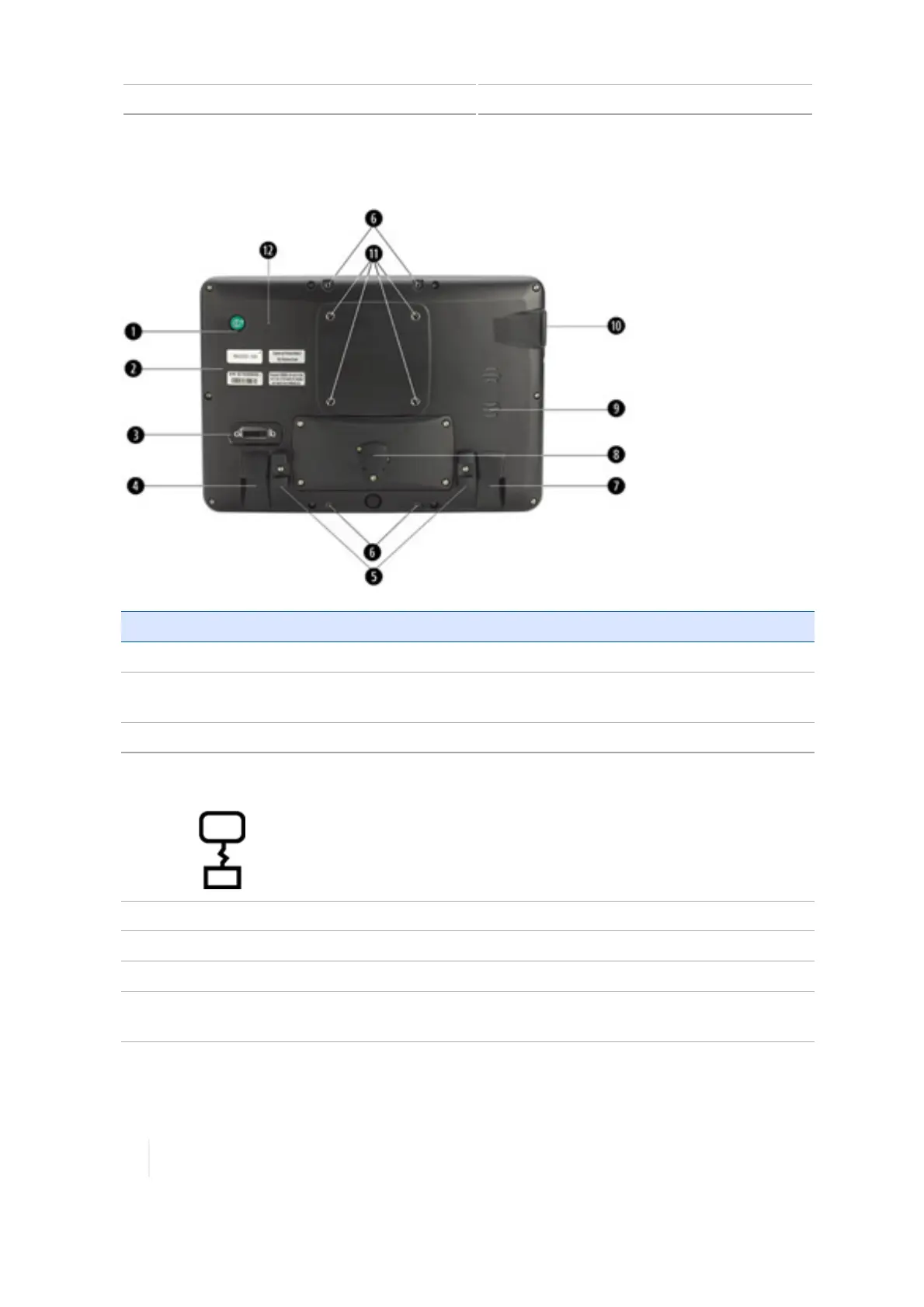
Rear view
Item Name Explanation
1 Power button Powers the TMX-2050 display on or off
2 Labels with part number
and serial number
N/A
3 Port: DVI / HDMI For future capability
4
Jack: TM-200 Module
(RJ45)
Socket for connecting to the TM-200 Module
5 Cable brackets Holds Trimble Ethernet cables to prevent cable strain
6 Interior bolts Location for mounting Field IQ switch box
7 Jack: CAN(RJ11) For future capability
8 Port: USB (rear) with cover Socket for USB drive to transferring data to and from the
TMX-2050 display
96 TMX-2050 Display User Guide Version 1.075, Revision C



 To Next Page