GNSS receiver settings 5 Connectivity
Modem corrections
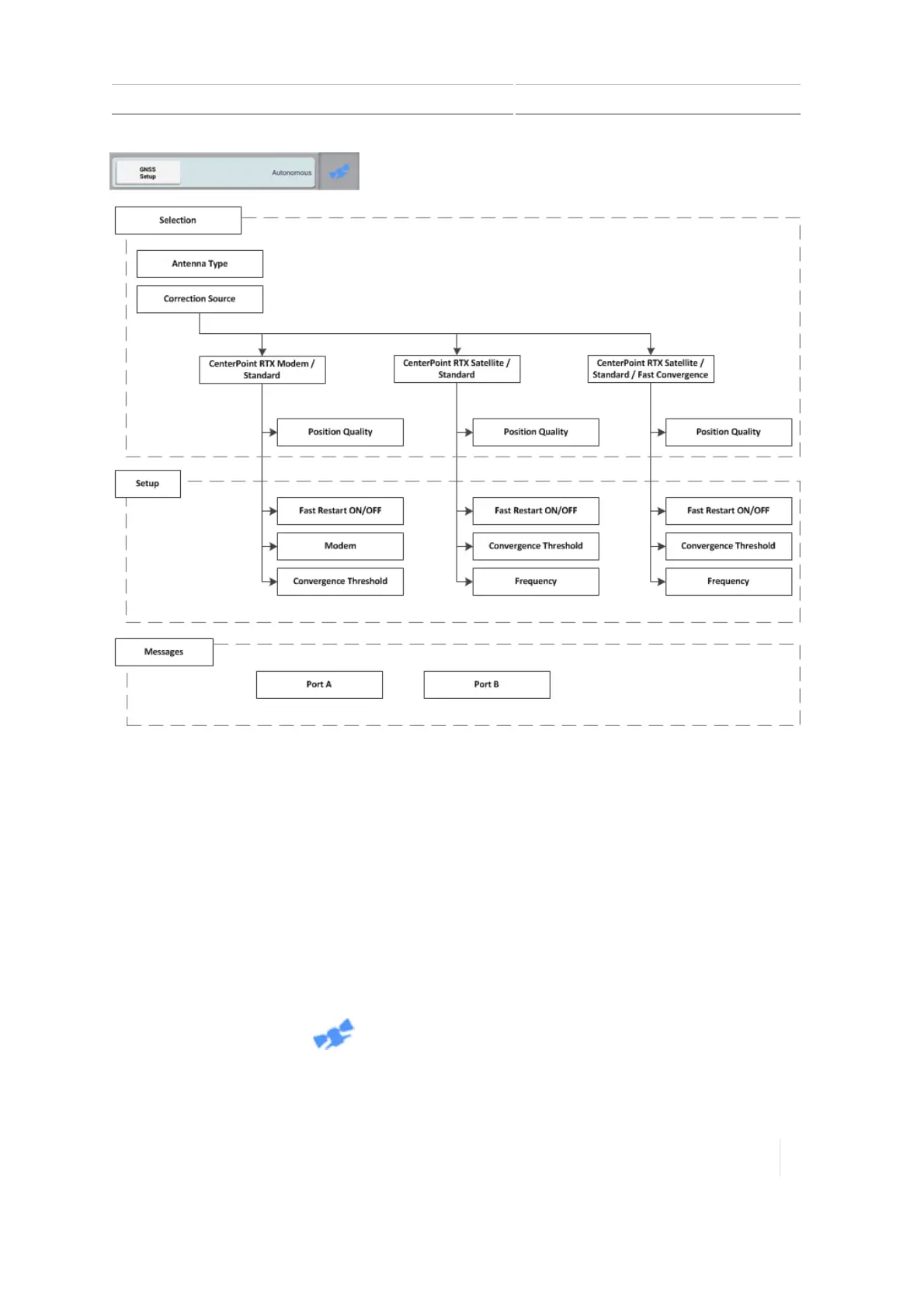
CenterPoint RTX Modem / Standard is a cellular broadcast subscription service for corrections with
< 1.5" (3.8 cm) accuracy and GLONASS compatibility. The DCM-300 modem receives these signals.
To set up this correction service:
1. Connect the DCM-300 modem to the display.
2. Power on the DCM-300 modem and display by turning on the vehicle ignition.
3. Unlock CenterPoint RTX. (See Feature unlocks, 81.)
4. Reboot the DCM-300 modem by turning off the vehicle ignition.
5. Turn the vehicle ignition back on.
6.
At the Home screen, tap .
7.
Tap GNSSSetup to display the setup panel.
Version 1.075, Revision C TMX-2050 Display User Guide 123



 To Next Page