4 Installation Installation and GNSS set up
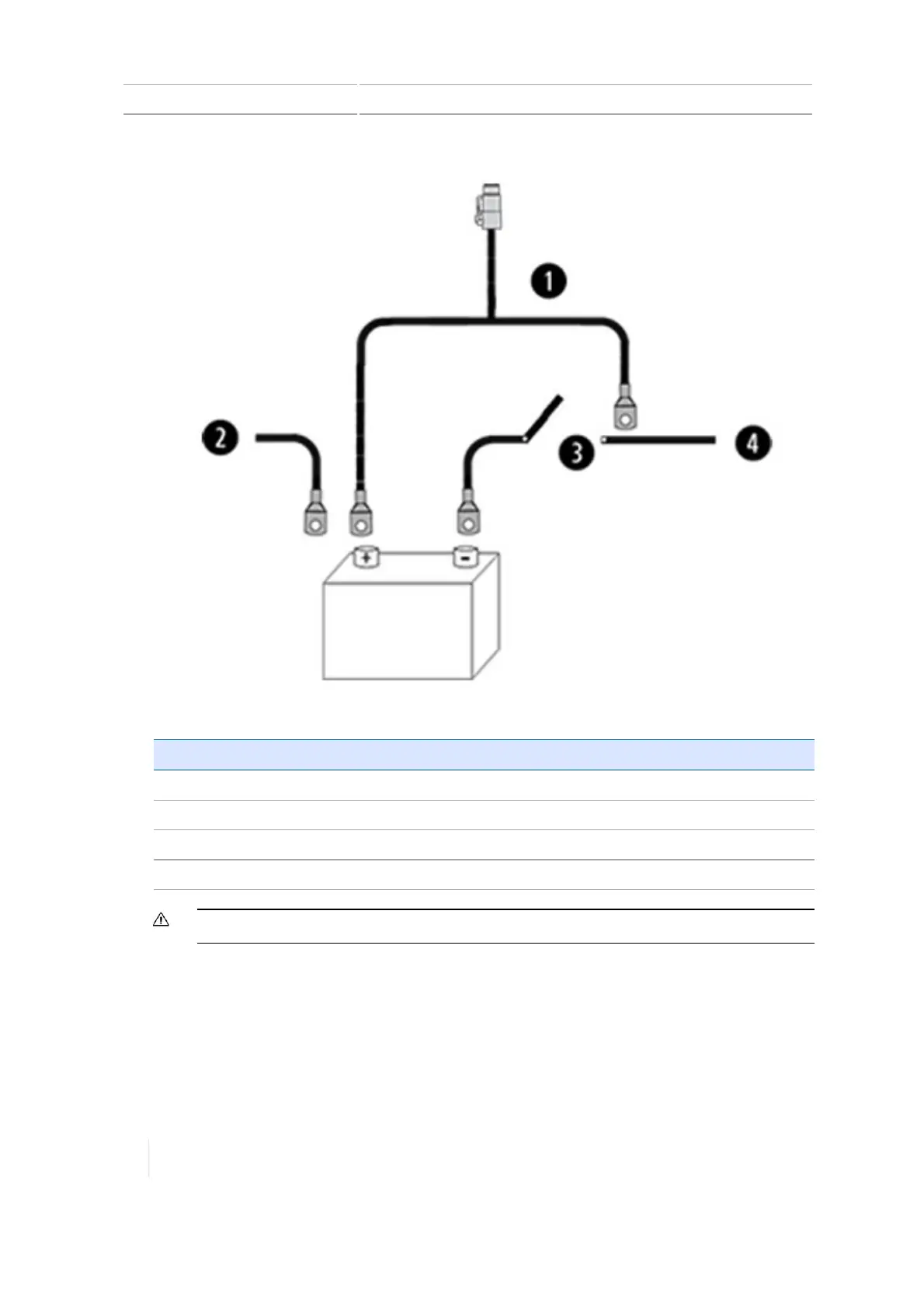
Item Description
1 Trimble power cable
2 To tractor +ve
3 Master electrical disconnect
4 To tractor -ve
CAUTION – Make sure the vehicle power is off when you are connecting system components.
7. For vehicles without an OEM connection, see Regular after-market installation, 107.
8. For vehicles with an OEM connection, see Connection for existing OEMharness, 109.
106 TMX-2050 Display User Guide Version 1.075, Revision C



 To Next Page