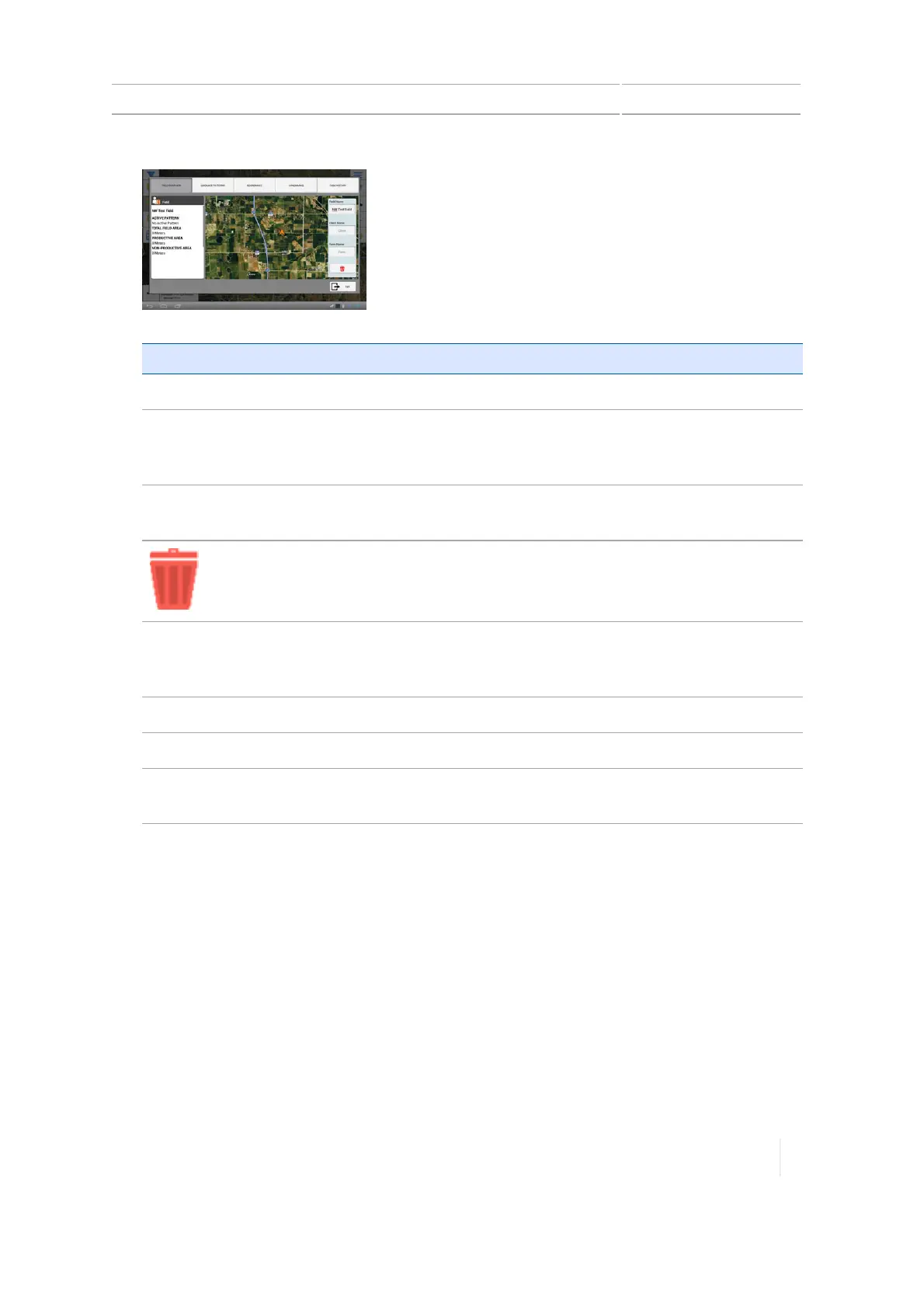
Edit a field (Field Manager) 7 Fields
Field Item Explanation
Field Name You can optionally change the field name. Tap in the text box.
Client Name (optional) The client is the customer for whom the work is being done.
Client name is blank unless you import it or manually enter it
here.
Farm Name (optional) The farm is a collection of fields. Farm name is blank unless you
import it or manually enter it here.
Removes the field and all related data from the TMX-2050
display.
ACTIVEPATTERN The currently active pattern, and what implement type and
width were used to create the pattern. to make a different
pattern active, tap GUIDANCEPATTERNS.
TOTALFIELDAREA The calculated area of the selected field.
PRODUCTIVEAREA Total field area minus the non-productive area.
NON-PRODUCTIVEAREA The calculated area of the Non-productive area landmark
features in the selected field.
2.
To edit the field name, tap in the Field Name text box and edit the name.
Note – To ensure your changes are saved, tap the Done key on the on-screen keyboard.
3.
To associate the field to a client, tap the Client name text box and enter a name.
Note – To ensure your changes are saved, tap the Done key on the on-screen keyboard.
4.
To associate the field to a farm, tap the Farm Name text box and enter the name of the farm.
Note – To ensure your changes are saved, tap the Done key on the on-screen keyboard.
5. To edit guidance patterns, boundaries, survey items, or landmarks, tap the buttons at the top
of the Field Manager. See the following sections for details.
Version 1.075, Revision C TMX-2050 Display User Guide 185



 To Next Page