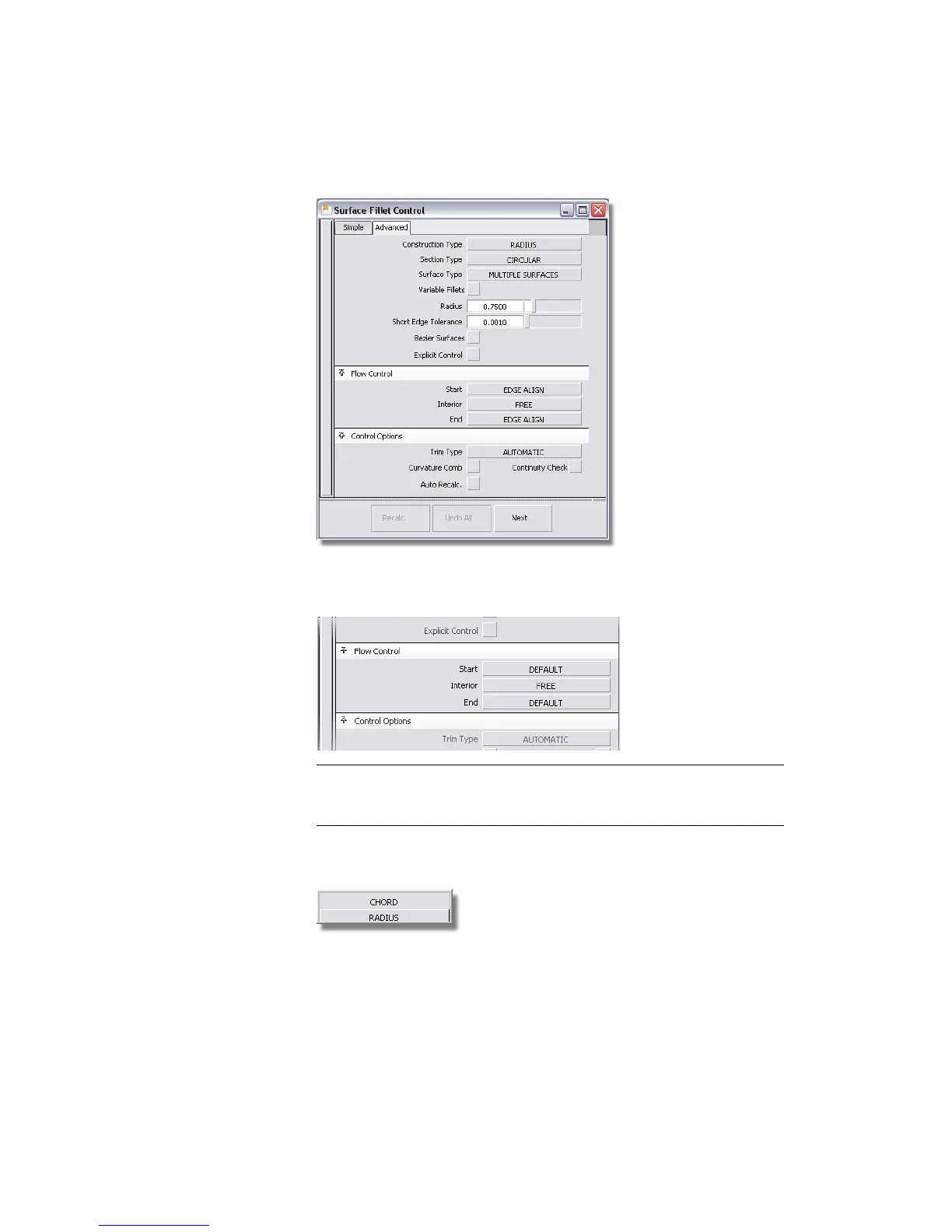
2 The Flow Control settings can be returned to the default settings. On
the pull-down menu for the Start and End settings, choose DEFAULT.
NOTE The ends of the fillet fall on the center-line of the vacuum design. As
the edges of the main surfaces are already aligned to the center-line, the
Surface fillet EDGE ALIGN adjustment isn’t required.
3 In the Construction Type setting, there are two choices on the
pull-down menu.
Part 3: Surface Fillet | 317



 To Next Page