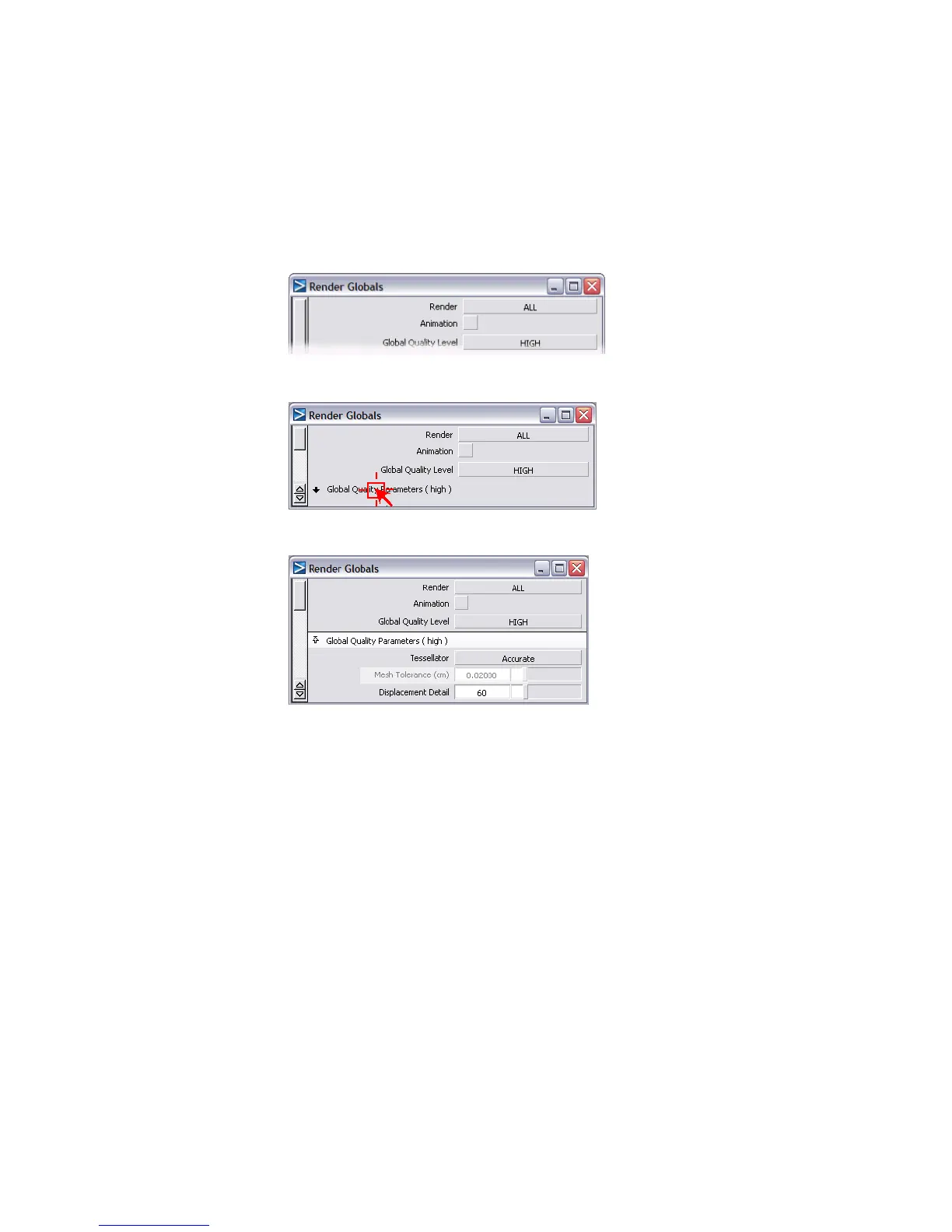
look you are happy with, you will render the scene at HIGH Global
Quality Level to achieve a better quality result.
3 Set the Global Quality Level to HIGH.
4 Click the tab called Global Quality Parameters to open this section.
5 Set Mesh Tolerance to 0.02.
When an image is rendered, its surface is divided into triangles. This
process is called tessellation. Each surface of a model has a specific
tessellation value. When the tessellation value is low, the surface is divided
into few triangles and it may appear faceted when rendered, even if the
Global Quality Level is set to HIGH. In some cases, the only way to
reduce the faceting is to increase the model's tessellation value.
Tessellation value is another important variable in the quality of a final
render.
Mesh Tolerance is the maximum allowable distance (measured in
centimeters) between a NURBS surface and its tessellated version. By
setting Mesh Tolerance to a low value, you increase the quality of the
final render. (What actually happens is that the tessellation value for the
entire scene increases.)
690 | Chapter 11 More rendering



 To Next Page