Monitoring
232
Instructions for use Zeus Infinity Empowered SW 2.n
Wedge pressure measurement
The PWP parameter describes the pressure that is
measured distal to the blocked balloon during tem-
porary closure (blocking) of the pulmonary artery
using a balloon catheter (e.g., pulmonary artery
catheter). The mean value is determined over a pe-
riod of 10 seconds from the measured PA values.
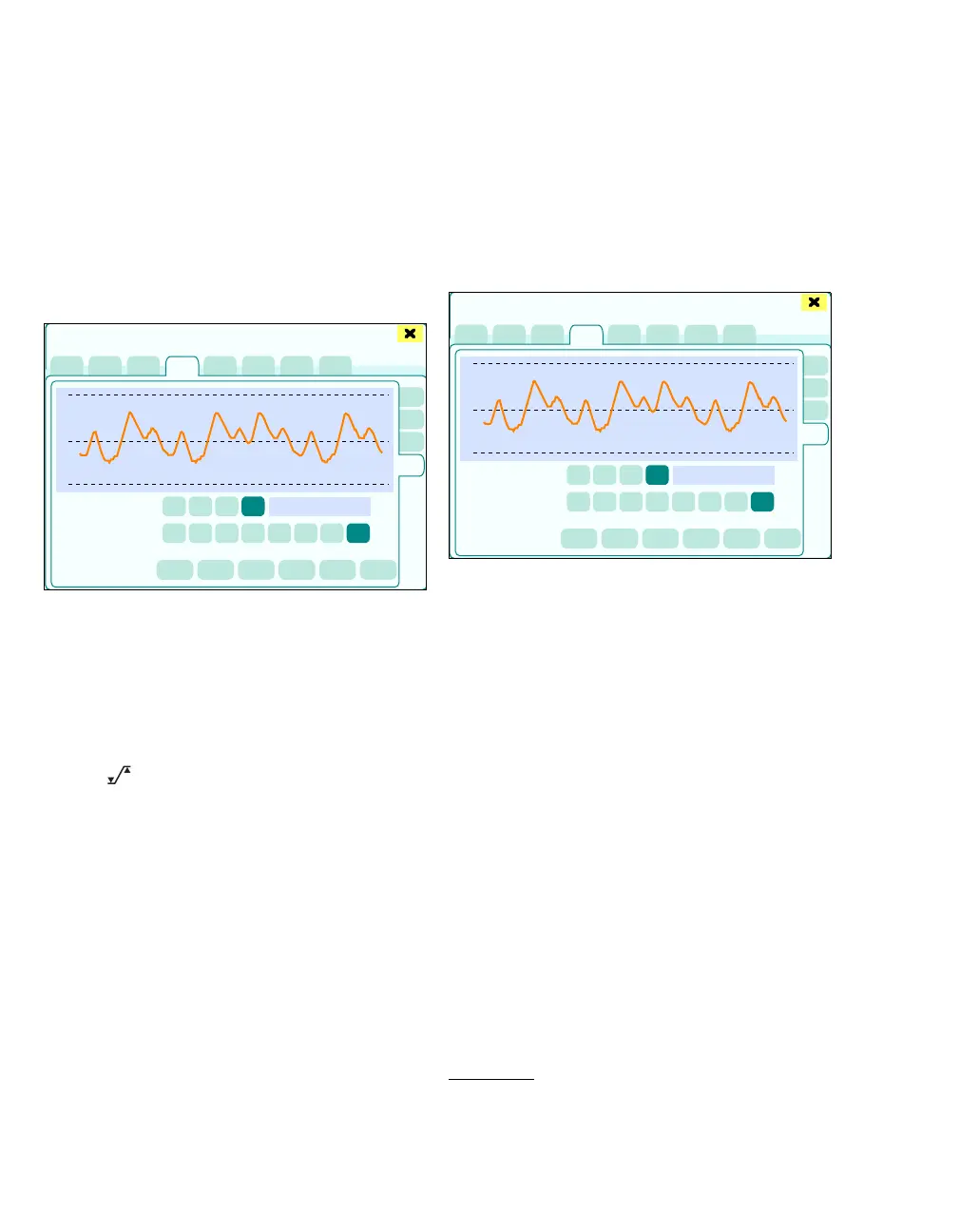
z Touch the Wedge tab (M).
The Wedge page displays:
N The wedge curve
O Position of the mean value determined on the
curve
P Speed (feed rate of the curve)
Q IBP scale (scaling of the amplitude of the
curve)
R Note field
S The button opens the Alarms > Alarm lim-
its > Invasive dialog window for alarm limit set-
ting.
Performing Wedge pressure measurement
z Perform the usual preparations in the hospital.
Performing PWP measurement:
1 Make sure that the PA catheter has been prop-
erly inserted and that the catheter tip is in the
pulmonary artery.
2 In the Sensors/Parameters > IBP dialog win-
dow, touch the Wedge (M) button.
Or
z Press the Wedge switch on the hemodynamic
module.
When the dialog window is opened, the note field
(R) displays: Press "Wedge" to start measure.
Starting the measurement:
3 Touch the Wedge (U) button*.
The measurement starts.
The following is displayed in the note field (R):
Wedge measurement in progress
Aborting the measurement:
z Touch the Quit button (X).
The dialog window closes.
401
Sensors/Parameters
PA Auto
M
N
P
Q
O
R
S
401
* Alternatively, the Wedge switch on the hemodynamic
module can also be pressed.
Sensors/Parameters
PA Auto
M
R
UV
W
X
Y
T











 To Next Page