Configuration
342
Instructions for use Zeus Infinity Empowered SW 2.n
Alarm standard
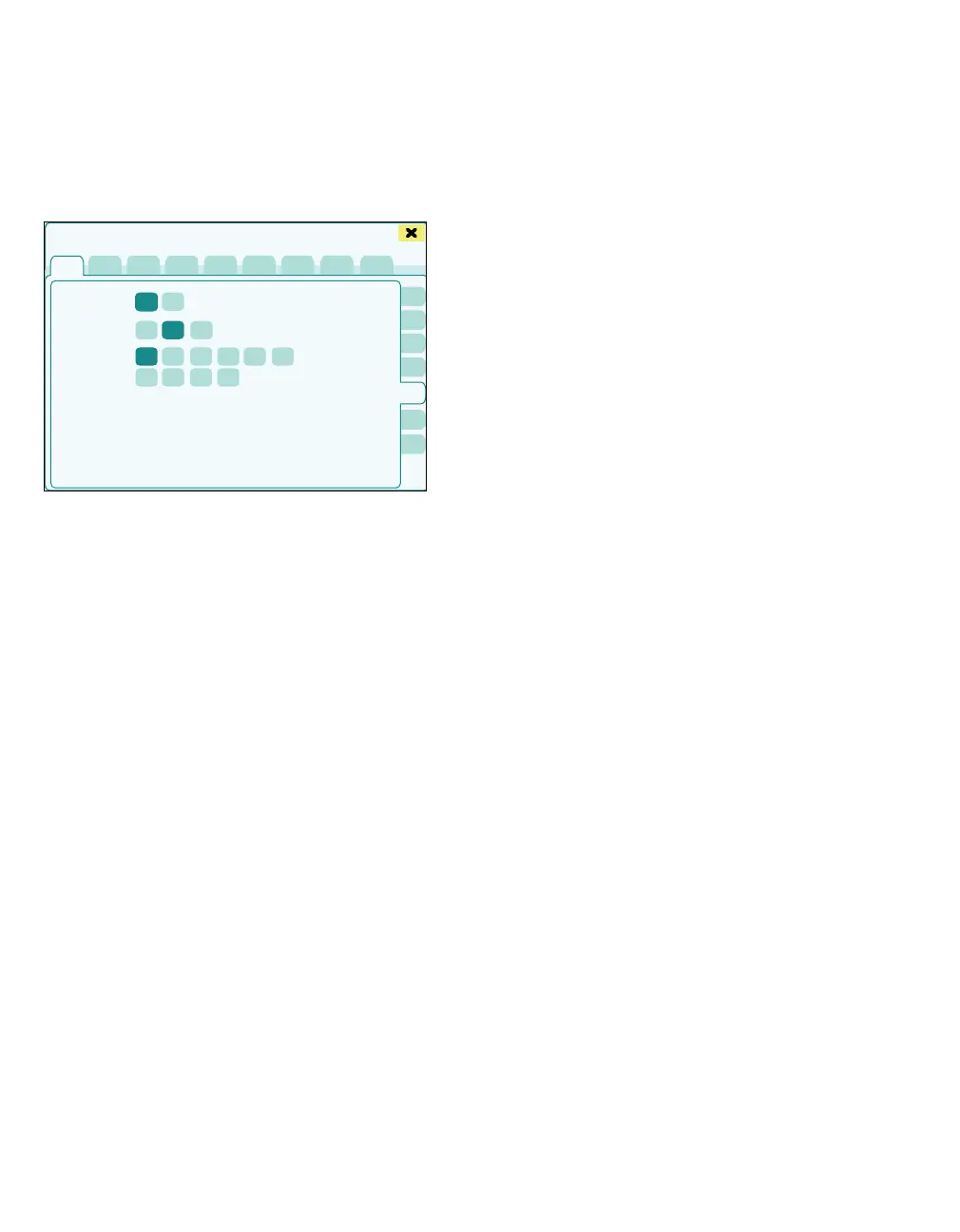
The General settings > Alarm standard page
opens.
The following settings are possible:
A Alarm bar LED: On, Off
When the alarm bar LED is activated, it lights up
according to the color of the alarms.
– Technical alarm: no alarm color
– Medium priority alarm (caution): yellow,
alarm bar flashes yellow
– Highest priority alarm (warning): red, alarm
bar flashes red
B Rotary knob LED: On, Off, Auto
When activating the rotary knob LED function,
the LED edge of the rotary knob on the screen
lights up based on the setting:
– On: Continuous blue (not in standby and
self test)
– Auto: Blue depending on the display mode
of the screen setting (only Day light)
– Off: None
If confirmation is required, the LED edge lights
up yellow independent of these settings.
C Minimum alarm volume: 10 to 100 in steps of
10
The buttons for minimum alarm volume are
used to set the minimum volume with which an
alarm tone is signaled.
In the Screen setup > Brightn./ Volume dialog
window, the Alarm tone volume [%] setting is
limited accordingly.
442
Basic settings
A
B
C











 To Next Page