MPC5553/MPC5554 Microcontroller Reference Manual, Rev. 5
Freescale Semiconductor 19-107
19.5.1.2 Configuring eQADC for Applications
This section provides an example based on the applications in Table 19-56. The example describes how to
configure multiple command queues to be used for those applications and provides a step-by-step
procedure to configure the eQADC and the associated command queue structures. In the example, the
“Fast hardware-triggered command queue,” described on the second row of Table 19-56, will have its
commands transferred to ADC1; the conversion commands will be executed by ADC1. The generated
results will be returned to RFIFO3 before being transferred to the result queues in the RAM by the eDMA.
NOTE
There is no fixed relationship between CFIFOs and RFIFOs with the same
number. The results of commands being transferred through CFIFO1 can be
returned to any RFIFO, regardless of its number. The destination of a result
is determined by the MESSAGE_TAG field of the command that requested
the result. See Section 19.4.1.2, “Message Format in eQADC,” for details.
Step One: Set up the command queues and result queues.
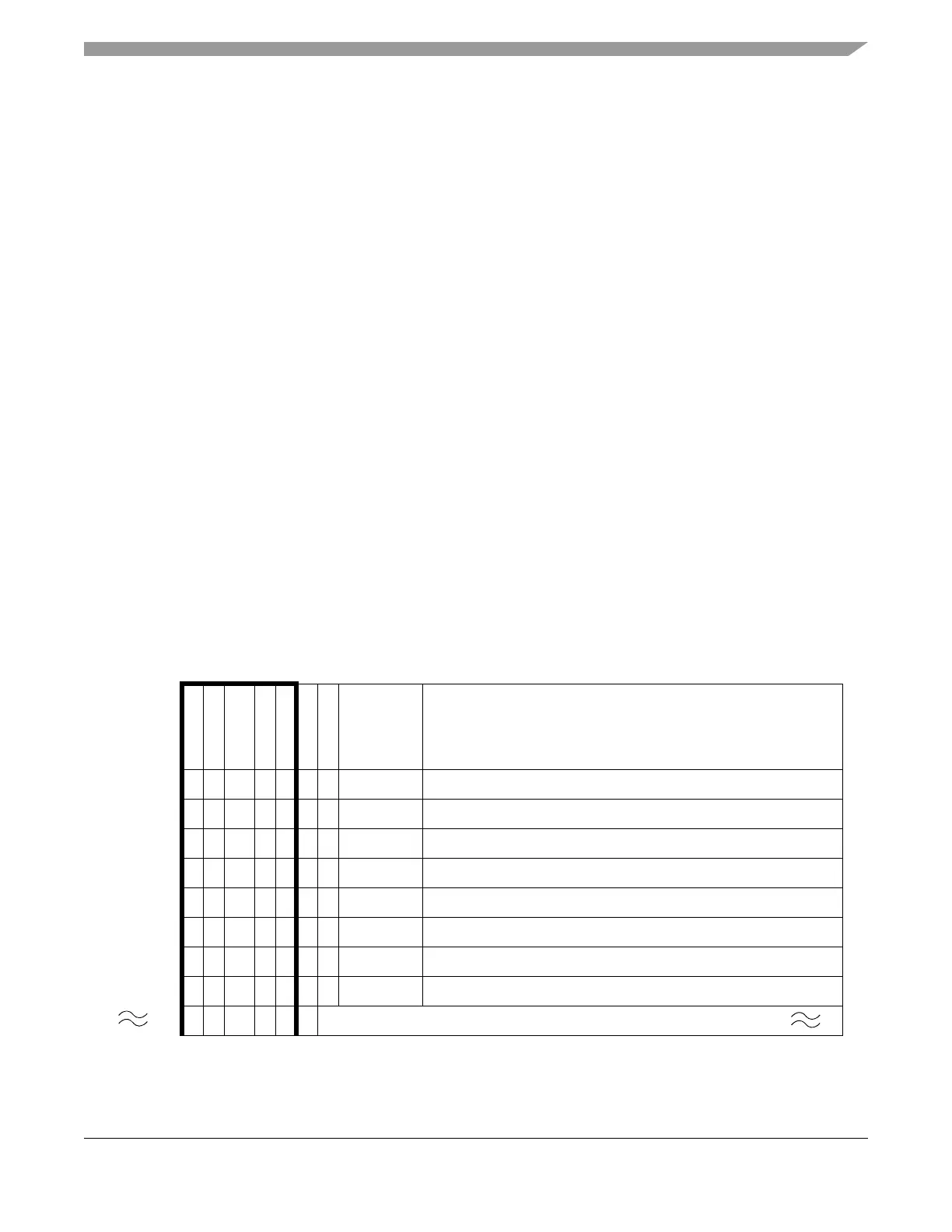
1. Load the RAM with configuration and conversion commands. Table 19-57 is an example of how
command queue 1 commands should be set.
a) Each trigger event will cause four commands to be executed. When the eQADC detects the
pause bit asserted, it will wait for another trigger to restart transferring commands from the
CFIFO.
b) At the end of the command queue, the “EOQ” bit is asserted as shown in Table 19-57.
c) Results will be returned to RFIFO3 as specified in the MESSAGE_TAG field of commands.
2. Reserve memory space for storing results.
Table 19-57. Example of Command Queue Commands
1
01234567891
0
1
1
1
2
1
3
1
4
1
5
1
6
1
7
1
8
1
9
2
0
2
1
2
2
2
3
2
4
2
5
2
6
2
7
2
8
2
9
3
0
3
1
EOQ
PAUS E
RESERVED
ABORT_ST
EB (0b1)
BN
CAL
MESSAGE
TAG
ADC COMMAND
CMD1 00 0 0010 0b0011 Conversion Command
CMD2 00 0 0010 0b0011 Conversion Command
CMD3 00 0 0010 0b0011 Conversion Command
CMD4 01 0 0010 0b0011
2
Configure peripheral device for next conversion sequence
CMD5 00 0 0010 0b0011 Conversion Command
CMD6 00 0 0010 0b0011 Conversion Command
CMD7 00 0 0010 0b0011 Conversion Command
CMD8 01 0 0010 0b0011
2
Configure peripheral device for next conversion sequence
etc
............
CFIFO Header ADC Command



 To Next Page