214733 10 Revision A
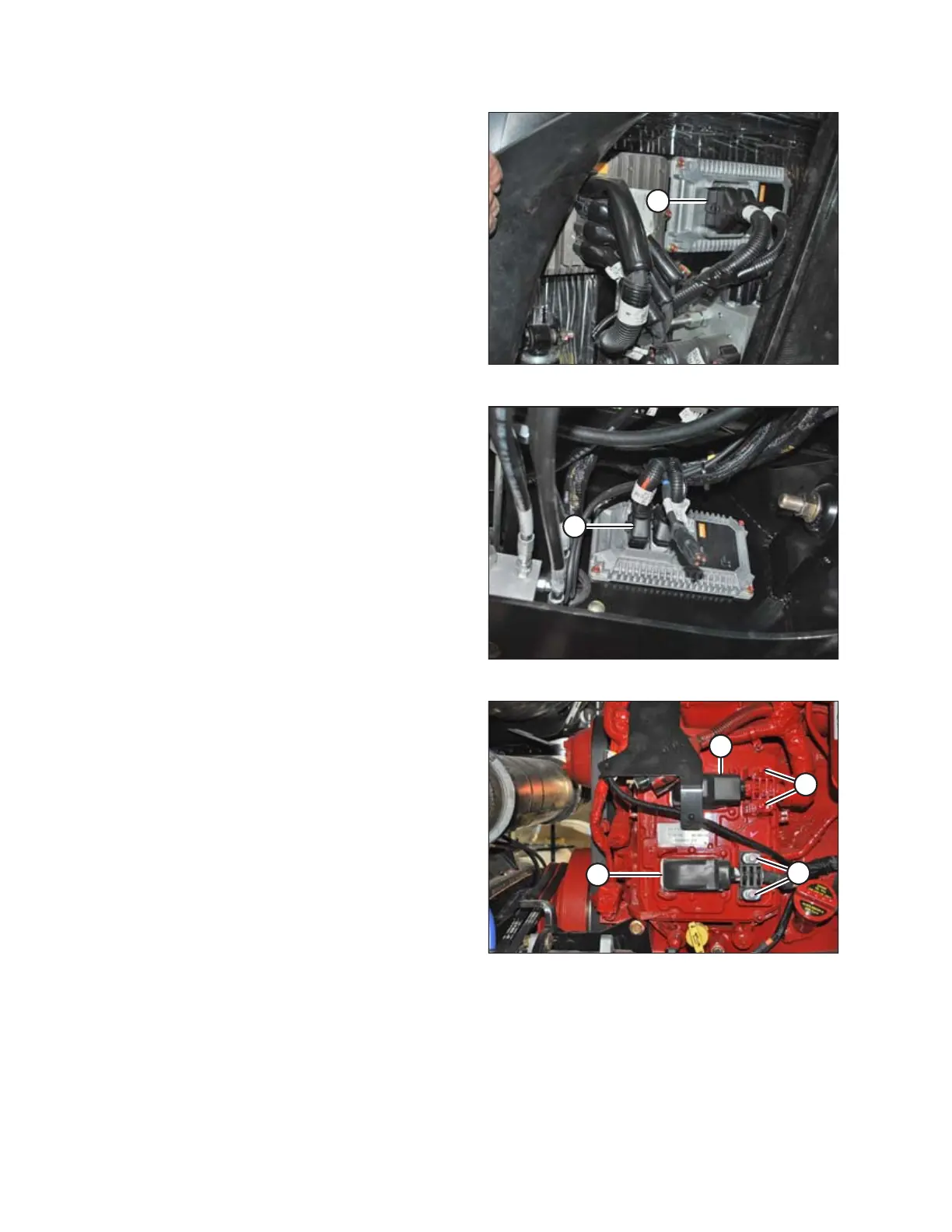
Figure 1.21: Firewall Extension Module
• Firewall extension module (A)
Two connectors: P235 and P236
Location: Behind cab, near header lift/fan manifold.
To disconnect, use a small 3–6 mm (1/8–1/4 in.) blade
screwdriver to insert into the connector’s locking tab. Gently
pry upward (no more than 6 mm [1/4 in.]) to unlock the
connector tab, and then pull the connector away from the
module.
Figure 1.22: Chassis Extension Module
• Chassis extension module (A)
Two connectors: P247 and P248
Location: Under cab, inside left frame rail
To disconnect, use a small 3–6 mm (1/8–1/4 in.) blade
screwdriver to insert into the connector’s locking tab. Gently
pry upward (no more than 6 mm [1/4 in.]) to unlock the
connector tab, and then pull the connector away from the
module.
Figure 1.23: Engine Control Module
• Engine Control Module (ECM)
Two connectors for Cummins: P100 (A) and J1 Cummins
Proprietary ECM Connector (B)
Location: On engine
To disconnect, pull the rubber boot off the cover, unlock the
latch, and undo the main over-center latch. Remove strain
relief bolts (C) so the connectors can be pulled away from
the ECM.
IMPORTANT:
Be sure to disconnect both connectors. Note connector
locations.
IMPORTANT:
Be sure to reconnect connectors in the proper locations. Do
NOT cross connect.
SAFETY



 To Next Page