OPERATION
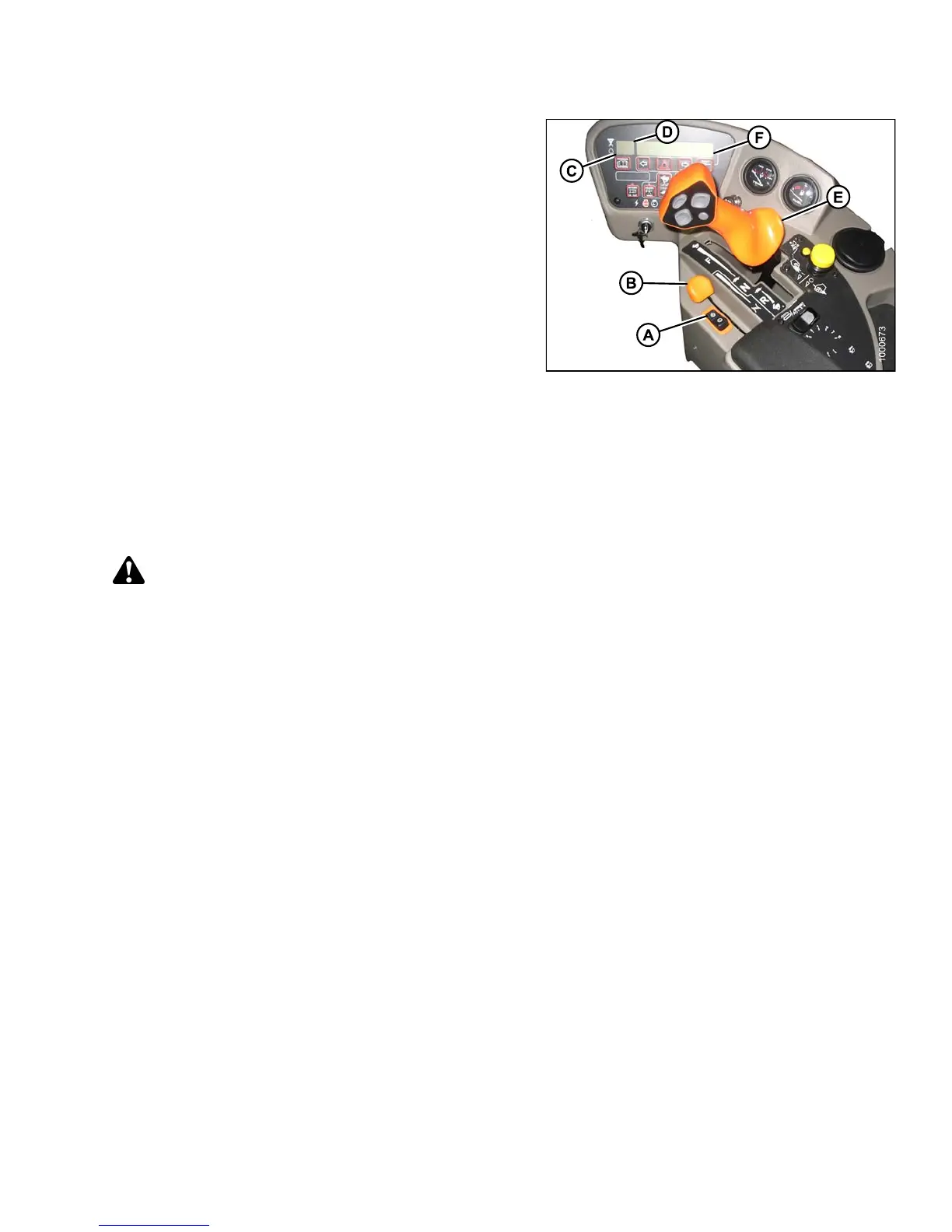
8. Set ground speed range switch (A) for ROAD speed.
CDM will display ROAD GEAR at (F) if windrower is in
engine-forward mode.
NOTE:
Windrower can
be moving, but speed must be
less than 5 mph
(8 km/h) for road gear to engage.
9. Slowly push t
hrottle (B) to full forward (o perating
speed). CDM s
hould display 2320–2350 rpm (C).
10. Slowly move t
he ground speed lever (GSL) (E) forward
to desired s
peed which will be displayed at (F).
11. T o slow the w
indrower, pull the GSL (E) rearward to
decrease th
e speed.
12. Move the GS
L (E) to N-DETENT.
13. Lock steer
ing wheel.
14. Shut off en
gine by turning k ey counterclockwise to OFF
position.
15. If towing
a header, refer to Towing Header with
Windrowe
r, page 178.
Figure 4.35: Operator Console
WARNING
To avoid serious injury or death from loss of control:
• Do NOT make abrupt changes in steering direction.
• Anticipate turns and steep slopes by slowing down well in advance.
• Do NOT rapidly accelerate or decelerate while turning.
When travelling on steep slopes:
• Move ground speed lever (GSL) closer to NEUTRAL to reduce speed.
• Lower header.
• Move GROUN D SPEED RANGE switch to L – low range.
• If the ground speed is greater than or equal to 25 mph (40 km/h), the CDM will display a warning message
(SLOW DOW N) with an audible alert. Move GSL closer to NEUTRAL to reduce speed.
With header removed, steering control is reduced if weight is not added to drive wheels. If you must drive
the windrower without header or MacDon weight system:
• Operate in low speed range.
• Do NOT exceed 1500 rpm engine speed.
• Avoid loose gravel and slopes.
• Do NOT tow a header.
• If control of machine is lost, immediately pull ground speed lever (GSL) to NEUTRAL.
147649
1
77
Revision A



 To Next Page