OPERATION
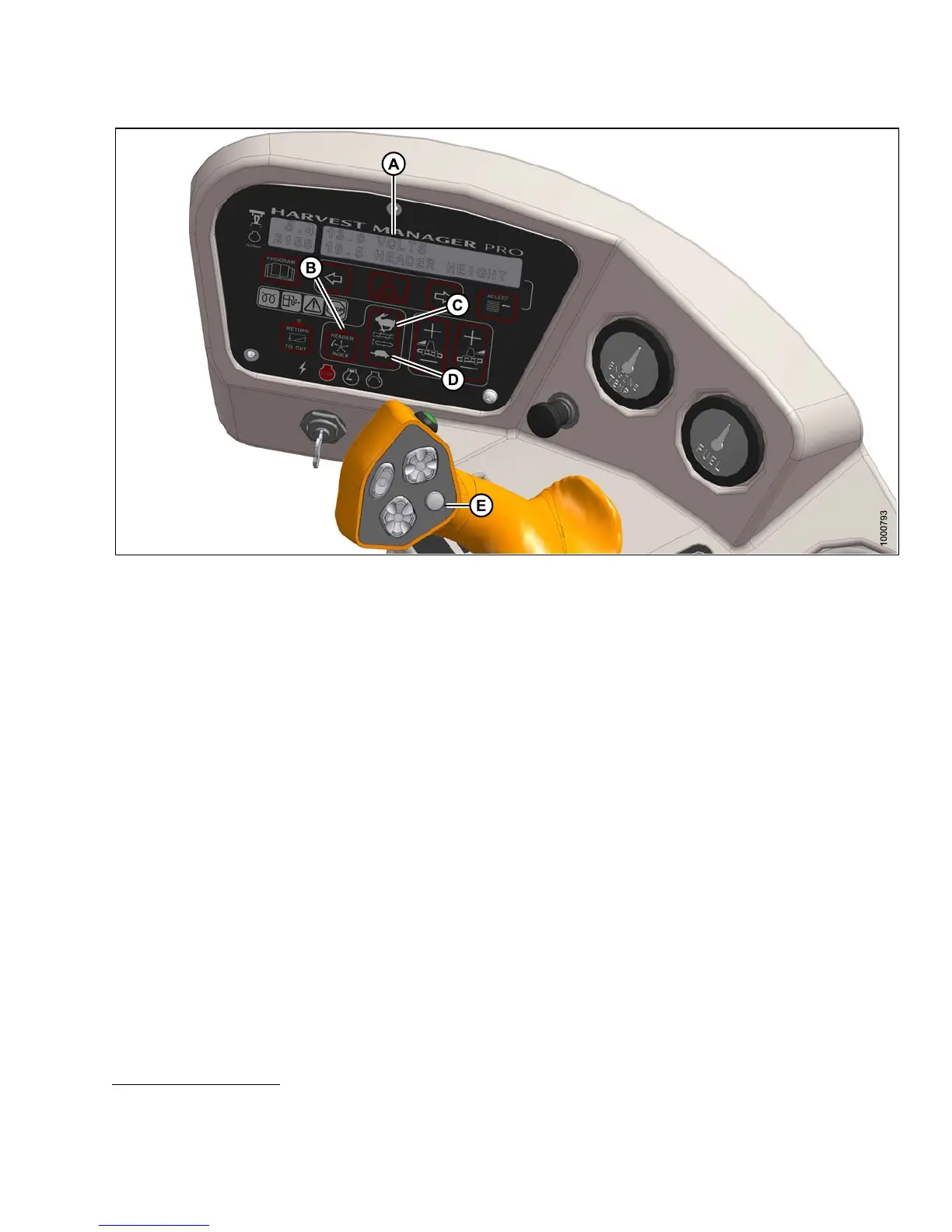
Figure 4 .300: Operator Console
a. Set the HEADER INDEX switch (B) to ON.
b. Press the DISPLAY SELECTOR button (E) on the GSL to display ##.####.#REELIND
28
or press the
FAST(C)orSLOW(D)switch.
• The displayed value (##.##) = reel speed (mph or km/h or rpm
27
)
• The displayed value (##.#) = reel index value
c. Press FAST (C) or SLOW (D) until the desired reel index value is achieved.
NOTE:
The reel will continue operating at the minimum reel speed setting when ground speed drops below the set value.
The cab display module (CDM) display (A) will flash ##.## MIN REEL (RPM or MPH or KPH
27
)promptingyou
to change the minimum set-point or increase ground speed if the total of ground speed, plus the index value
is LESS THAN the minimum reel speed set-point.
Examples :
• Windrower is operating at 8 mph with HEADER INDEX ON, and set at -1.0.
Display shows: 7.0-1.0REELINDwhere 7.0 (8.0-1.0) is the reel speed in mph and -1.0 is the header index setting.
• Windrower speed drops to 7.5 mph at same HEADER INDEX setting.
Display shows: 6.5-1.0REELINDwhere 6.5 (7.5-1.0) is the reel speed in mph and -1.0 is the header index setting.
• Windrower is operating at 8 mph with HEADER INDEX ON, and set at 2.0.
Display shows: 10.0 2.0 REEL IN D where 10.0 (8+2.0) is the reel speed in mph and 2.0 is the header index setting.
28. REEL IND will only be displayed when operating at a ground speed faster than minimum reel speed plus header
index value.
147649 299 Revision A



 To Next Page