OPERATION
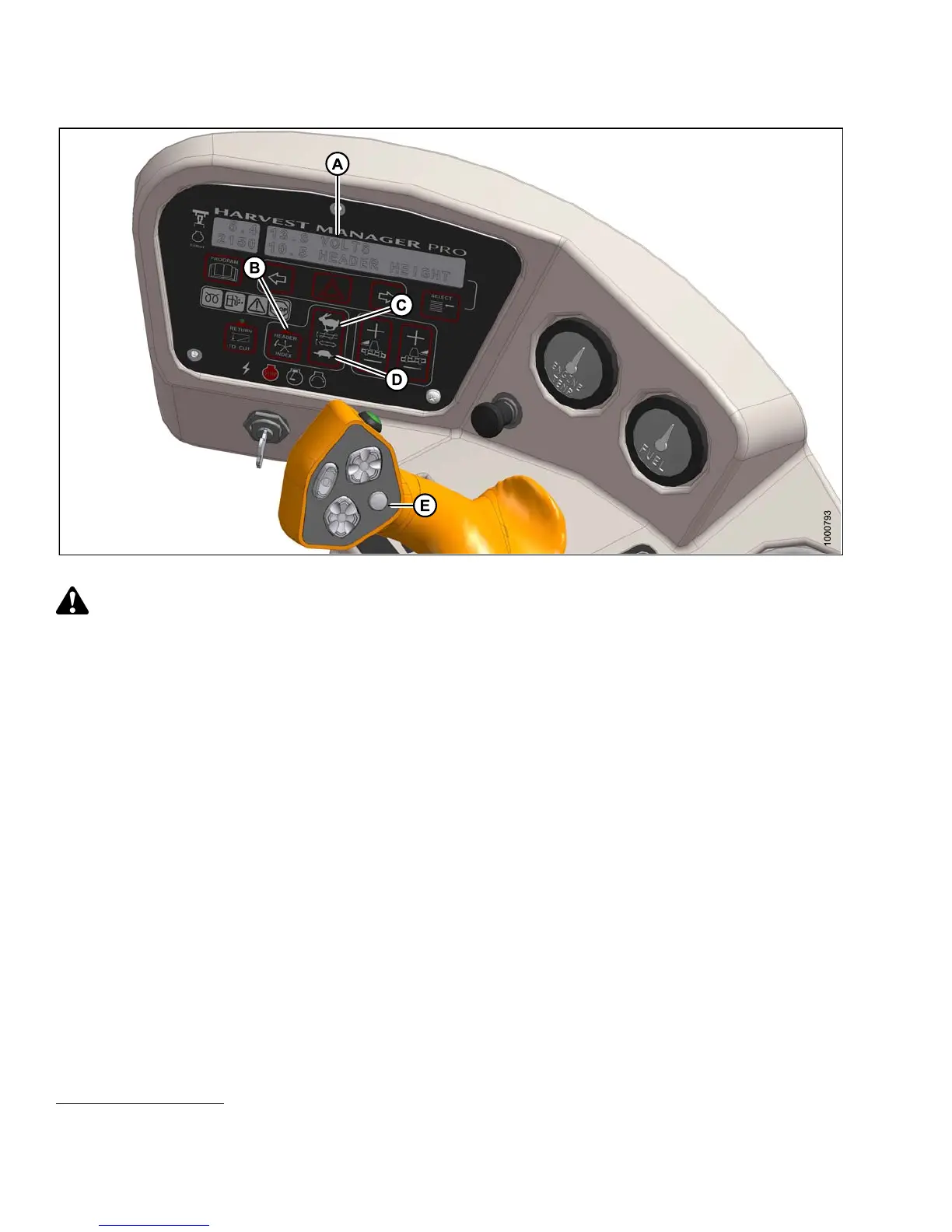
Figure 4.299: Operator Console
CAUTION
Check to be sure all bystanders have cleared the area.
1. Set the minimum reel speed as follows:
IMPORTANT:
Set the minimum reel speed while stationary with the ground speed lever (GSL) in the N-DETENT position.
a. Engage header.
b. Set HEADER INDEX switch (B) to ON.
c. Press the DISPLAY SELECTOR button (E) on the GSL to display ##.## MIN REEL at(A)orpressthe
FAST(C)orSLOW(D)switch.
The displayed value (##.##) = reel speed (rpm or mph or km/h
27
).
d. Press FAST (C) or SLOW (D) until the desired minimum reel speed is achieved.
2. Set the reel index as follows:
IMPORTANT:
Reel index can only be adjusted w hile operating at a ground speed faster than minimum reel s peed
plus header index value.
27. Depending on CDM programming.
147649 298 Revision A



 To Next Page