MAINTENANCE AND SERVICING
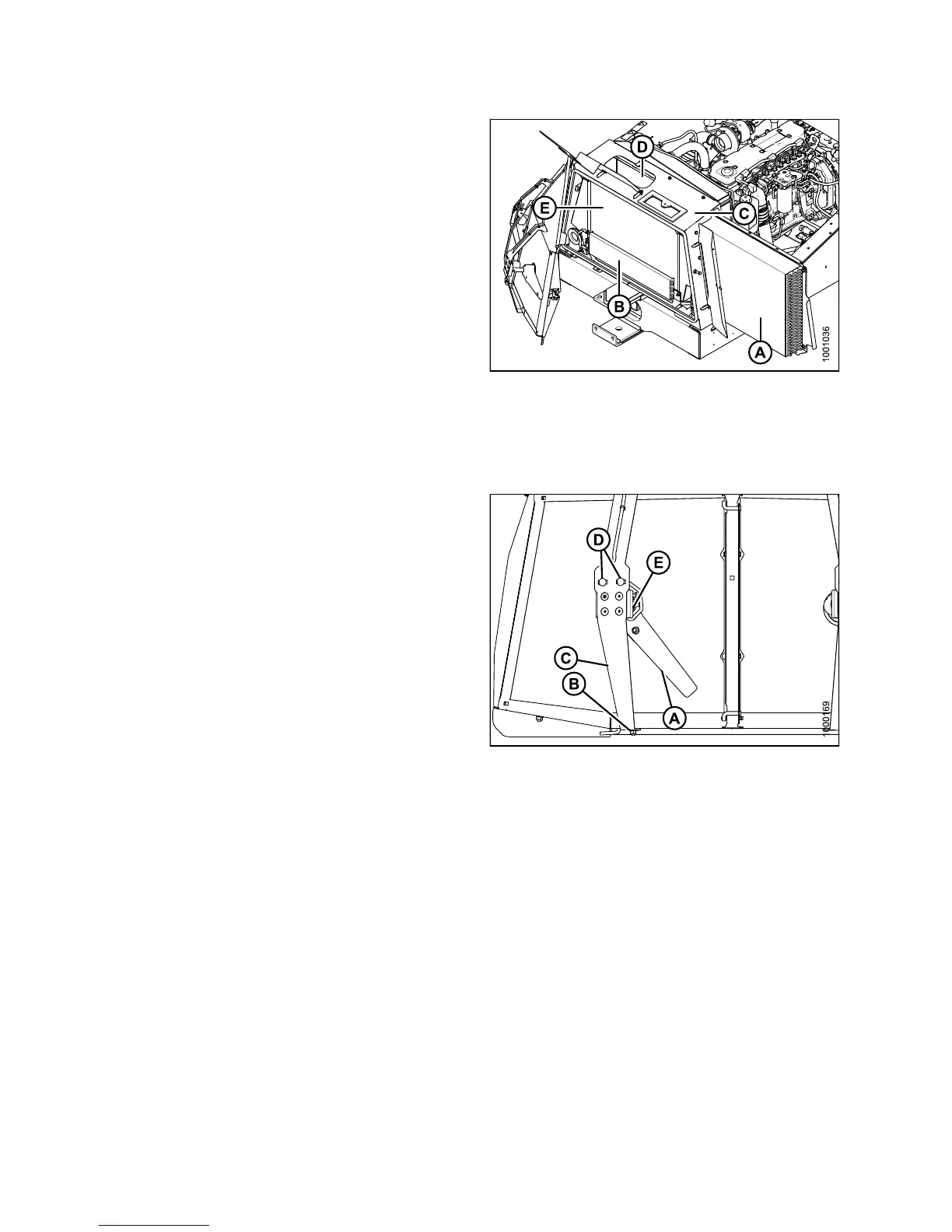
6. Clean radiator (D) through access holes in cooling box
with compressed air.
7. Clean oil cooler / air conditioning condenser (A),
charge air cooler (E), fuel cooler (B), and cooling
box (C) with compressed air.
8. Inspect all lines and coolers for evidence of leaks
and damage.
9. Slide oil cooler / air conditioning condenser (A) back
into cooling box (C).
10. Close side access door and lock with lever.
11. Close access door on top of the cooling box and secure
with wing nut.
12. Close cooler box screen, refer to Closing C ooler Box
Screen, page 363.
Figure 5.105: Engine Cooling System
Adjusting Screen C
leaner Rotor to Screen Clearance
Check clearance b
etween trailing ed ge of s cre en cleaner
rotor (A) and s cre
en. It should be 3/64–5/16 in. (1–8 mm)
at all locations
when rotating.
NOTE:
Screen cleaner rotors rotate counterclockwise and may
touch screen as long as they continue to rotate.
If necessary, a
djust cle aran ce as f ollo ws:
1. Open the hood. R
efer to 5.2.1OpeningHood(Lower
Position), pag
e306.
2. Loosen nut (B)
on motor support (C).
3. Move support i
n or out until rotor is 3/32–1/4 in.
(2–6 mm) from s
creen nea r the cen ter.
4. Retighten nu
t(B).
5. Loosen the tw
o motor mount bolts (D).
6. Move motor/ r
otor assembly (E) to obtain 3/64–5/16 in.
(1–8 mm) gap
to screen a t full rot ation of the ro tor.
7. Retighten n
uts (D) on motor mount.
8. Close the ho
od. Refer to 5.2.2 Closing Hood (Lower
Position),
page 307.
Figure 5.106: Screen Cleaner
147649 362 Revision A



 To Next Page