MAINTENANCE AND S ERVICING
To remove and replace the HID lamp assembly, follow
these steps:
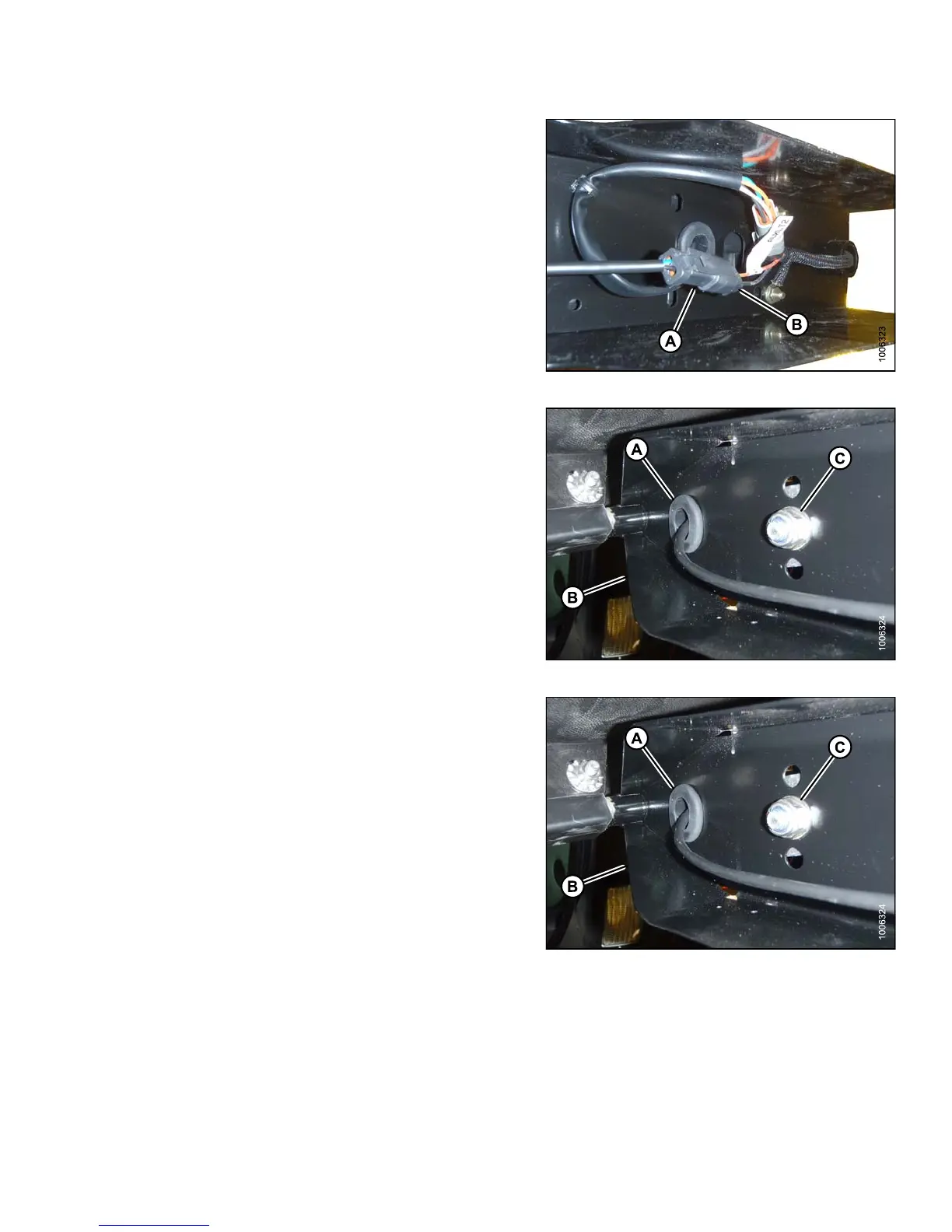
1. Disconnect lamp connector (A) from electrical
harness (B).
Figure 5.151: HID Auxiliary Light Harness
2. Remove grommet (A) from light support (B).
3. Remove nut (C) and spring washer from inside light
support (B).
4. Remove the lamp assembly.
Figure 5.152: HID Light Assembly
5. Locate light in center hole in light support (B) and
secure with hardware (C) provided with light assembly.
6. Adjust light assembly to desired position and tighten
nut (C).
7. Route lamp harness through grommet (A) and slot in
light support (B).
8. Reinstall grommet (A) in light support (B).
Figure 5.153: HID Light Assembly
147649 385 Revision A



 To Next Page