MAINTENANCE AND S ERVICING
Installing Charge Filter
NOTE:
For charge filter replacement part number, refer to 8.2.4 Filter Part Numbers, page 467.
1. Clean the gask
et surface of the filter head.
2. Apply a thin fi
lm of clean oil to the filter gasket.
3. Screw the new
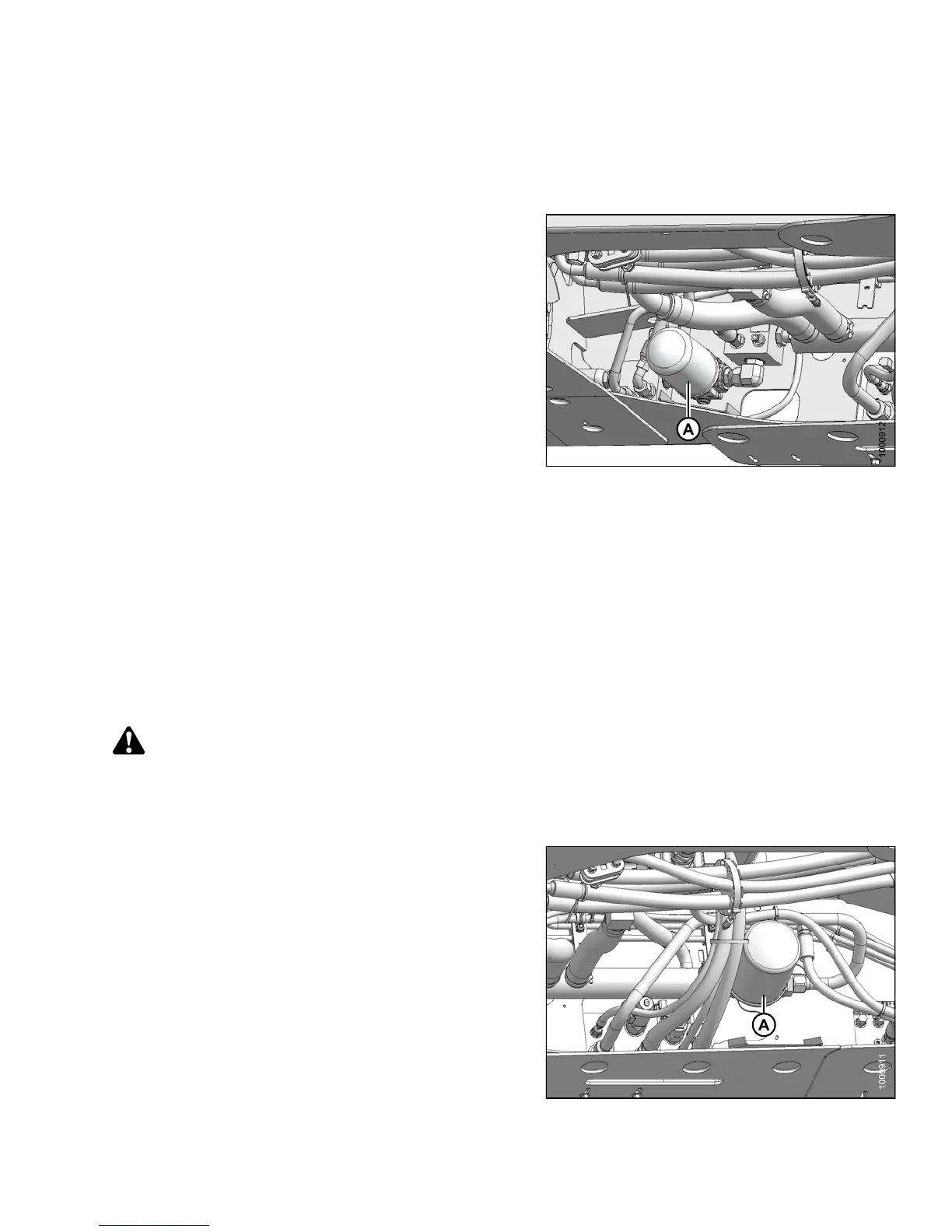
filter (A) onto the mount until the gas ket
contacts the
filter head.
4. Tighten filt
er an additional 1/2 turn by hand.
IMPORTAN T:
Do NOT use a filter wrench to install oil filter.
Overtightening can damage gasket and filter.
5. Check h ydraulic fluid levels, refer to Checking and
Filling Hydraulic Oil, page 401. For capacity level, refer
to 8.2.3 Lubricants, Fluids, and System Capacities,
page 466.
Figure 5.190: Hydraulic System
Return Filter
The return filter filters the oil in the header drive systems and should be changed after the first 50 hours and
then at 500 hour intervals.
To change the return filter, refer to the following procedures:
• Removing Retur
n Filter, page 405
• In stalling Ret
urn Filter, page 406
Removing Retu
rn Filter
DANGER
To avoid bodily injury or death from unexpected startup of the machine, always stop the engine and remove
the key from the ignition before leaving the operator ’s seat for any reason.
1. Stop the engine and remove the key.
2. Clean around head of the filter (A).
3. Place a container beneath the filter (A) to collect any
oil that may leak out.
4. Unscrew filter (A) with a filter wrench.
5. Dispose of used oil and filter in accordance with local
environmental legislation.
Figure 5.191: Hydr
aulic System
147649 405 Revision A



 To Next Page