Installation and Commissioning
GARD 8000 SYS RFL Electronics
November 28, 2017 4-35 973.334.3100
4.6.2.3 SETTING UP TIME, DATE, SYSTEM LABELS, REAR ETHERNET PORT
SETTINGS AND VERIFYING THE VOLTAGE LEVELS OF THE
INSTALLED POWER SUPPLY OR SUPPLIES
All these parameters and settings are part of the Gard8000 Controller module.
1. From the Home Page click on ‘Settings’.
2. Select ‘Chassis Configuration’
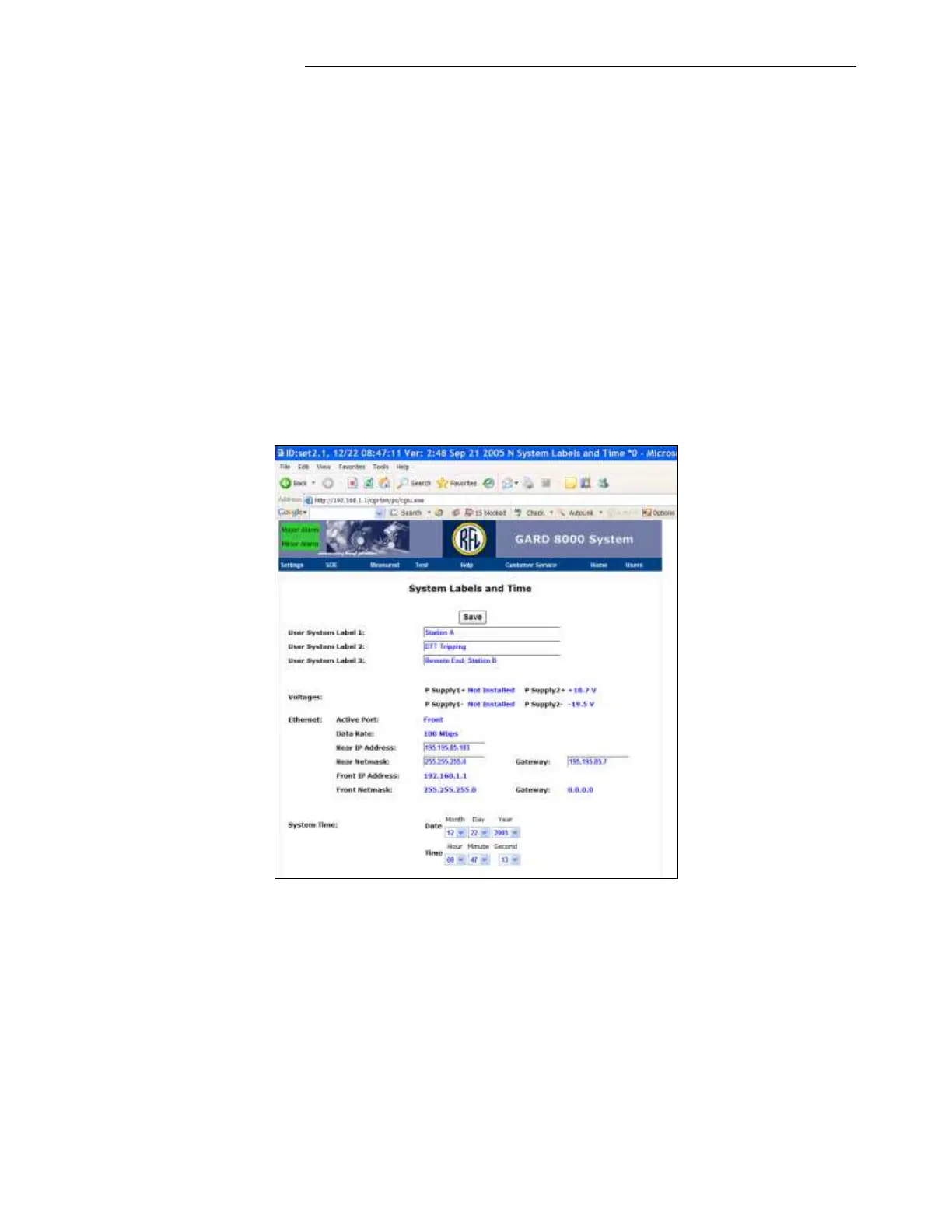
3. At Chassis Configuration web page click on ‘Controller’ module to display the ‘System Labels
and Time’ screen as shown below.
4. Verify the output voltages of installed Power Supply/Supplies. The outputs should be
approximately +18V and -18Volts. The High Voltage alarm will come up (requires
configuration of Over/Under Voltage Alarm on ‘Alarm Configuration Page’) if the output
voltage is equal to or higher than +/- 24.75V and the Low Voltage is below +/- 16.25V.
5. Click on ‘Save’ to store any changes done on this web page



 To Next Page