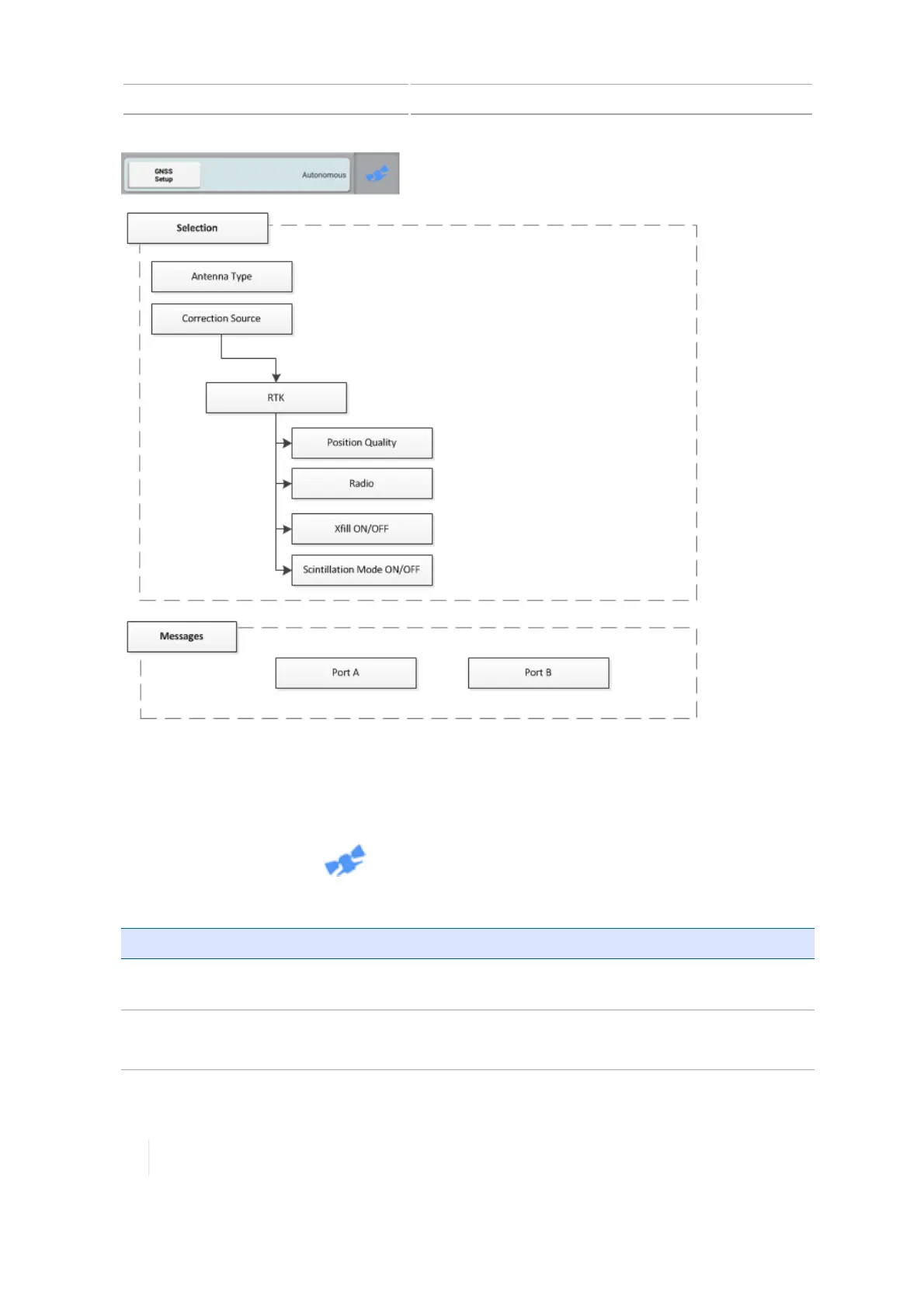
5 Connectivity GNSS receiver settings
To set up this correction service:
1. Unlock RTK. (See Feature unlocks, 81.)
2. Make sure the AG-815 integrated radio is installed. (See Connect the AG-815 radio to the TM-
200 Module, 103.)
3.
At the Home screen, tap .
4. Tap GNSSSetup to display the setup panel.
Setting Options
Radio Choose the frequency of the AG-815 integrated radio: 450 MHz or
900 MHz.
xFill
(See xFill technology, 133.)
Turn xFill technology on or off.
128 TMX-2050 Display User Guide Version 1.075, Revision C



 To Next Page