Monitoring
204
Instructions for use Zeus Infinity Empowered SW 2.n
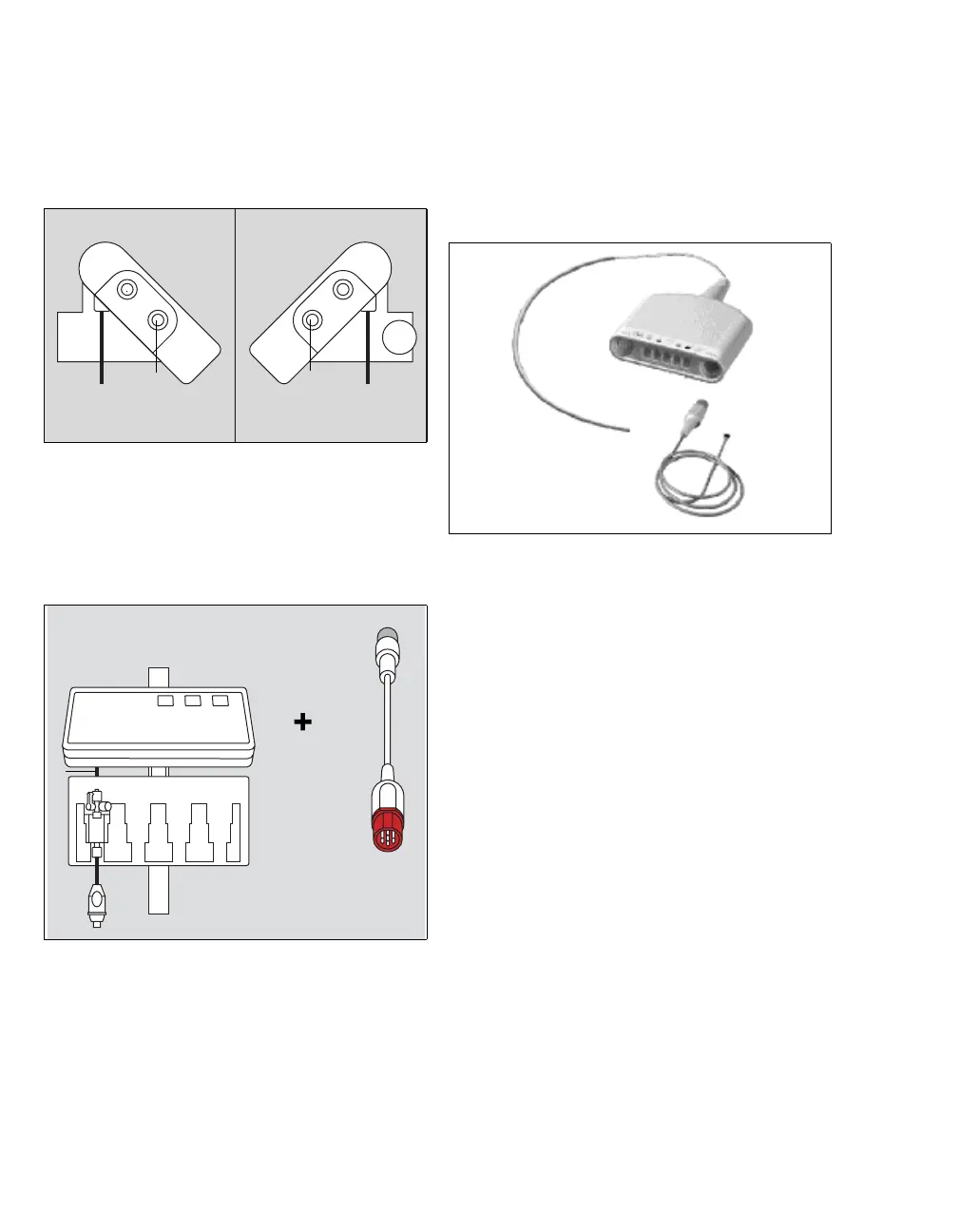
Connecting the Quad Hemo Pod
1 Establish a connection to the Zeus IE connec-
tion field.
Q Connection for C.O.
R Connection for Zeus IE
2 Connect the red end of the Pod communication
cable (T) to connection (R). Connect the other
end (S) to the Aux/Hemo2 or Aux/Hemo3 con-
nection on Zeus IE.
3 Insert the pressure transducers into the trans-
ducer slots (U).
4 Connect the pressure transducer adapter ca-
bles (V) to the intermediate cables (W).
Temperature measurement connection
A MULTIMED cable is used to connect the temper-
ature measurement to the MULTIMED connection
on the Zeus IE connection field, see page 197.
A MULTIMED Pod
B Temperature sensor
A Y-cable has to be used for the measurement
of 2 temperatures.
102101
Q
R
T
S
U
U
U
V
W
138
A
B











 To Next Page