MAINTENANCE AND SERVICING
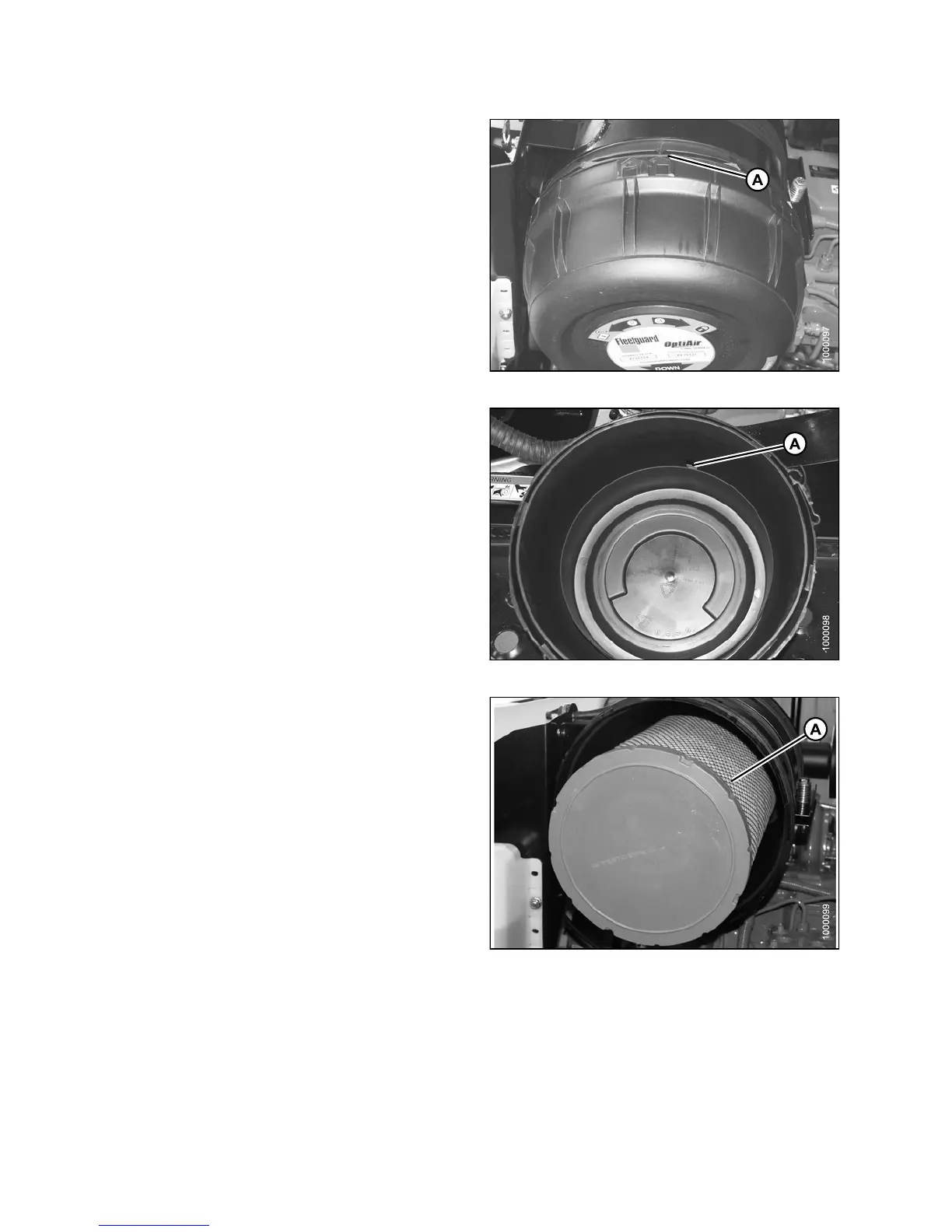
4. Make sure arrow (A) lines up with UNLOCK symbol on
end cap.
5. Pull off the end cap.
Figure 5.62: Engine Air Cleaner
6. Check the aspirator duct opening (A) for obstructions
or d am age. Clean if ne ce ssary.
Figure 5.63: Engine Air Cleaner
7. Pull out the primary filter element (A).
IMPORTANT:
Be extremely careful with the dirty element until
it iscompletely out of th e housing. Accidentally
bumping it while still inside means dirt and dust
may contaminate the clean side of filter housing.
Figure 5.64: Engine Air Cleaner
147649 340 Revision A



 To Next Page