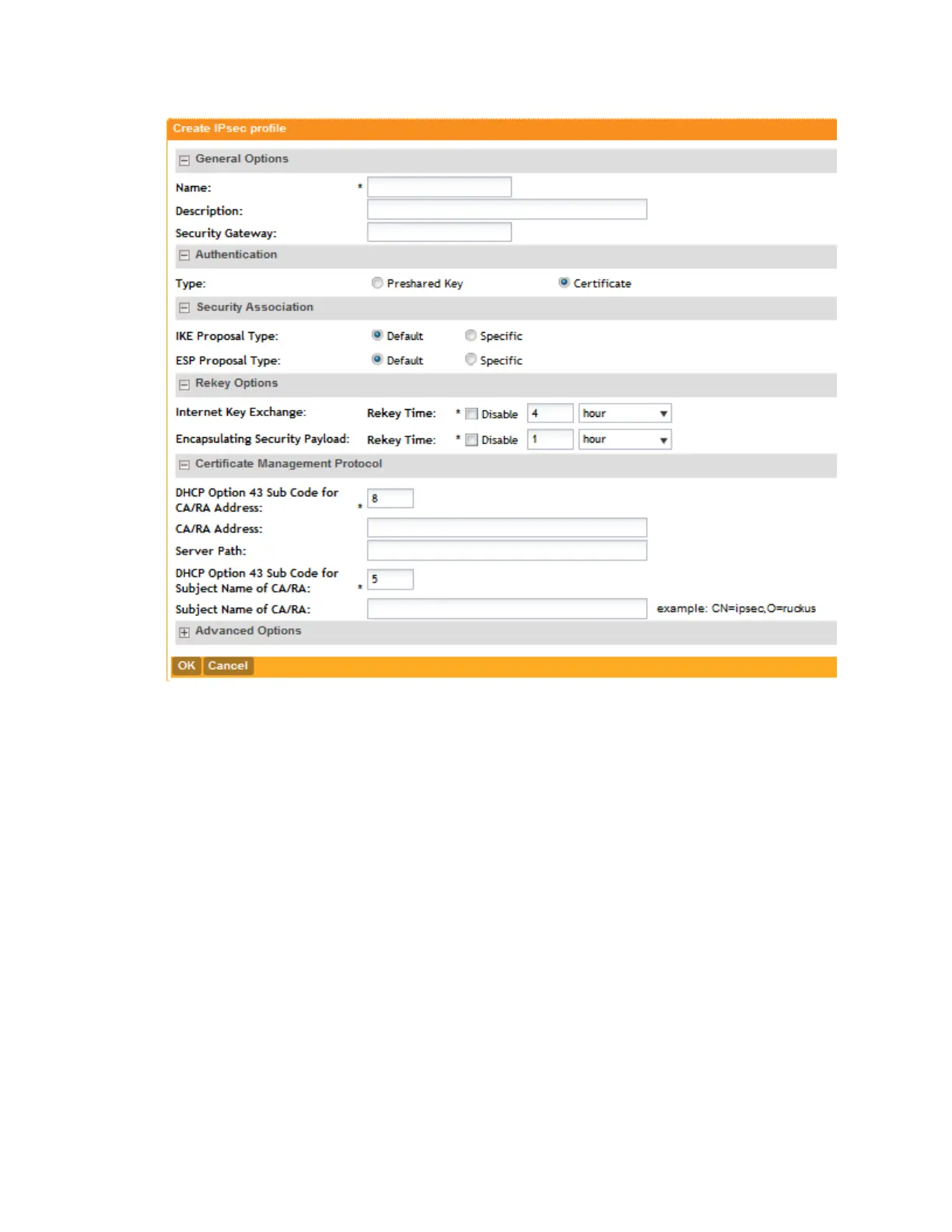
Figure 44: Creating an IPSec profile
Customizing The DHCP Server
NOTE: The following procedure describes how to customize a DHCP server running on Microsoft
Windows. If your DHCP server is running on a different operating system, the procedure may
be different.
Configuring the DHCP Server for SmartZone-AP Communication
To customize your DHCP server, you need to configure DHCP Option 43 (043 Vendor Specific
Info) with the IP address of the SmartZone device on the network. When an AP requests an IP
address, the DHCP server will send a list of SmartZone IP addresses to the AP. If there are
multiple SmartZone devices on the network, the AP will automatically select a SmartZone device
to register with from this list of IP addresses.
RFC 2132 describes DHCP Option 60 and Option 43. DHCP Option 60 is the Vendor Class
Identifier (VCI). The VCI is a text string that identifies a vendor/type of a DHCP client. All Ruckus
Wireless Access Points are configured to send “Ruckus CPE” as the Vendor Class Identifier in
SmartCell Gateway 200/Virtual SmartZone High-Scale for Release 3.4.1 Administrator Guide
108
Managing Global Configuration, AP Tunnel Profiles, Templates, and AP Registration Rules
Creating AP Tunnel Profiles



 To Next Page