Requesting AP Certificate Renewal
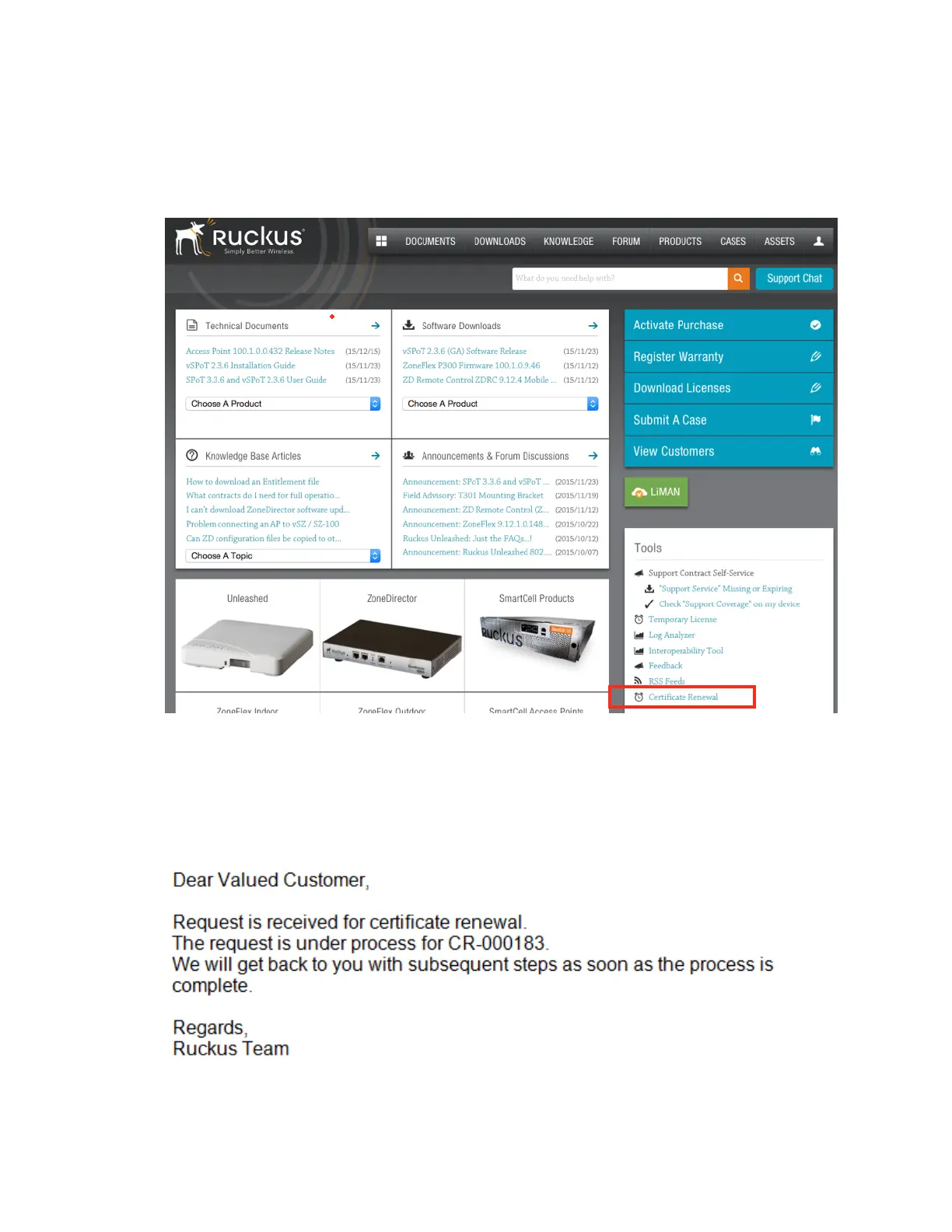
1. Login to https://support.ruckuswireless.com/ with your credentials and click Certificate
Renewal under Tools as shown in the figure.
Figure 233: AP certificate
renewal
The Certificate Renewal request page appears.
2. Click Browse to select the .req file exported from Certificate Refresh page.
3. Enter the e-mail address for communication.
4. Click Upload.
You will receive an e-mail acknowledgment from Ruckus Wireless as shown in the figure.
Figure 234: Sample e-mail acknowledgment
SmartCell Gateway 200/Virtual SmartZone High-Scale for Release 3.4.1 Administrator Guide
374
Performing Administrative Tasks
Managing AP Certificate Replacement



 To Next Page