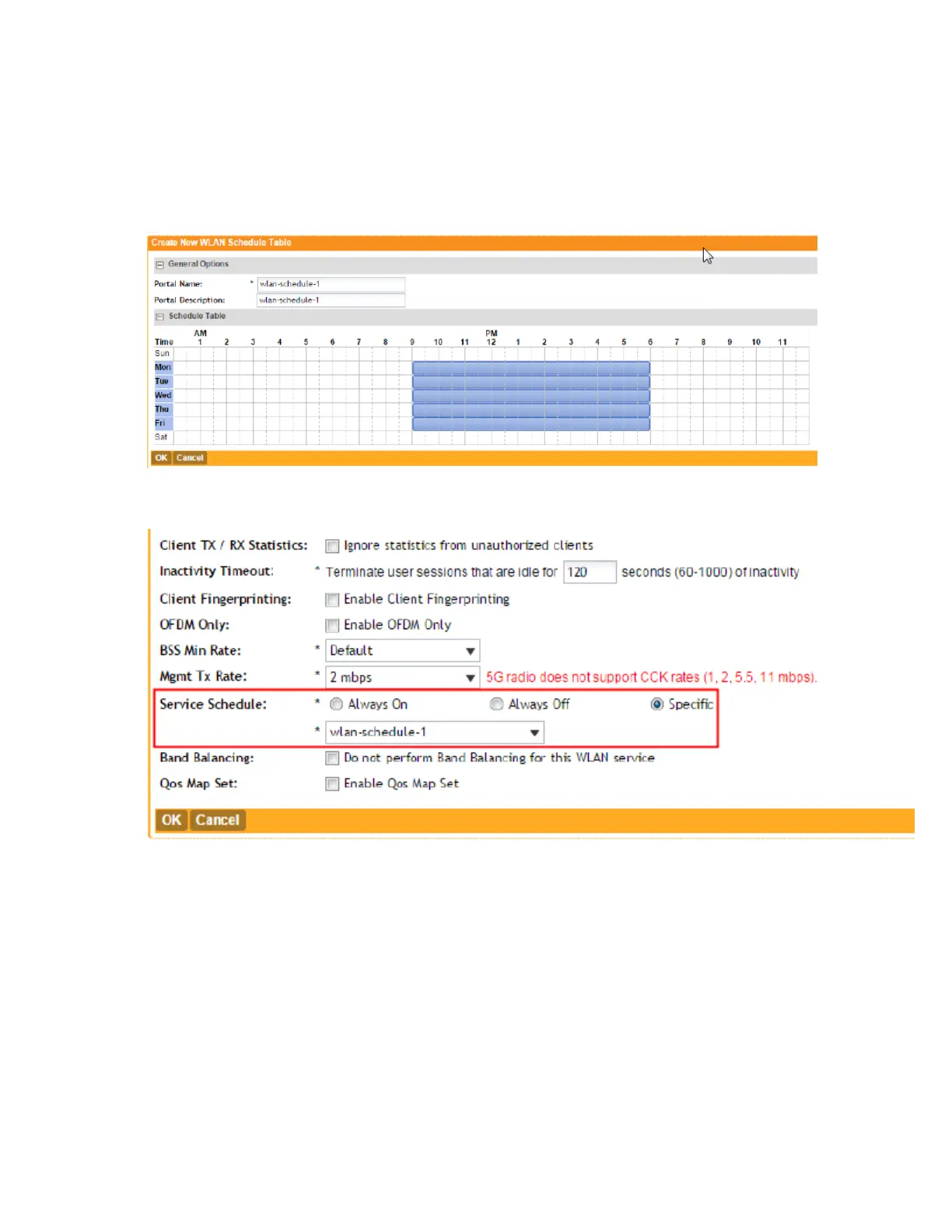
The page refreshes, and then the schedule you created appears in the WLAN Scheduler
section.
You have completed creating a WLAN schedule. This WLAN schedule will now appear as an
option when you set the WLAN service schedule to Specific (see Figure 36)
Figure 27: Creating a WLAN schedule
Figure 28: The WLAN schedule appears as an option when you set the WLAN service
schedule to "Specific"
Working with Device Policies
In response to the growing numbers of personally owned mobile devices such as smart phones
and tablets being brought into the network, IT departments are requiring more sophisticated
control over how devices connect, what types of devices can connect, and what they are allowed
to do once connected. Using device access policies, the system can identify the type of client
attempting to connect, and perform control actions such as permit/deny, rate limiting, and VLAN
tagging based on the device type. Once a device access policy has been created, you can apply
SmartCell Gateway 200/Virtual SmartZone High-Scale for Release 3.4.1 Administrator Guide
84
Managing Ruckus Wireless AP Zones
Working with Device Policies



 To Next Page