Viewing RADIUS Services
Radius services authenticates profiles to specify external Radius services used based on the
realm value.
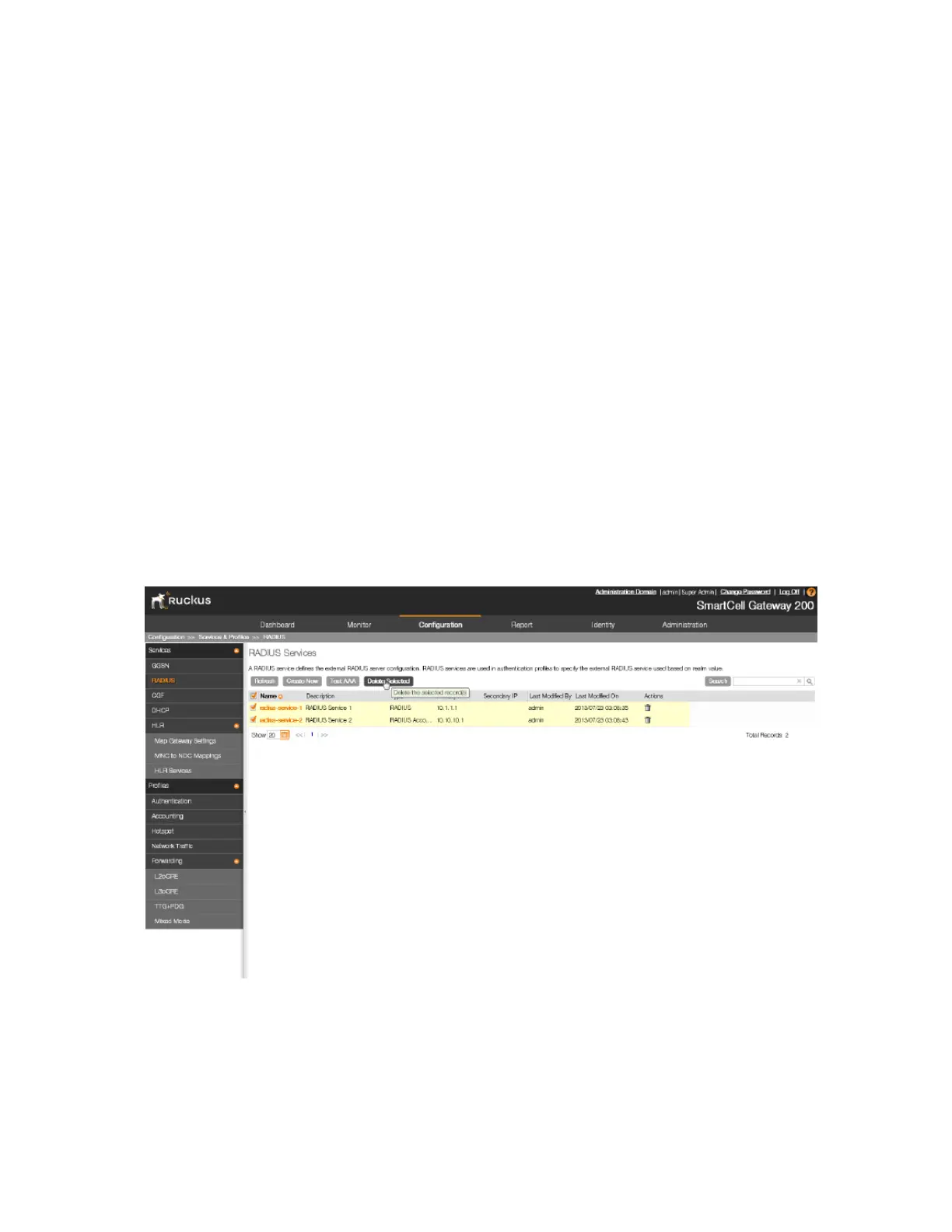
Follow these steps to view a list of RADIUS servers that have been configured on the controller.
1. Go to Configuration > Services & Profiles.
2. On the sidebar under Services, click RADIUS.
The RADIUS Services page appears and displays a list of RADIUS servers that have been
configured on the controller. RADIUS details that are shown on the RADIUS services page
include:
• Name
• Description
• Type: RADIUS or RADIUS Accounting
• Primary IP
• Secondary IP
• Last Modified By
• Last Modified On
• Actions
You have completed viewing a list of RADIUS services.
Figure 62: Viewing a list of RADIUS services
Deleting a Single RADIUS Service
You can delete a single or multiple RADIUS services simultaneously.
To delete a single RADIUS service, follow these steps:
SmartCell Gateway 200/Virtual SmartZone High-Scale for Release 3.4.1 Administrator Guide
158
Configuring Services and Profiles
Configuring Authentication Services



 To Next Page