• Generate reports
• Perform administrative tasks, including backing up and restoring system configuration,
upgrading the cluster upgrade, downloading support logs, performing system diagnostic
tests, viewing the statuses of controller processes, and uploading additional licenses (among
others)
• Configure services and profiles for different network elements, packages, and configurations
specific to the controller.
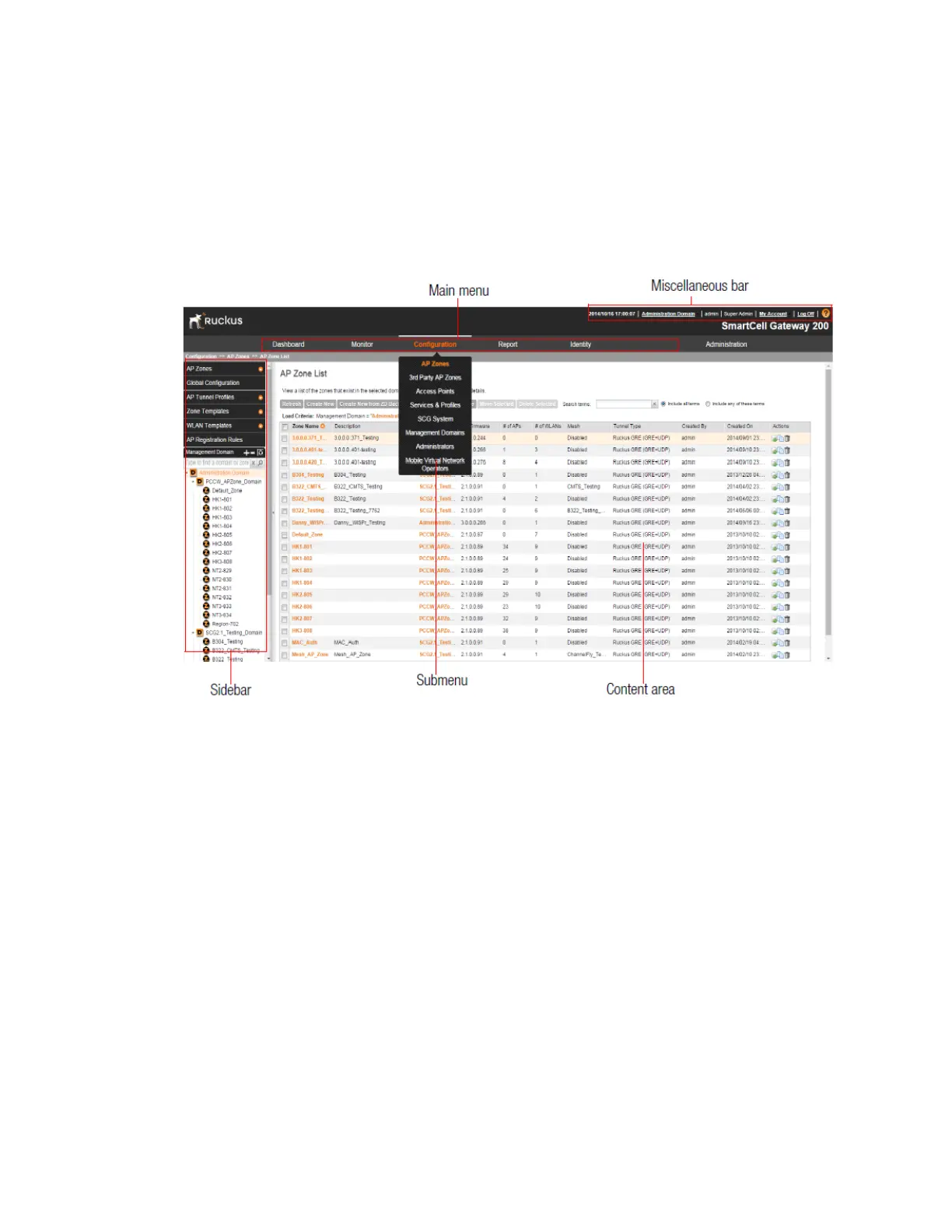
Figure 2: The controller web interface features
The following sections describe the web interface features that are called out in Figure 2: The
controller web interface features on page 21:
Main Menu
This is the primary navigation menu. The main menu contains six items:
• Monitor: Contains options for viewing information about AP zones, access points, wireless
clients, system information, alarms, events, and administrator activity.
For more information, see the following topics:
• Monitoring AP Zones, Access Points, and Wireless Clients on page 283
• Monitoring the System, Alarms, Events, and Administrator Activity on page 300
• Configuration: Contains options for managing AP zones, access points, system settings,
management domains, administrator accounts and mobile virtual network administrator
accounts.
For more information, see the following topics:
SmartCell Gateway 200/Virtual SmartZone High-Scale for Release 3.4.1 Administrator Guide
21
Navigating the Web Interface
Web Interface Features



 To Next Page