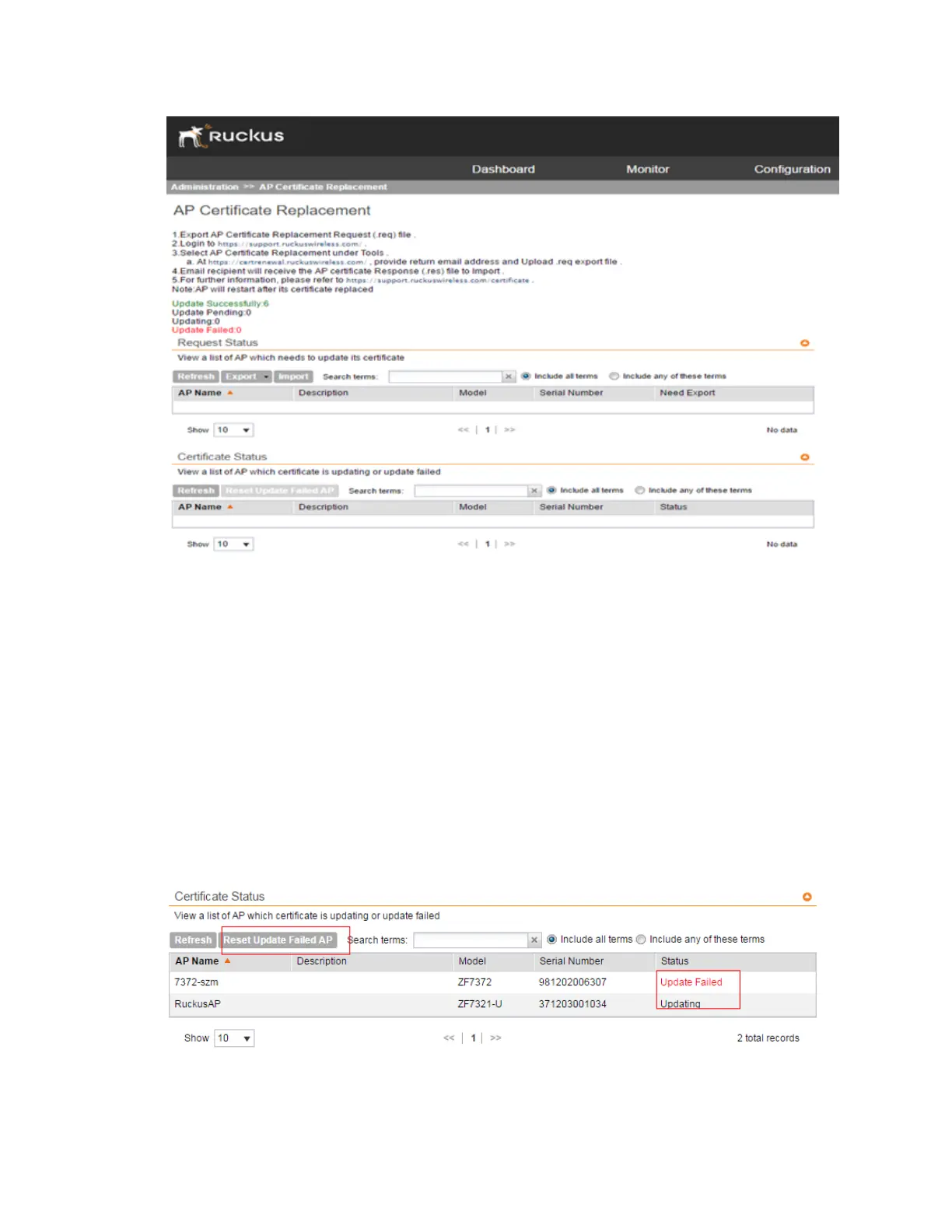
Figure 239: The number after "Update Successfully" indicates the number of APs on
which the certificate was updated successfully
There is no operational impact to the system before November 2016, even if AP certificate
refresh fails.
You have successfully imported the certificate to the AP.
Confirming AP Certification Status
1. Go to Administration > AP Certificate Replacement.
The AP Certificate Replacement page appears
2. In Certificate Status section, view the status of the certification update from the Status
column.
Figure 240: Certificate status
SmartCell Gateway 200/Virtual SmartZone High-Scale for Release 3.4.1 Administrator Guide
378
Performing Administrative Tasks
Managing AP Certificate Replacement



 To Next Page