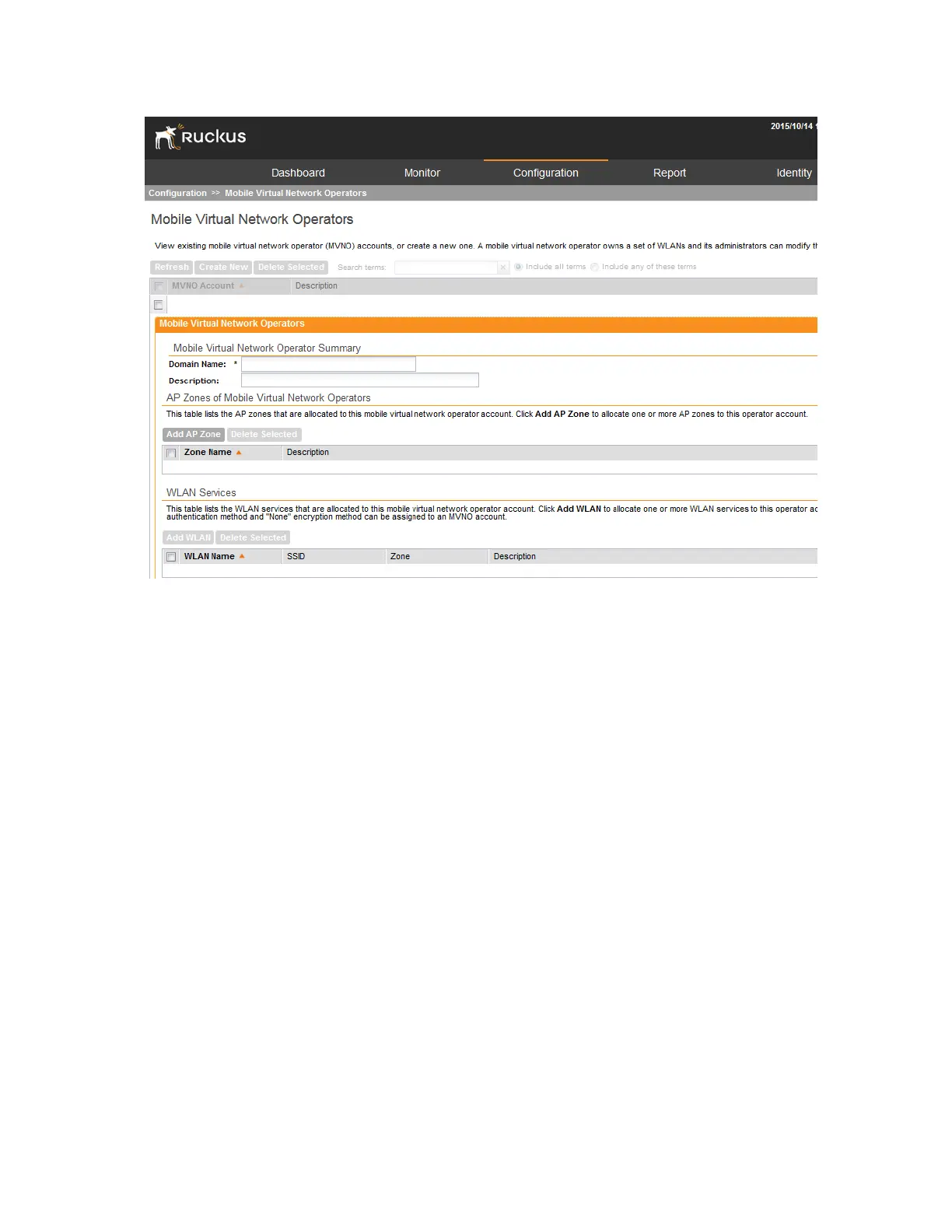
Figure 139: The Mobile Virtual Network Operators page
Creating a New MVNO Account
Mobile Virtual Network Operator Accounts (MVNO) page allows you to create, edit, and delete
mobile virtual network operator accounts.
Follow these steps to create a new virtual network operator account.
1. On the MVNO page, click Create New.
The Mobile Virtual Network Operator form appears.
2. In Mobile Virtual Network Operator Summary section:
a) Type a domain name to which this account will be assigned in the Domain Name box.
b) In Description, type a brief description about this domain name.
3. In Configure the AP zones to which the MVNO account that you are creating will have
management privileges. Click Add AP Zone to create an AP Zone(s)
a) In AP Zone, select the AP zone to which the MVNO account will have management
privileges.
NOTE: You can only select a single AP zone at a time. If you want to grant the MVNO
account management privileges to multiple AP zones, select them one at time.
b) Click Apply.
SmartCell Gateway 200/Virtual SmartZone High-Scale for Release 3.4.1 Administrator Guide
262
Managing Mobile Virtual Network Operator Accounts
Creating a New MVNO Account



 To Next Page