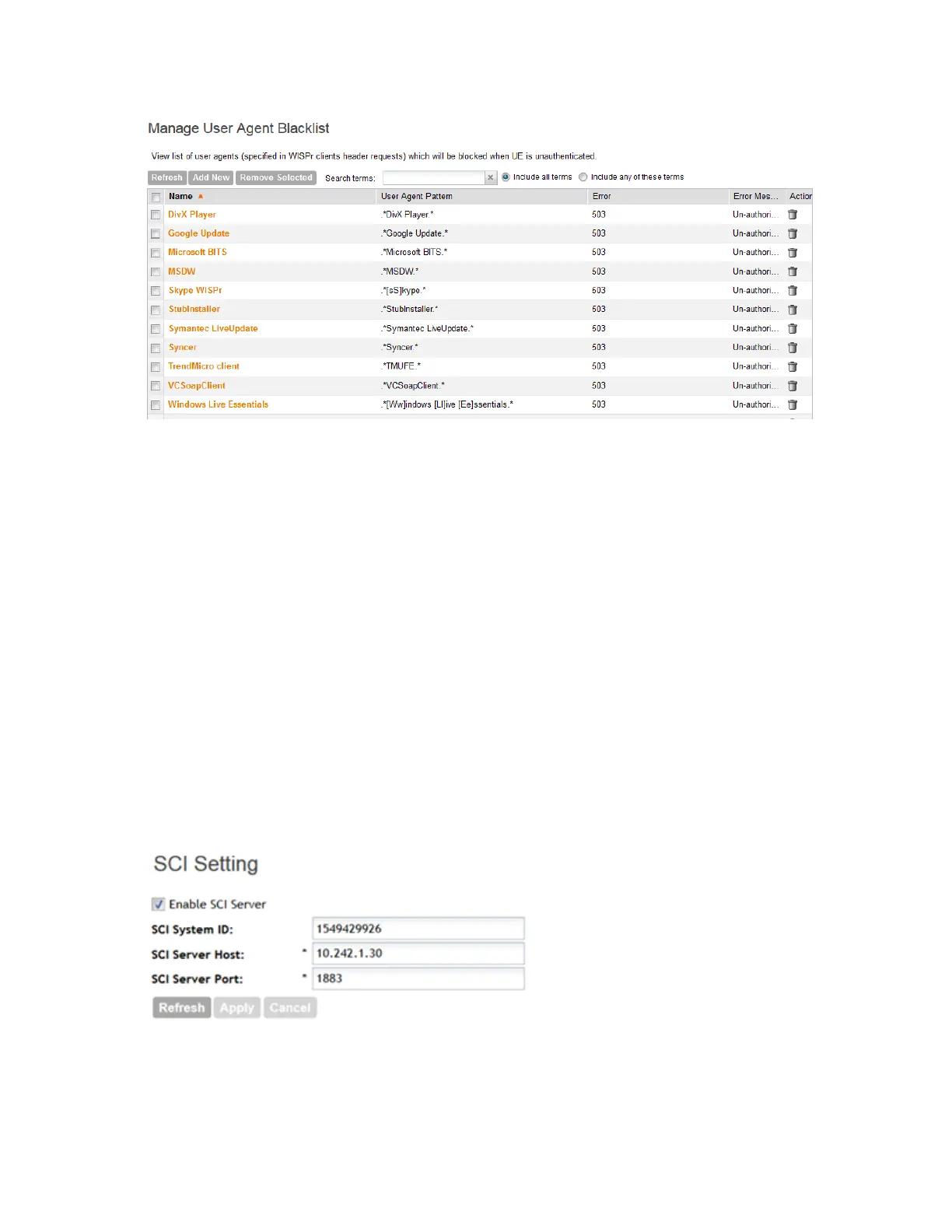
Figure 104: Global user agent black list
Configuring SCI Settings
SmartCell Insight uses data from the controller to analyse performance and generate reports
about the WiFi network. Configuring the SCI settings in the controller enables data transfer from
the controller to the SCI server using the MQTT protocol.
Follow these steps to configure the SCI server settings.
1. Go Configuration > System > SCI Setting.
The SCI Setting page is displayed.
2. Select the Enable SCI Server check-box to configure the SCI server settings.
3. In SCI System ID, enter the ID of the SCI system you plan to access.
4. In SCI Server Host, type the IP address to the SCI host server.
5. In SCI Server Port, type the port number over which the SCI server and controller can
communicate and transfer data.
6. Click Apply.
You have completed configuring the SCI server settings for the controller.
Figure 105: The SCI Setting section
SmartCell Gateway 200/Virtual SmartZone High-Scale for Release 3.4.1 Administrator Guide
211
Configuring the System Settings
Configuring General System Settings



 To Next Page