3. Exporting AP Certificate Requests on page 372
4. Importing AP Certificate Responses on page 375
5. Confirming AP Certification Status on page 378
Viewing AP Certificate Status
You can view a certificate for a new AP that is managed by the controller.
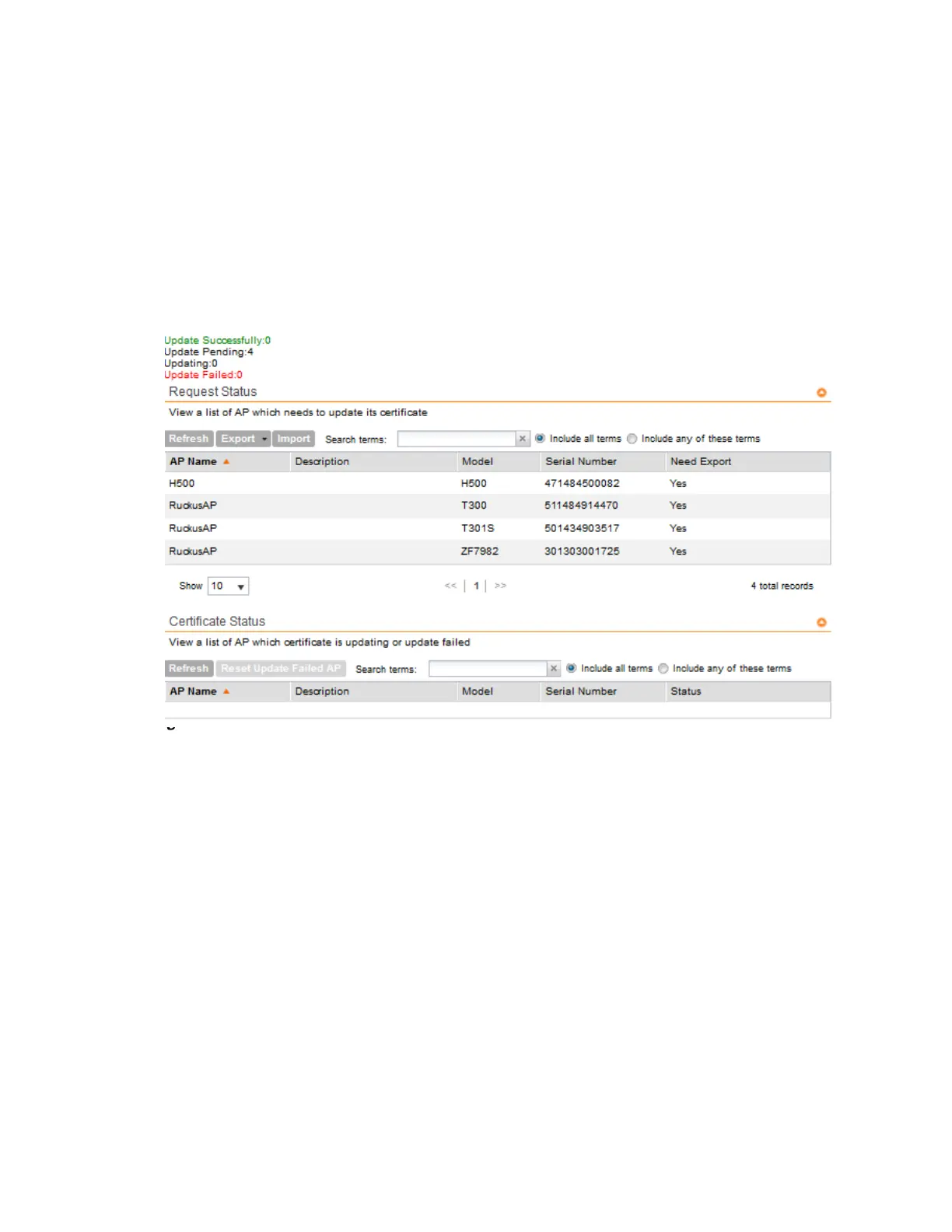
1. Go to Administration > AP Certificate Replacement.
The AP Certificate Replacement page appears.
Figure 231: AP Certificate Replacement
page
You can also view the list of APs by zone in SCG200 devices running release 3.4.1 and later.
2. In Request Status section, view the list of APs which need a certification update.
3. In Certificate Status section, view the status of the certification update from the Status
column.
Exporting AP Certificate Requests
You can export certificate requests for a new AP that is managed by the controller.
Follow these steps to export AP certificate requests.
1. Go to Administration > AP Certificate Replacement.
SmartCell Gateway 200/Virtual SmartZone High-Scale for Release 3.4.1 Administrator Guide
372
Performing Administrative Tasks
Managing AP Certificate Replacement



 To Next Page