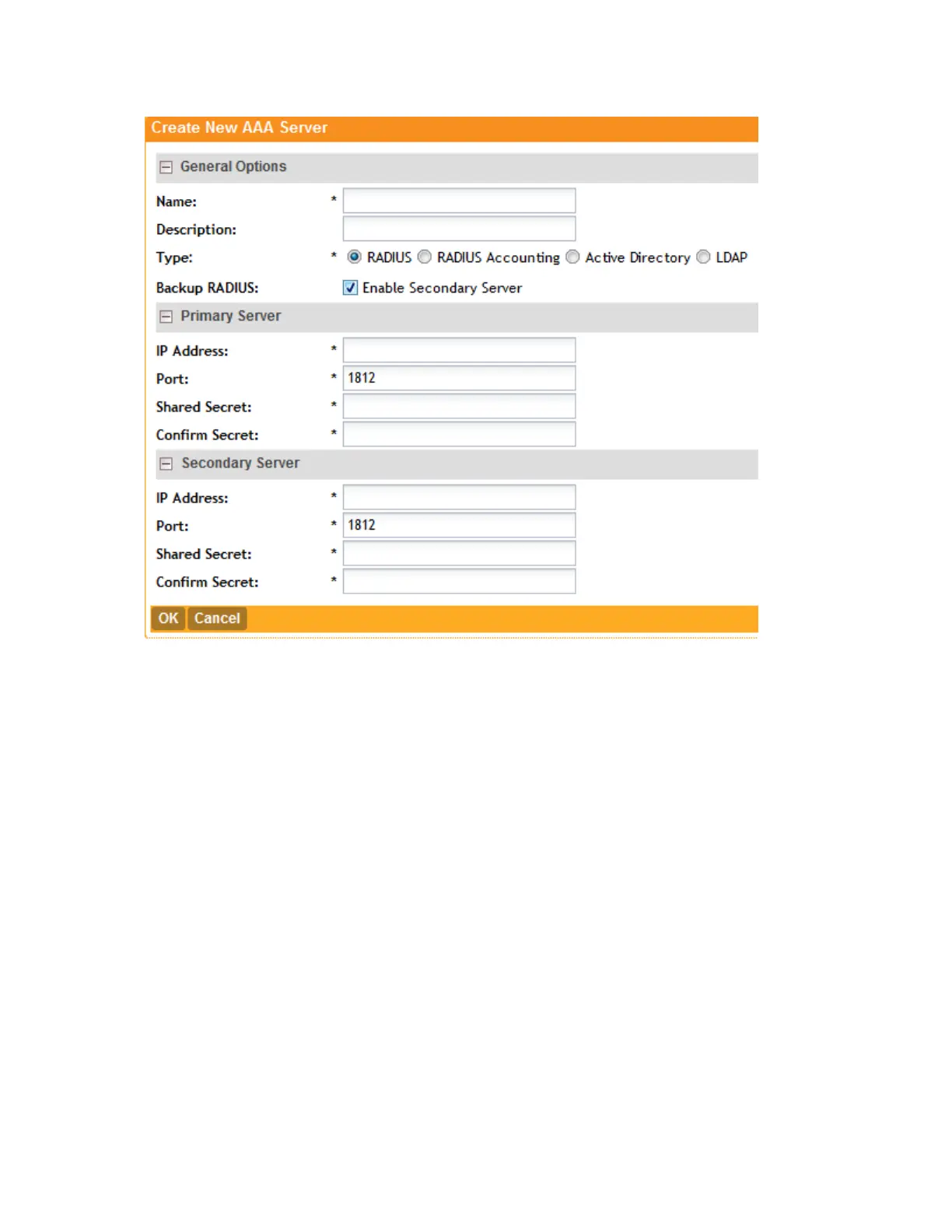
Figure 19: The Create New AAA Server form
Testing an AAA Server
Follow these steps to test if an AAA server that you have created in the controller is functioning.
1. On the AAA Servers page, click Test AAA.
The Test AAA Servers form appears.
2. In Name, select the name of the AAA server that you want to test.
3. In Protocol, select the Password Authentication Protocol (PAP), or the Challenge Handshake
Authentication Protocol (CHAP) to authenticate the AAA server.
4. In User Name, type the user name for your AAA server account.
5. In Password, type your AAA server password.
6. Click Test.
NOTE:
If the AP and RADIUS server are behind the NAT server, Testing AAA Servers fails as the
controller is unable to access the AAA server you created.
SmartCell Gateway 200/Virtual SmartZone High-Scale for Release 3.4.1 Administrator Guide
57
Managing Ruckus Wireless AP Zones
Working with AAA Servers



 To Next Page