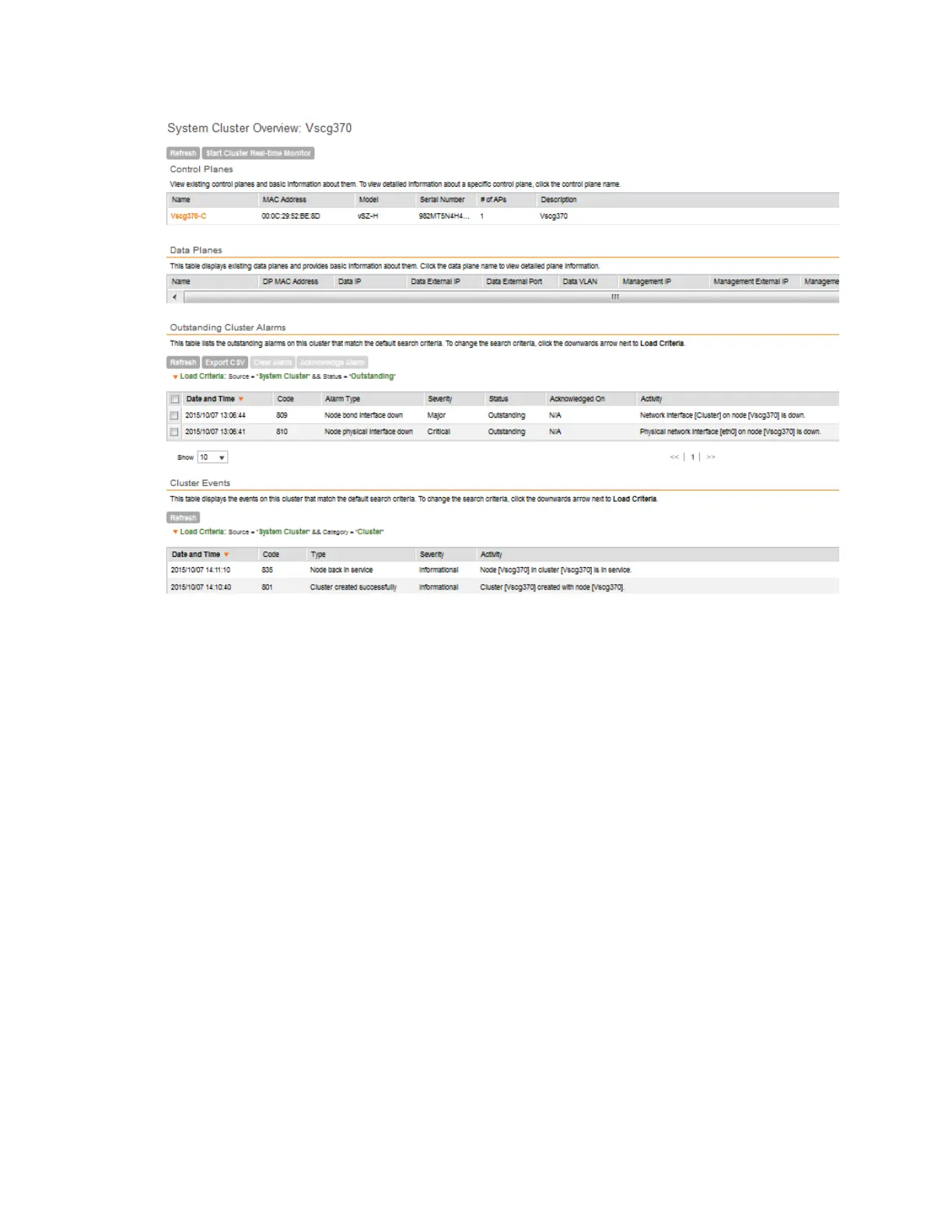
Figure 166: The System Cluster Overview page
Displaying the Chassis View of Cluster Nodes
The chassis view provides a graphical representation of the control panel (on the front panel of
the controller) and the rear panel of each controller node, including their LEDs.
Use the LEDs to check the status of the ports and power supplies on the controller. Fan status
is also displayed on the chassis view.
• To view the chassis of the cluster node, click Cluster Chassis View on the System Cluster
Overview page.
NOTE: The information on the chassis view updates automatically every 30 seconds. This polling
frequency is not configurable.
SmartCell Gateway 200/Virtual SmartZone High-Scale for Release 3.4.1 Administrator Guide
301
Monitoring the System, Alarms, Events, and Administrator Activity
Monitoring the Controller System



 To Next Page