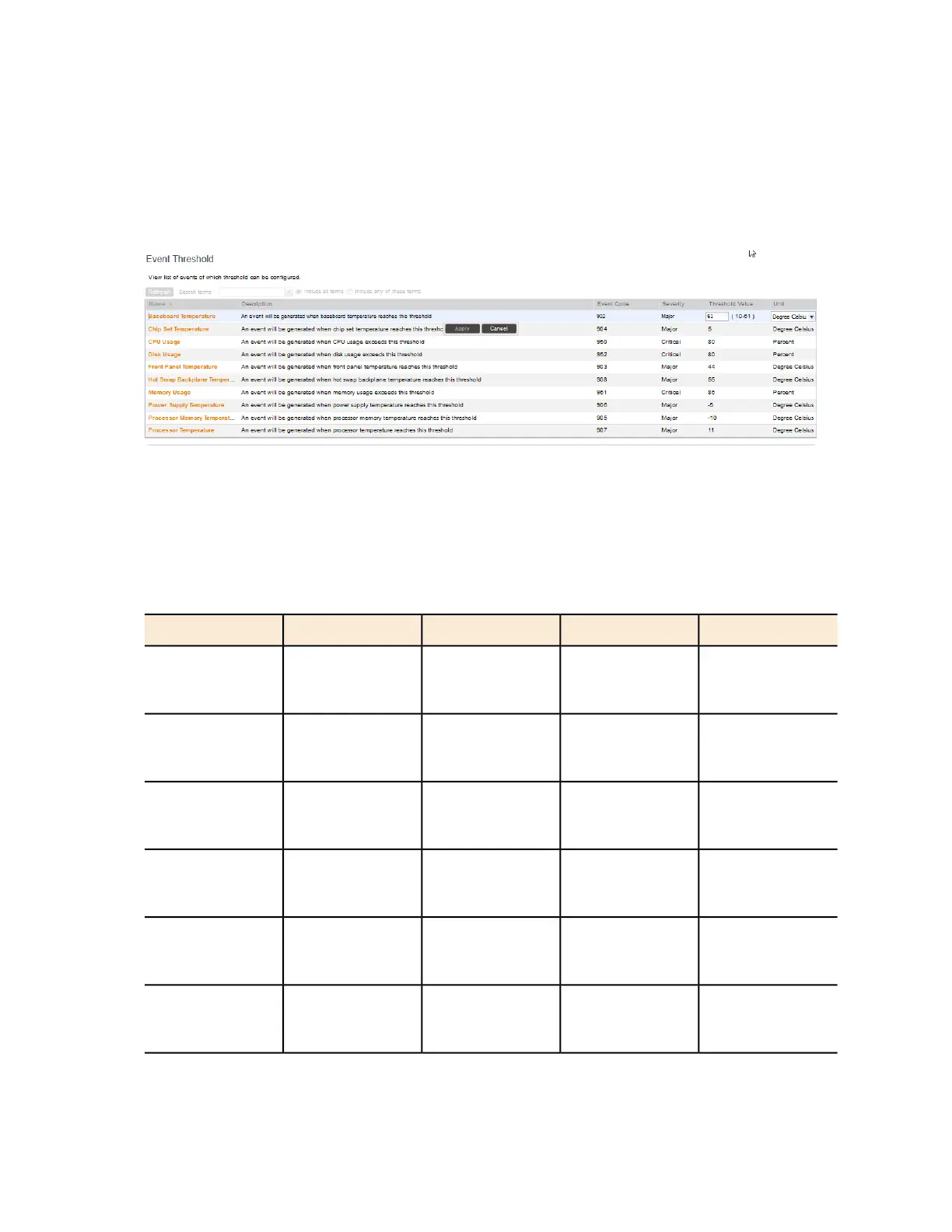
The threshold value for the event become edits. Next to the threshold value, the acceptable
range is shown.
5. Edit the threshold value.
6. Click Apply.
Repeat the same procedure to edit the threshold of another event.
Figure 125: Configuring the CPU Usage event threshold
Events with Configurable Thresholds
Controller hardware events for which you can configure the event thresholds, including their
default values and acceptable ranges.
Table 13: List of hardware events with configurable thresholds
UnitThreshold ValueSeverityEvent CodeEvent
PercentDefault: 80
Range: 60 to 90
Critical950CPU Usage
PercentDefault: 80
Range: 60 to 90
Critical952Disk Usage
PercentDefault: 80
Range: 60 to 90
Critical951Memory Usage
Degree CelsiusDefault: 61
Range: 10 to 61
Major902Baseboard
Temperature
Degree CelsiusDefault: 5
Range: -20 to 5
Major904Chip Set
Temperature
Degree CelsiusDefault: 44
Range: 5 to 44
Major903Front Panel
Temperature
SmartCell Gateway 200/Virtual SmartZone High-Scale for Release 3.4.1 Administrator Guide
239
Configuring the System Settings
Configuring Network Management



 To Next Page