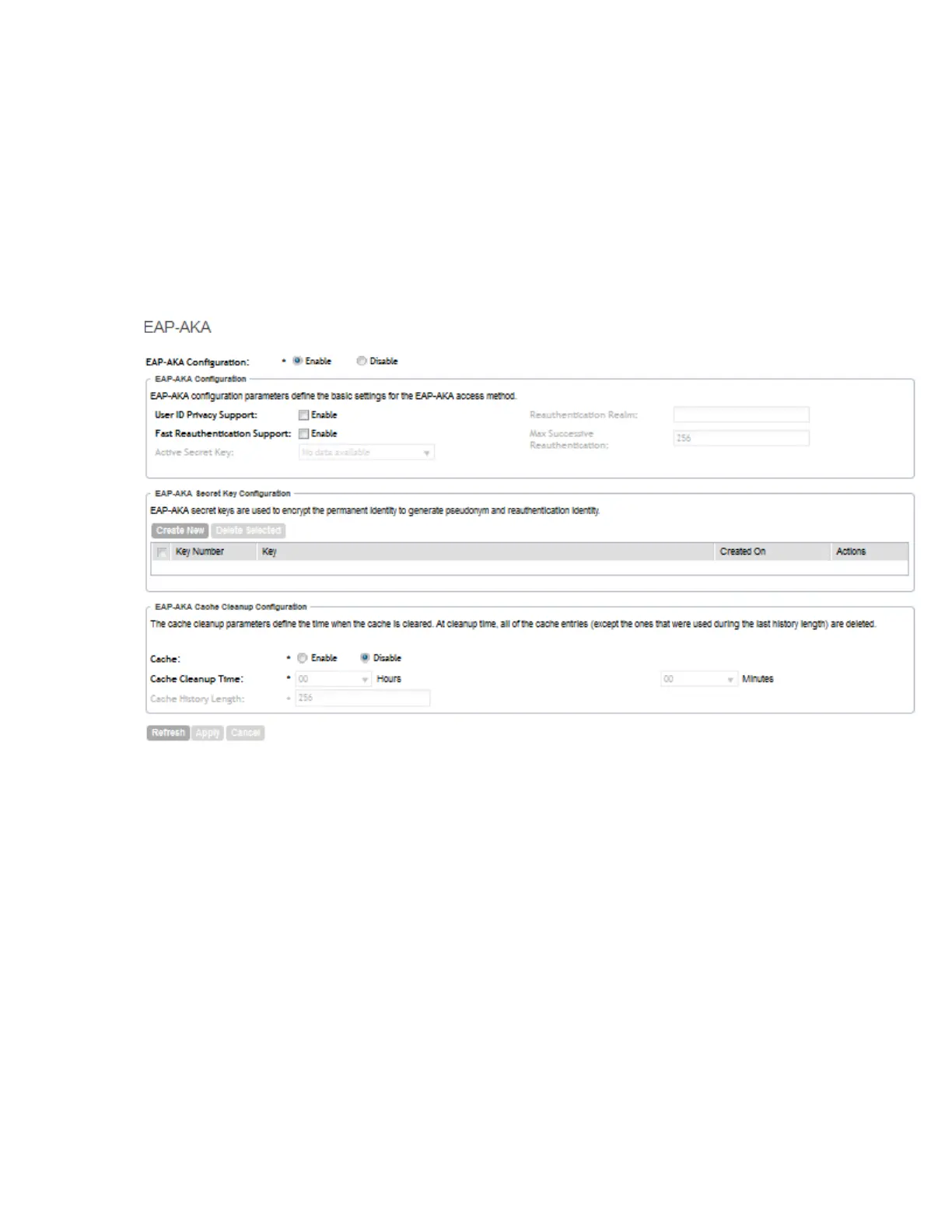
a) In Cache, click the Enable option to enable cache cleanup.
This option is disabled by default.
b) In Cache Cleanup Time, set the time (hour and minute) when cache cleanup will be
triggered.
c) In Cache History Length, set the maximum size of cache entries. The default it 256.
5. Click Apply.
You have completed configuring EAP-AKA based authentication using AAA server.
Figure 128: Configuring EAP-AKA authentication
SmartCell Gateway 200/Virtual SmartZone High-Scale for Release 3.4.1 Administrator Guide
244
Configuring the System Settings
Configuring Hosted AAA Services



 To Next Page