Created an Administrator Account based on the instructions in Creating an Administrator
Account on page 252
•
• Created a Role based on the instructions in Creating a New Administrator Role on page 252
• Authenticate the new Administrator Account from the RADIUS server based on the instructions
in Adding a RADIUS Server for Administrators on page 254
1. Go to Configuration > Management Domains.
The Management Domain: Administration Domain page appears.
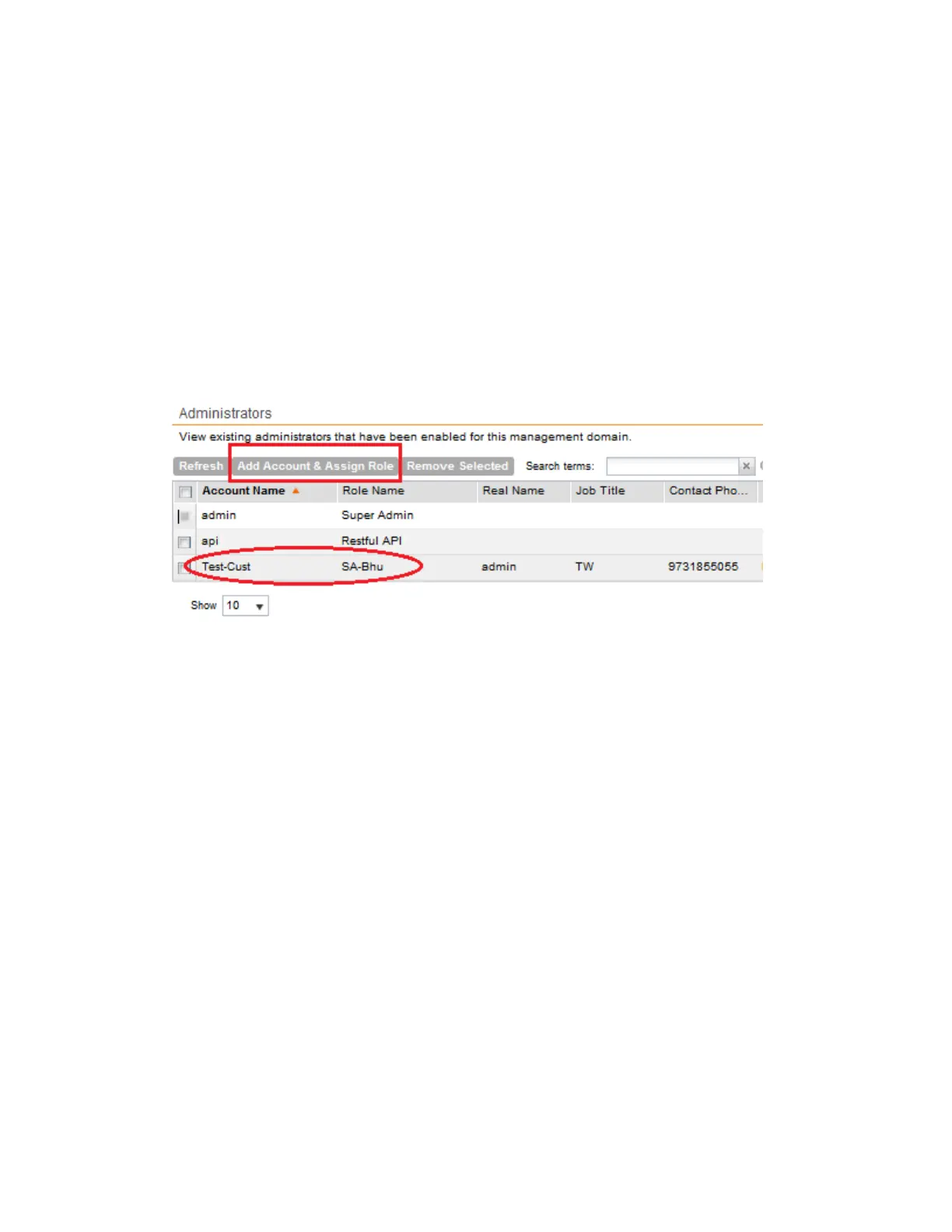
2. In the Administrators section, click Add Account & Assign Role.
3. In Account Name, select the account you created.
4. In Role Name, select the role you created.
5. Click OK.
Figure 131: Assigning Administrator Accounts to Roles in a Management Domain
6. Login to the controller's management interface with the new account name, e.g. Test-Cust.
After you login with the new account name, you will see the new user role and account as
shown in the figure.
SmartCell Gateway 200/Virtual SmartZone High-Scale for Release 3.4.1 Administrator Guide
248
Working with Management Domains
Assigning an Administrator Account to a Role



 To Next Page