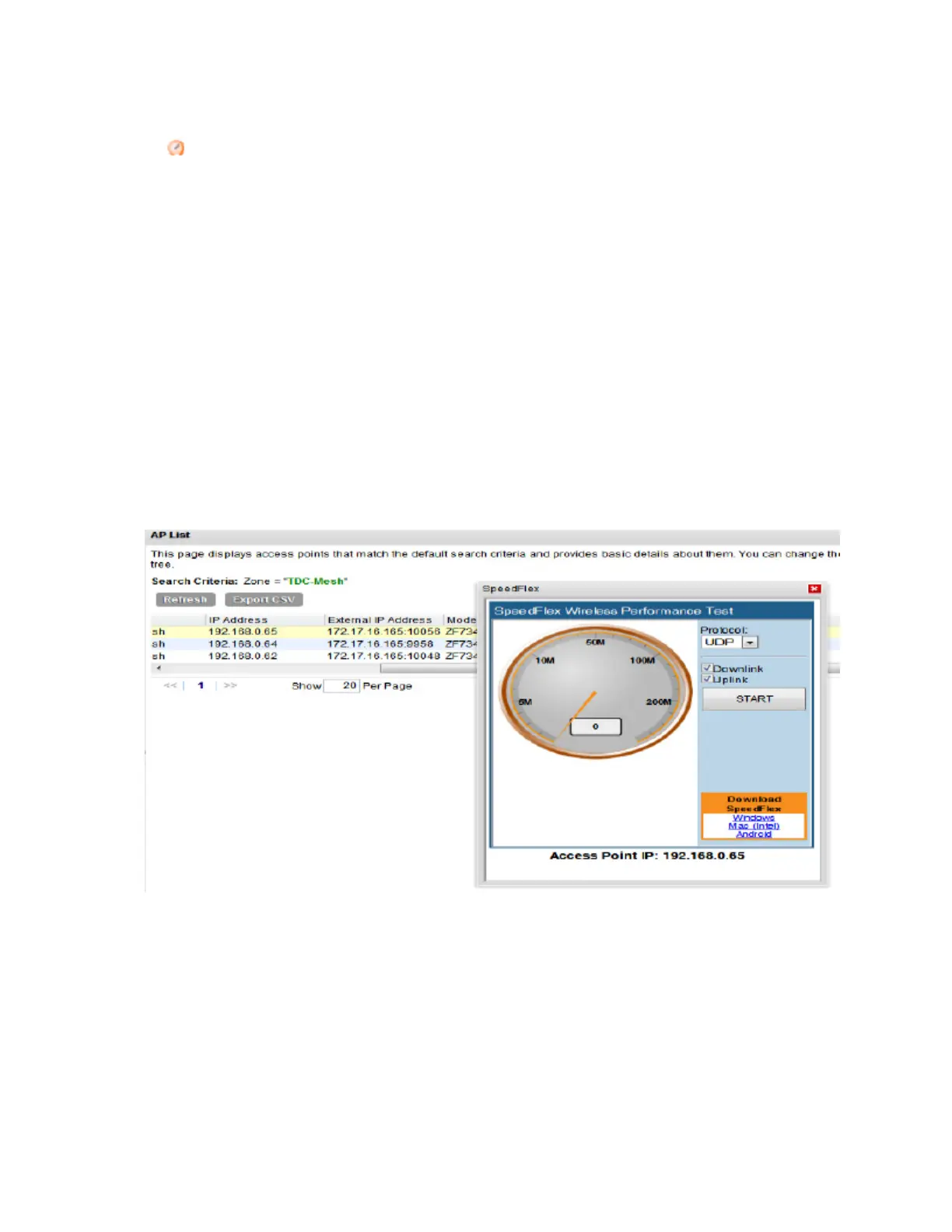
4. On the list of APs, look for the MAC address of the AP that you want to test, and then click
(SpeedFlex icon) that is in the same row.
The SpeedFlex Wireless Performance Test interface loads, showing a speedometer and
the IP address of the AP that you want to test.
5. In Protocol, select UDP.
If you are testing AP throughput, you have the option to test both Downlink and Uplink
throughput. Both options are selected by default. If you only want to test one of them, clear
the check box for the option that you do not want to test.
6. Click the Start button.
A progress bar appears below the speedometer as SpeedFlex generates traffic to measure
the downlink or uplink throughput. One throughput test typically runs for 10-30 seconds. If
you are testing AP throughput and you selected both the Downlink and Uplink options, both
tests should take about one minute to complete.
When the tests are complete, the results appear below the Start button. Information that is
shown includes the downlink/uplink throughput and the packet loss percentage during the tests.
Figure 165: The SpeedFlex page
SmartCell Gateway 200/Virtual SmartZone High-Scale for Release 3.4.1 Administrator Guide
299
Monitoring AP Zones, Access Points, and Wireless Clients
Monitoring Wireless Clients



 To Next Page