Configuring AP SNMP Options
Use the AP SNMP Options in the AP Groups section to configure the SNMP settings of a particular
AP.
1. Go to Configuration > AP Zones > AP Zone List > AP Group.
The AP Groups page appears.
2. Click Create New.
The Create New AP Group form is displayed.
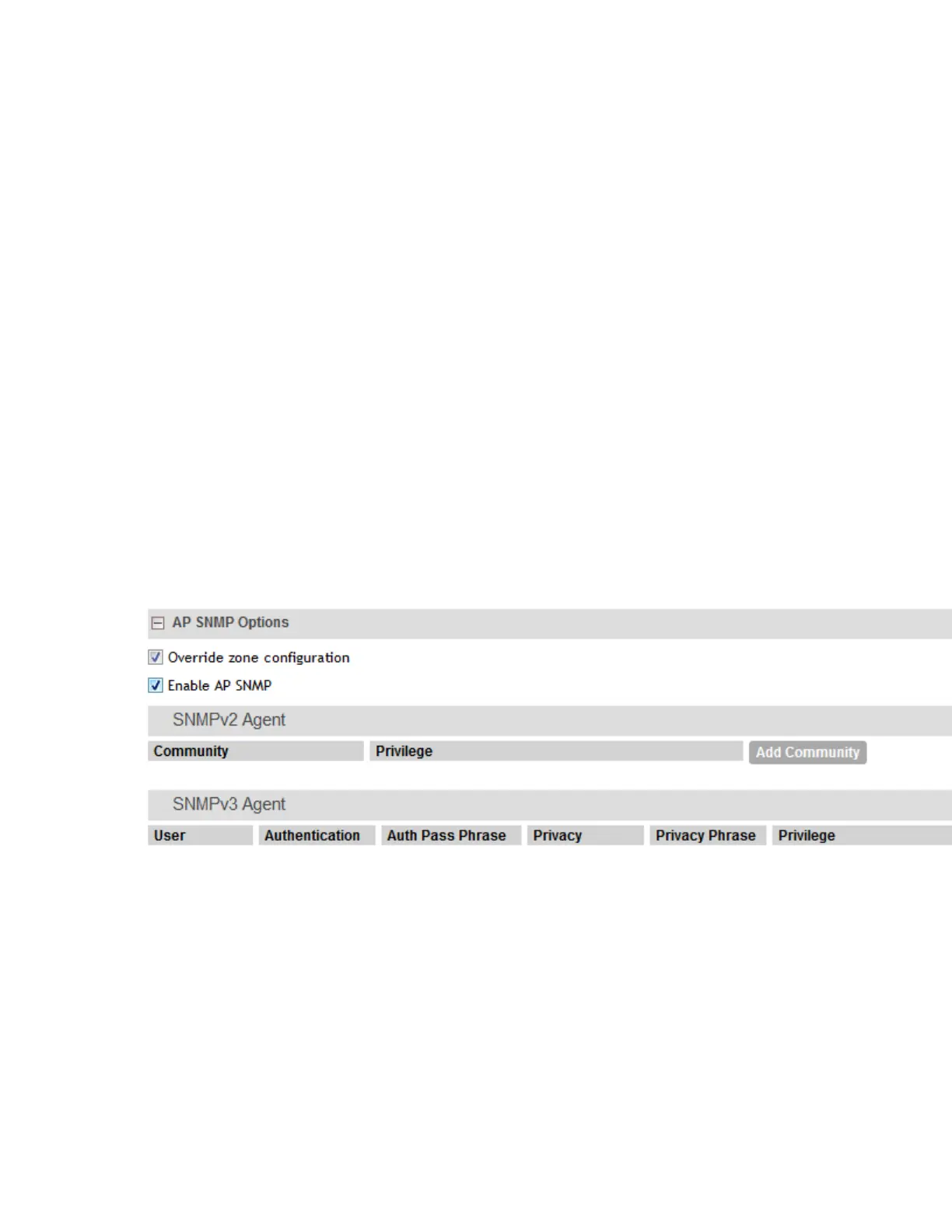
3. In AP SNMP Options, configure the following:
• Override zone configuration: select the check-box to override the existing configuration
for the AP zone.
• Enable AP SNMP: select the check-box to modify the SNMPv2 and SNMPv3 settings.
4. Click OK.
NOTE:
AP SNMP Options can be configured at the AP, zone, zone template, AP group, and AP
group template levels.
NOTE: The Inform function is not supported for SNMP v3 agents.
Figure 18: Configuring AP SNMP options for AP Groups
The following limitations apply to AP SNMP configurations:
• SNMP v2 and SNMP v3 configurations only allow one notification target.
• You can only set Community max count and Users max count values up to 3.
• The Read, Write and Notification privileges for communities and users must be different.
SmartCell Gateway 200/Virtual SmartZone High-Scale for Release 3.4.1 Administrator Guide
54
Managing Ruckus Wireless AP Zones
Working with AP Groups



 To Next Page