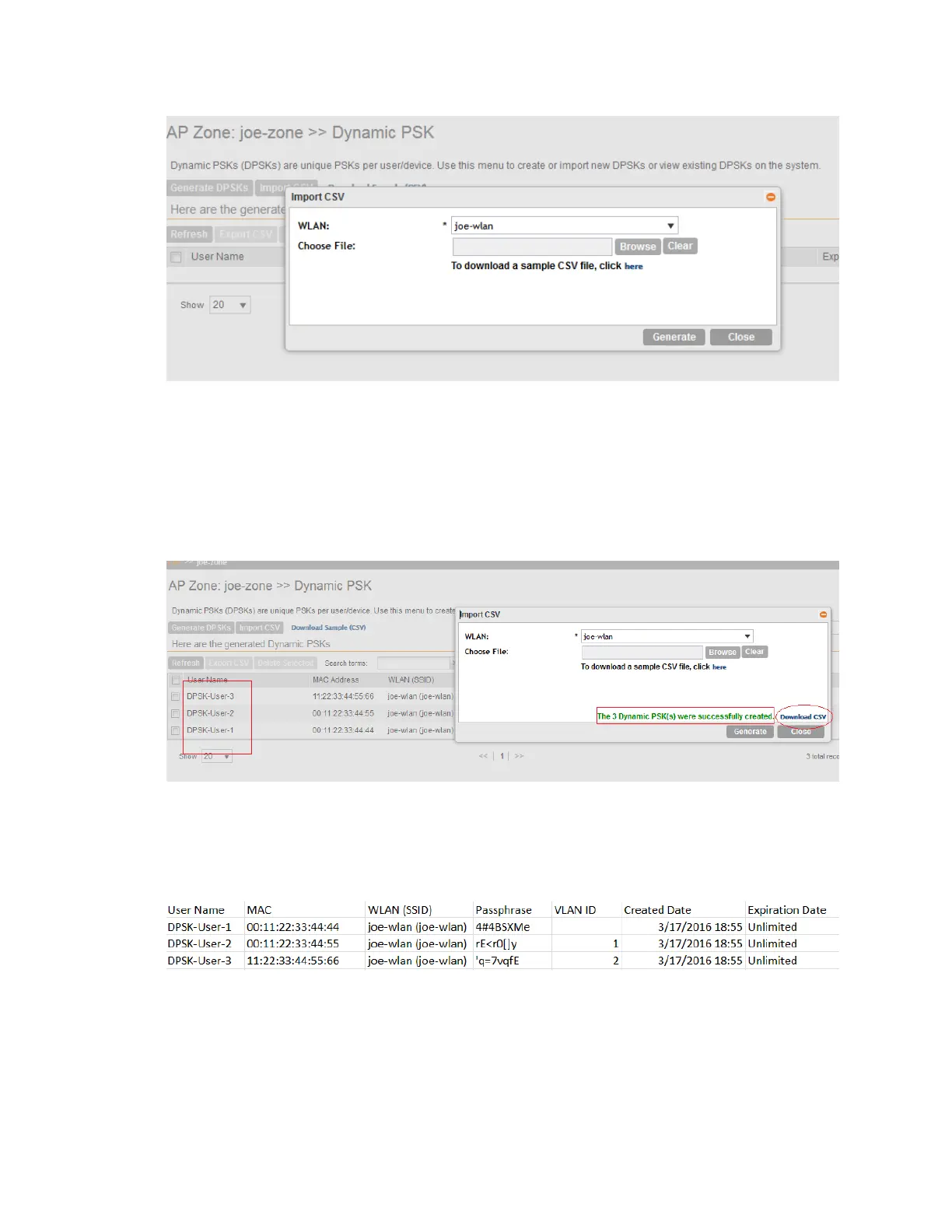
4. In WLAN, select a WLAN from the drop-down list. Only WLANs that support DPSK must be
selected.
5. In Choose File, click Browse to choose the CSV file.
Click Clear if you want to replace the CSV file.
6. Click Generate.
The new DPSKs are generated as shown in the figure.
Figure 38: New DPSKs generated
7. Click Download CSV to download the DPSKs soon after the DPSKs are generated.
The CSV file appears in the following format.
Figure 39: New CSV format
SmartCell Gateway 200/Virtual SmartZone High-Scale for Release 3.4.1 Administrator Guide
100
Managing Ruckus Wireless AP Zones
Working With Dynamic PSKs



 To Next Page