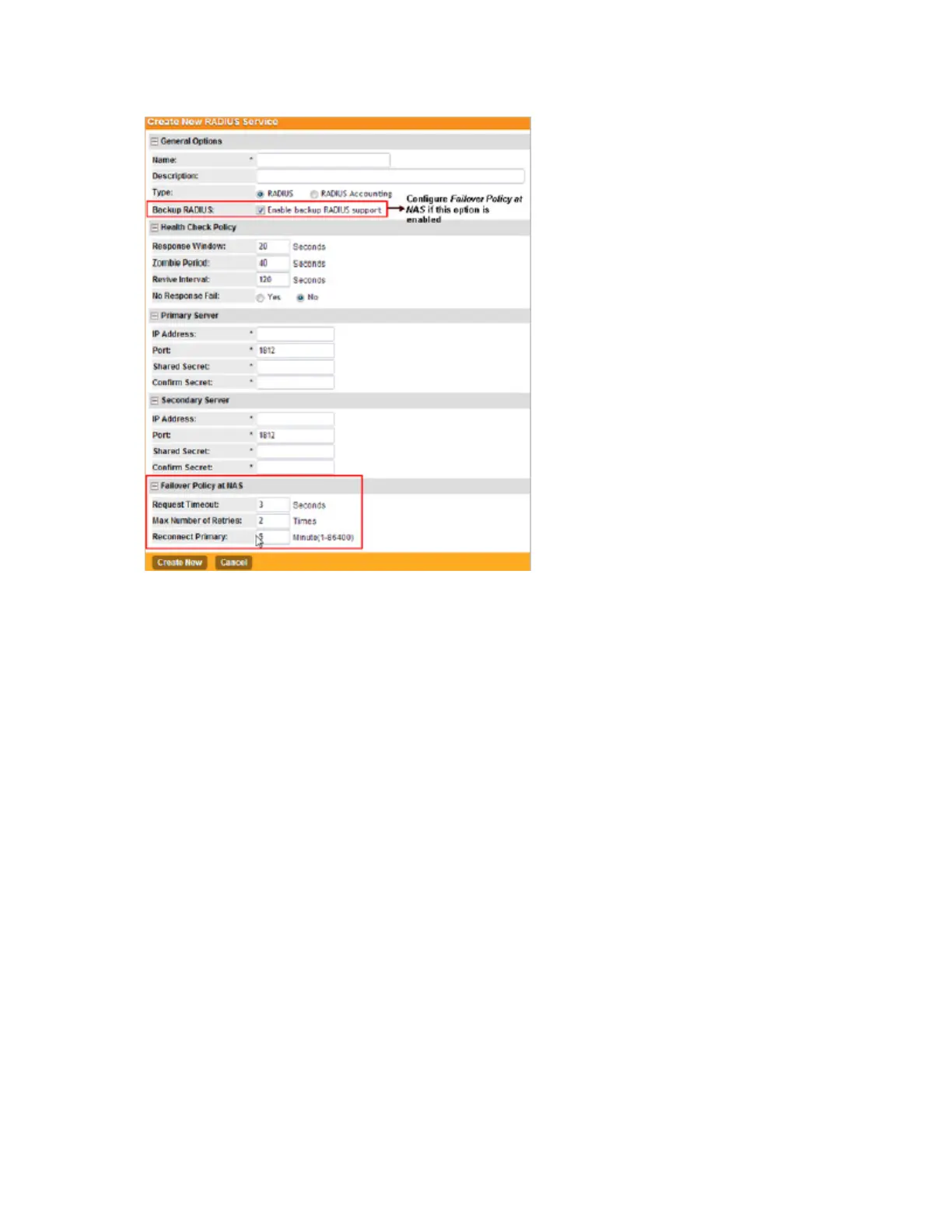
Figure 48: The Create New RADIUS Server form
Step 3: Configure the Hotspot (WISPr) Services of the WLAN Template
Settings to configure a hotspot portal in the zone template.
NOTE: If you are not providing a hotspot portal to users, skip this section.
If you need more information about hotspots, including third party prerequisites, see Creating
and Managing Hotspots on page 267.
Follow these steps to configure the hotspot settings of the WLAN template.
1. Click Configuration > AP Zones.
2. On the sidebar, click WLAN Templates.
The WLAN Templates page appears.
3. Click the name of the WLAN template for which you want to create a hotspot portal.
4. On the sidebar, click Hotspot (WISPr).
The Hotspot (WISPr) Portal page appears.
5. Click Create New.
The Create New Hotspot Portal form appears.
6. In the General Options section, configure the following options:
SmartCell Gateway 200/Virtual SmartZone High-Scale for Release 3.4.1 Administrator Guide
126
Managing Global Configuration, AP Tunnel Profiles, Templates, and AP Registration Rules
Working with WLAN Templates



 To Next Page