8. Go to the default download folder of your Web browser and locate the certificate request file.
The file name is myreq.zip.
9. Use a text editor (for example, Notepad) to open the certificate request file.
10. Go to the website of your preferred SSL certificate provider, and then follow the instructions
for purchasing an SSL certificate.
11. When you are prompted for the certificate signing request, copy and paste the entire content
of myreq.csr, and then complete the purchase.
After the SSL certificate provider approves your CSR, you will receive the signed certificate
via email. The following is an example of a signed certificate that you will receive from your
SSL certificate provider:
-----BEGIN CERTIFICATE-----
MIIFVjCCBD6gAwIBAgIQLfaGuqKukMumWhbVf5v4vDANBgkqhkiG9w0BAQUFADCBƒnsDELMAkGA1UEBhMCVVMxFzAVBgNVBAoTDlZlcmlTaWduLCBJbmMuMR8wHQYDVQQLƒnBgEFBQcBAQRtMGswJAYIKwYBBQUHMAGGGGh0dHA6Ly9vY3NwLnZlcmlzaWduLmNvƒnbTBDBggrBgEFBQcwAoY3aHR0cDovL1NWUlNlY3VyZS1haWEudmVyaXNpZ24uY29tƒnL1NWUlNlY3VyZTIwMDUtYWlhLmNlcjBuBggrBgEFBQcBDARiMGChXqBcMFowWDBWƒnFglpbWFnZS9naWYwITAfMAcGBSsOAwIaBBRLa7kolgYMu9BSOJsprEsHiyEFGDAmƒnFiRodHRwOi8vbG9nby52ZXJpc2lnbi5jb20vdnNsb2dvMS5naWYwDQYJKoZIhvcNƒnAQEFBQADggEBAI/S2dmm/kgPeVAlsIHmx751o4oq8+fwehRDBmQDaKiBvVXGZ5ZMƒnnoc3DMyDjx0SrI9lkPsn223CV3UVBZo385g1T4iKwXgcQ7/WF6QcUYOE6HK+4ZGcƒnHermFf3fv3C1FoCjq+zEu8ZboUf3fWbGprGRA+MR/dDI1dTPtSUG7/zWjXO5jC//ƒn0pykSldW/q8hgO8kq30S8JzCwkqrXJfQ050N4TJtgb/YC4gwH3BuB9wqpRjUahTiƒnK1V1ju9bHB+bFkMWIIMIXc1Js62JClWzwFgaGUS2DLE8xICQ3wU1ez8RUPGnwSxAƒnYtZ2N7zDxYDP2tEiO5j2cXY7O8mR3ni0C30=ƒn
-----END CERTIFICATE-----
12. Copy the content of the signed certificate, and then paste it into a text file.
13. Save the file.
You may now import the signed certificate into the controller. Refer to Importing an SSL Certificate
for more information.
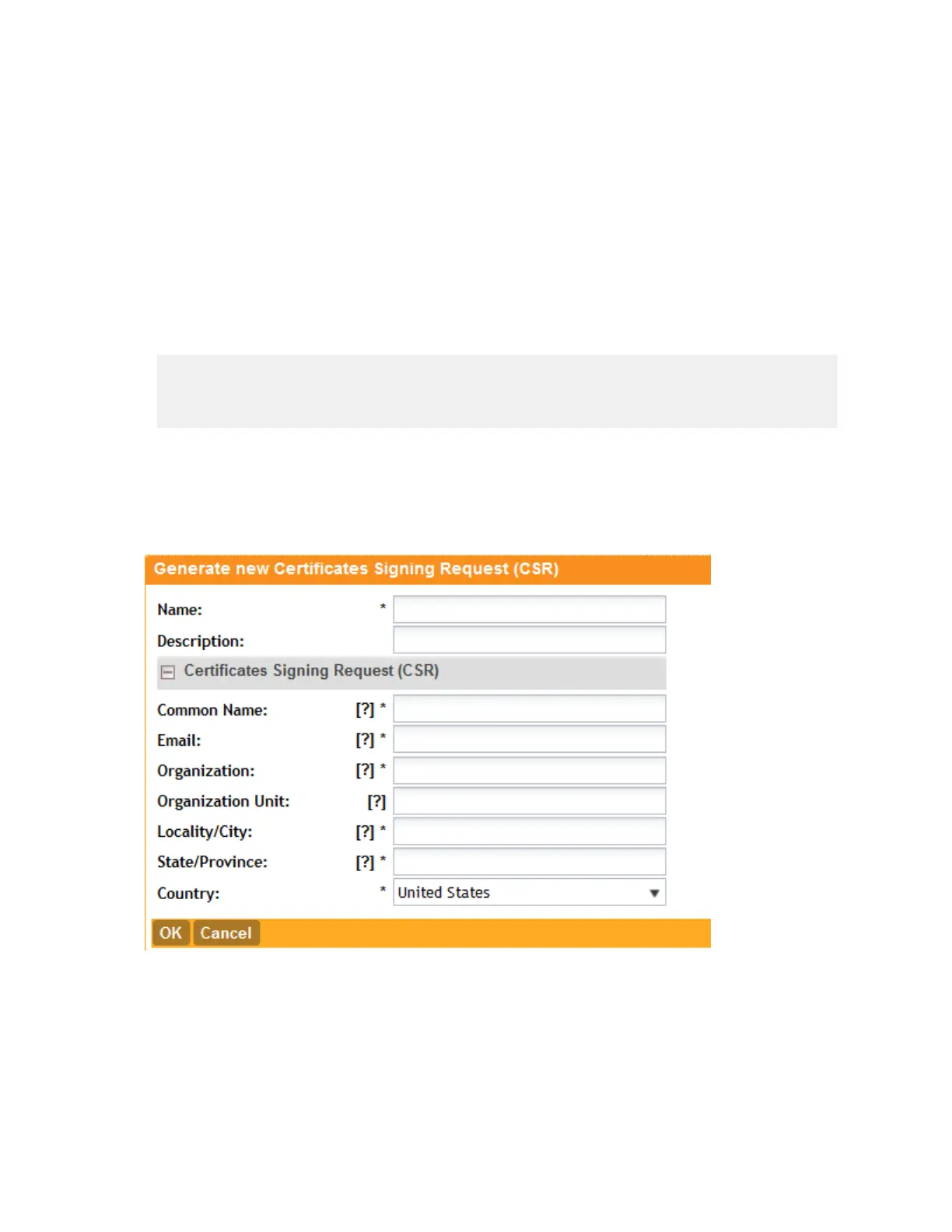
Figure 107: Generating a certificate signing request
Importing an SSL Certificate
If you have an SSL certificate issued by an SSL certificate provider, you can import it into the
controller and use it for HTTPS communication.
To complete this procedure, you will need the following items:
SmartCell Gateway 200/Virtual SmartZone High-Scale for Release 3.4.1 Administrator Guide
215
Configuring the System Settings
Configuring General System Settings



 To Next Page