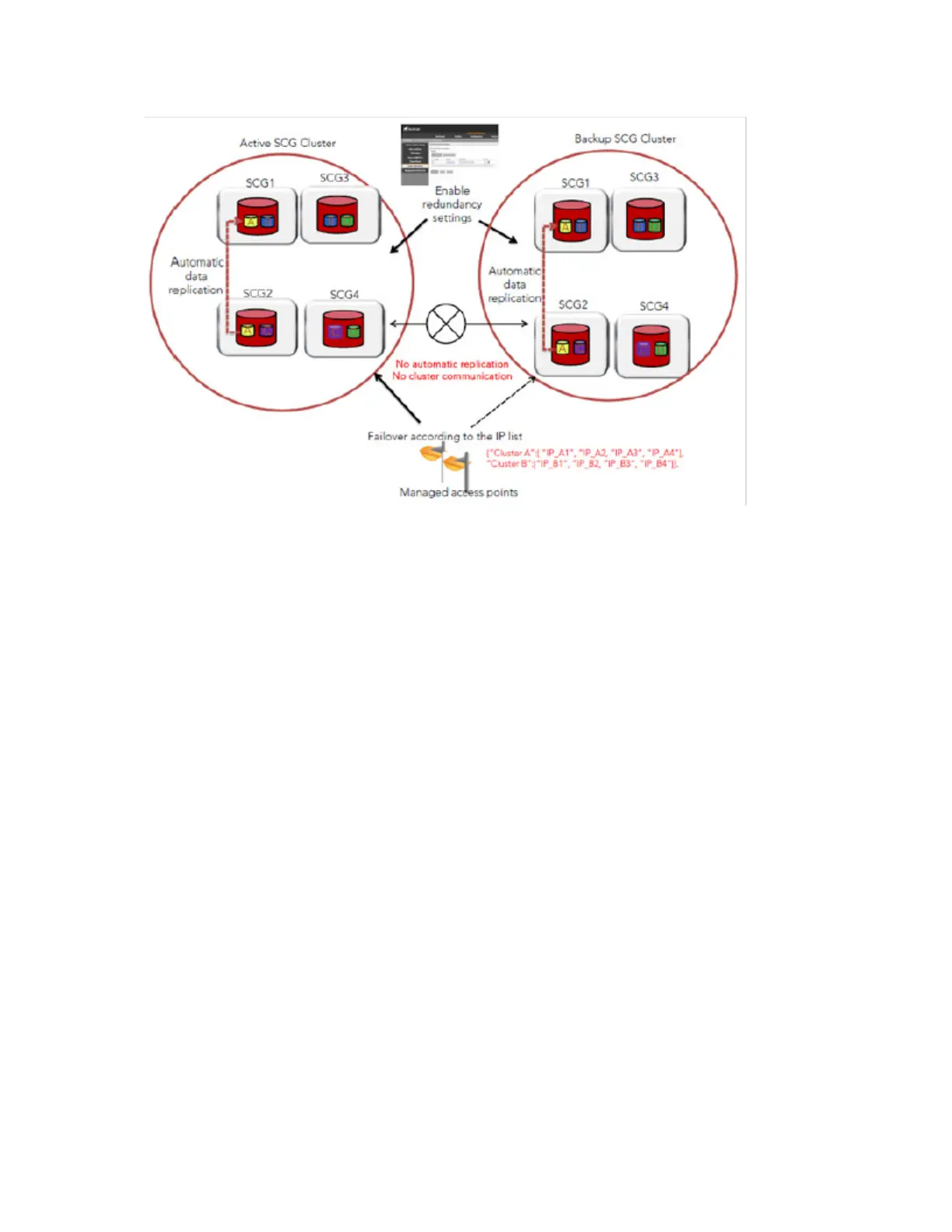
Figure 118: Cluster redundancy
Follow these steps to configure redundancy for a cluster on the network.
1. Go to Configuration > Cluster Planes.
2. Select the Enable Cluster Redundancy check box.
3. Click the Create New button to create a record for a failover cluster.
The Cluster form appears.
4. Configure the settings in the Cluster form.
a) In Name, type a name for the cluster (for example, type Cluster B).
b) Under Cluster Control IP List, click the Create New IP button.
c) In the text box that appears, type the control interface IP address of a node in this cluster.
d) Click Save.
e) Repeat steps b to d for every node in the cluster. If this cluster has two nodes, for example,
this cluster control IP list must have two IP addresses. You can add up to four control IP
addresses to the list.
SmartCell Gateway 200/Virtual SmartZone High-Scale for Release 3.4.1 Administrator Guide
230
Configuring the System Settings
Configuring Cluster Planes



 To Next Page