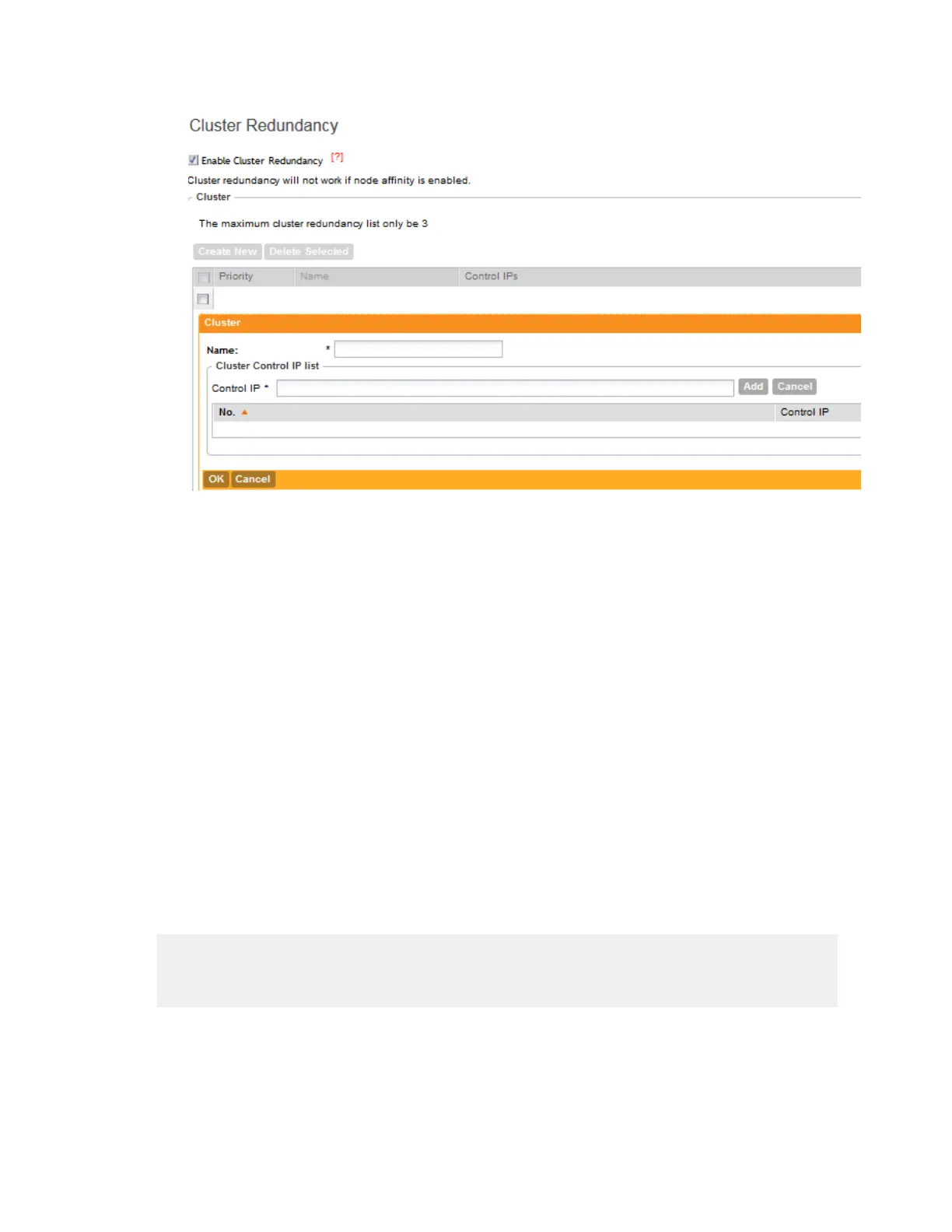
Figure 119: Use the Cluster form to set the cluster control IP addresses
5. Click Apply in the Cluster form to save the cluster control IP list.
6. To add another cluster control IP list (for example, for Cluster C), click Create New.
You can add up to four cluster control IP lists.
7. Click Apply on the Cluster Redundancy Settings page.
You have completed configuring cluster redundancy.
NOTE: After configuring redundancy for a cluster, Ruckus Wireless strongly recommends backing
up the controller configuration.
How Cluster Redundancy Works
The following simplified scenario describes how cluster redundancy works and how managed
APs fail over from one controller cluster to another.
1. After you enable and configure cluster redundancy on the controller, managed APs obtain
the updated configuration (which now includes the failover settings) from the controller. If you
have two clusters, for example, managed APs will obtain a failover list similar to the following:
{"Cluster A":[ "IP_A1", "IP_A2, "IP_A3", "IP_A4"], "Cluster
B":["IP_B1", "IP_B2,
"IP_B3", "IP_B4"]}.
2. If Cluster A goes out of service or becomes unavailable, APs managed by Cluster A will
attempt to connect to the IP addresses (one node at a time) specified for Cluster A.
3. If managed APs are unable to connect to the IP addresses specified for Cluster A, they will
attempt to connect to the IP addresses (one node at a time) specified for Cluster B.
SmartCell Gateway 200/Virtual SmartZone High-Scale for Release 3.4.1 Administrator Guide
231
Configuring the System Settings
Configuring Cluster Planes



 To Next Page